

ExpressVPN
    • นโยบายต่อต้านการบันทึก
    • Servers in 105 Countries
    • Use on Multiple Devices
    • High-Speed VPN
    • Access Online Services Securely
    • เล่นเกมด้วย VPN
    • 30-Day Money-Back Guarantee
    • สำรวจคุณสมบัติทั้งหมด
    • เกี่ยวกับ ExpressVPN
    Sign Up For Expressvpn

    One subscription gives you access to a fast-growing suite of privacy and security tools that work seamlessly together to improve your digital life.

    View all products
    • โปรโตคอล Lightway VPN
    • Internet Kill Switch
    • Split Tunneling
    • Private, Encrypted DNS
    • Avoid ISP Throttling
    • Threat Manager
    • ตัวบล็อกโฆษณา
    • การควบคุมโดยผู้ปกครอง
    • IP เฉพาะ
  • ดาวน์โหลด VPN
    • Windows new
    • MacOS new
    • Linux new
    • iPhone / iPad
    • Android
    • Apple TV
    • Fire Stick
    • Android TV
    • VPN สำหรับ เราเตอร์
    • เราเตอร์ Aircove
    • Chrome
    • Firefox
    • Edge
  • Pricing
    • VPN คืออะไร?
    • VPN for Beginners
    • How To Use a VPN
    • VPN Encryption Explained
    • บล็อก
    • Glossary
    • IP Address Checker
    • การทดสอบการรั่วไหล DNS
    • การทดสอบการรั่วไหล WebRTC
    • เครื่องมือช่วยสร้างรหัสผ่าน
    • ศูนย์สนับสนุน
    • คำถามที่พบบ่อย
    • ไลฟ์แชท
    • สาธิตการตั้งค่า VPN
    • Redemption Code
  • Icon10VPN for Teams
  • ผลิตภัณฑ์
    Icon11

    ExpressVPN for Teams Get fast, secure VPN protection for growing teams. Easy to deploy, simple to manage, built to scale.

    Img2
    • ExpressVPN

      ExpressVPN Industry-leading, ultra-fast VPN with secure servers in 105 countries.

    • ExpressMailGuard

      ExpressMailGuard Private email relay service to protect your inbox and identity.

    • ExpressKeys

      ExpressKeys Secure password management, multi-factor authentication, and more.

    • ExpressAI

      ExpressAI The first consumer AI powered by confidential computing for privacy-led intelligence.

    • Identity Defender

      Identity Defender Powerful suite of ID protection, monitoring, and data removal tools

    Other products from the family behind ExpressVPN

    • holiday.com eSIM

      holiday.com eSIM Unlimited data with a single eSIM across 150+ destinations.

    • Intego

      Intego Award-winning macOS antivirus, firewall, system tools, and more.

  • บัญชีของฉัน
เริ่มต้น
ExpressVPN
    • นโยบายต่อต้านการบันทึก
    • Servers in 105 Countries
    • Use on Multiple Devices
    • High-Speed VPN
    • Access Online Services Securely
    • เล่นเกมด้วย VPN
    • 30-Day Money-Back Guarantee
    • สำรวจคุณสมบัติทั้งหมด
    • เกี่ยวกับ ExpressVPN
    Sign Up For Expressvpn

    One subscription gives you access to a fast-growing suite of privacy and security tools that work seamlessly together to improve your digital life.

    View all products
    • โปรโตคอล Lightway VPN
    • Internet Kill Switch
    • Split Tunneling
    • Private, Encrypted DNS
    • Avoid ISP Throttling
    • Threat Manager
    • ตัวบล็อกโฆษณา
    • การควบคุมโดยผู้ปกครอง
    • IP เฉพาะ
  • ดาวน์โหลด VPN
    • Windows new
    • MacOS new
    • Linux new
    • iPhone / iPad
    • Android
    • Apple TV
    • Fire Stick
    • Android TV
    • VPN สำหรับ เราเตอร์
    • เราเตอร์ Aircove
    • Chrome
    • Firefox
    • Edge
  • Pricing
    • VPN คืออะไร?
    • VPN for Beginners
    • How To Use a VPN
    • VPN Encryption Explained
    • บล็อก
    • Glossary
    • IP Address Checker
    • การทดสอบการรั่วไหล DNS
    • การทดสอบการรั่วไหล WebRTC
    • เครื่องมือช่วยสร้างรหัสผ่าน
    • ศูนย์สนับสนุน
    • คำถามที่พบบ่อย
    • ไลฟ์แชท
    • สาธิตการตั้งค่า VPN
    • Redemption Code
  • VPN for Teams
  • ผลิตภัณฑ์
    • ExpressVPN

      ExpressVPN Industry-leading, ultra-fast VPN with secure servers in 105 countries.

    • ExpressMailGuard

      ExpressMailGuard Private email relay service to protect your inbox and identity.

    • ExpressKeys

      ExpressKeys Secure password management, multi-factor authentication, and more.

    • ExpressAI

      ExpressAI The first consumer AI powered by confidential computing for privacy-led intelligence.

    • Identity Defender

      Identity Defender Powerful suite of ID protection, monitoring, and data removal tools

    Other products from the family behind ExpressVPN

    • holiday.com eSIM

      holiday.com eSIM Unlimited data with a single eSIM across 150+ destinations.

    • Intego

      Intego Award-winning macOS antivirus, firewall, system tools, and more.

    Icon11

    ExpressVPN for Teams Get fast, secure VPN protection for growing teams. Easy to deploy, simple to manage, built to scale.

    Img2
  • บัญชีของฉัน
เริ่มต้น
Home Home » วิธีใช้ MediaStreamer บน Apple TV (รุ่นที่ 1, 2, 3)

บทเรียนการตั้งค่า

วิธีใช้ MediaStreamer บน Apple TV (รุ่นที่ 1, 2, 3)

อัปเดตล่าสุด: 12/01/2024

Share in FacebookShare in TwitterShare in WhatsappShare in TelegramShare by email
Set up on your Apple TV.
ต้องการ VPN หรือ DNS สำหรับ Apple TV ของคุณหรือไม่?
รับ ExpressVPN ตอนนี้

Use ExpressVPN on your devices.
บัญชี ExpressVPN หนึ่งบัญชี อุปกรณ์ทั้งหมด
รับแอปฟรี

บทช่วยสอนนี้จะแสดงวิธีตั้งค่า MediaStreamer บน Apple TV ของคุณ (รุ่นที่ 1, 2, 3)

MediaStreamer เป็นบริการ DNS ที่ออกแบบมาเพื่อปรับปรุงประสบการณ์การสตรีมของคุณ เนื่องจาก Apple TV ไม่รองรับ VPN โดยกำเนิด คุณจึงสามารถใช้ MediaStreamer เป็นทางเลือกสำหรับการสตรีมได้

หมายเหตุ: MediaStreamer ไม่ใช่ VPN และไม่มีประโยชน์ด้านความเป็นส่วนตัวและความปลอดภัยของ VPN MediaStreamer ไม่มีส่วนต่อประสานกับผู้ใช้แบบกราฟิก คุณไม่สามารถเปลี่ยนตำแหน่งบน MediaStreamer

ยังไม่ได้เป็นลูกค้า? อ่านเหตุผลที่คุณควรรับ ExpressVPN สำหรับ Apple TV

หมายเหตุ: วิดีโอด้านล่างแสดง Apple TV รุ่นที่ 4 ดังนั้นอินเทอร์เฟซจึงแตกต่างจากรุ่นเก่า

ข้ามไปที่…

1. ลงทะเบียนที่อยู่ IP ของคุณบนเว็บไซต์ ExpressVPN
2. รับที่อยู่ IP ของเซิร์ฟเวอร์ MediaStreamer ของคุณ
3. กำหนดการตั้งค่าตำแหน่งบน Apple TV ของคุณ
4. กำหนดค่าเซิร์ฟเวอร์ DNS บน Apple TV ของคุณ


1. ลงทะเบียนที่อยู่ IP ของคุณบนเว็บไซต์ ExpressVPN

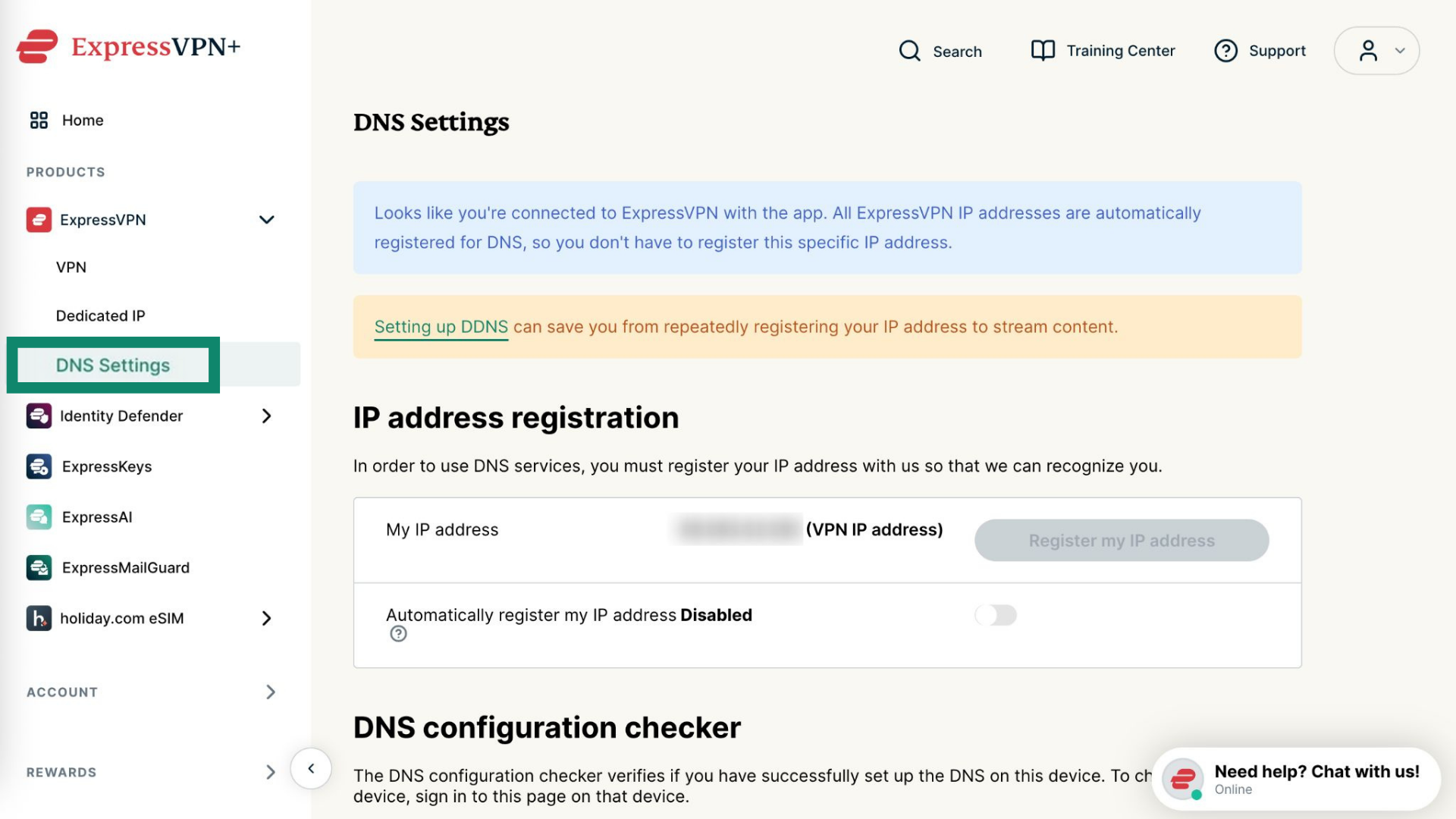
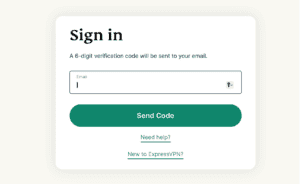
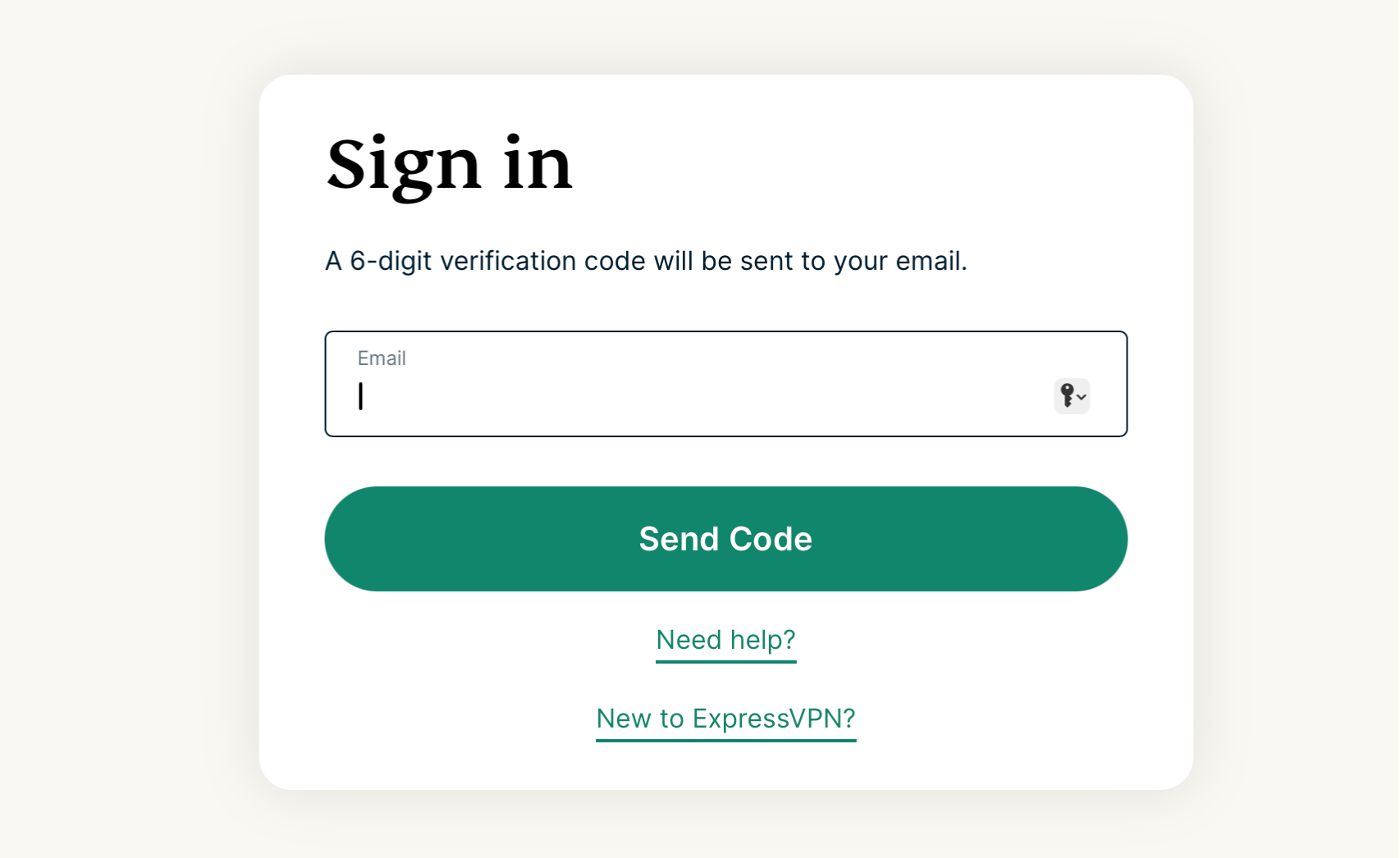
ไปที่หน้าการตั้งค่า ExpressVPN DNS หากได้รับแจ้ง ให้ป้อนข้อมูลรับรอง ExpressVPN ของคุณแล้วคลิก Sign In

Enter your account credentials, then click "Sign In."

ป้อนรหัสยืนยันที่ส่งไปยังอีเมลของคุณ

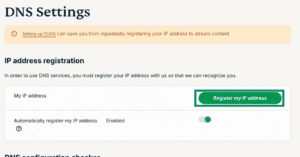
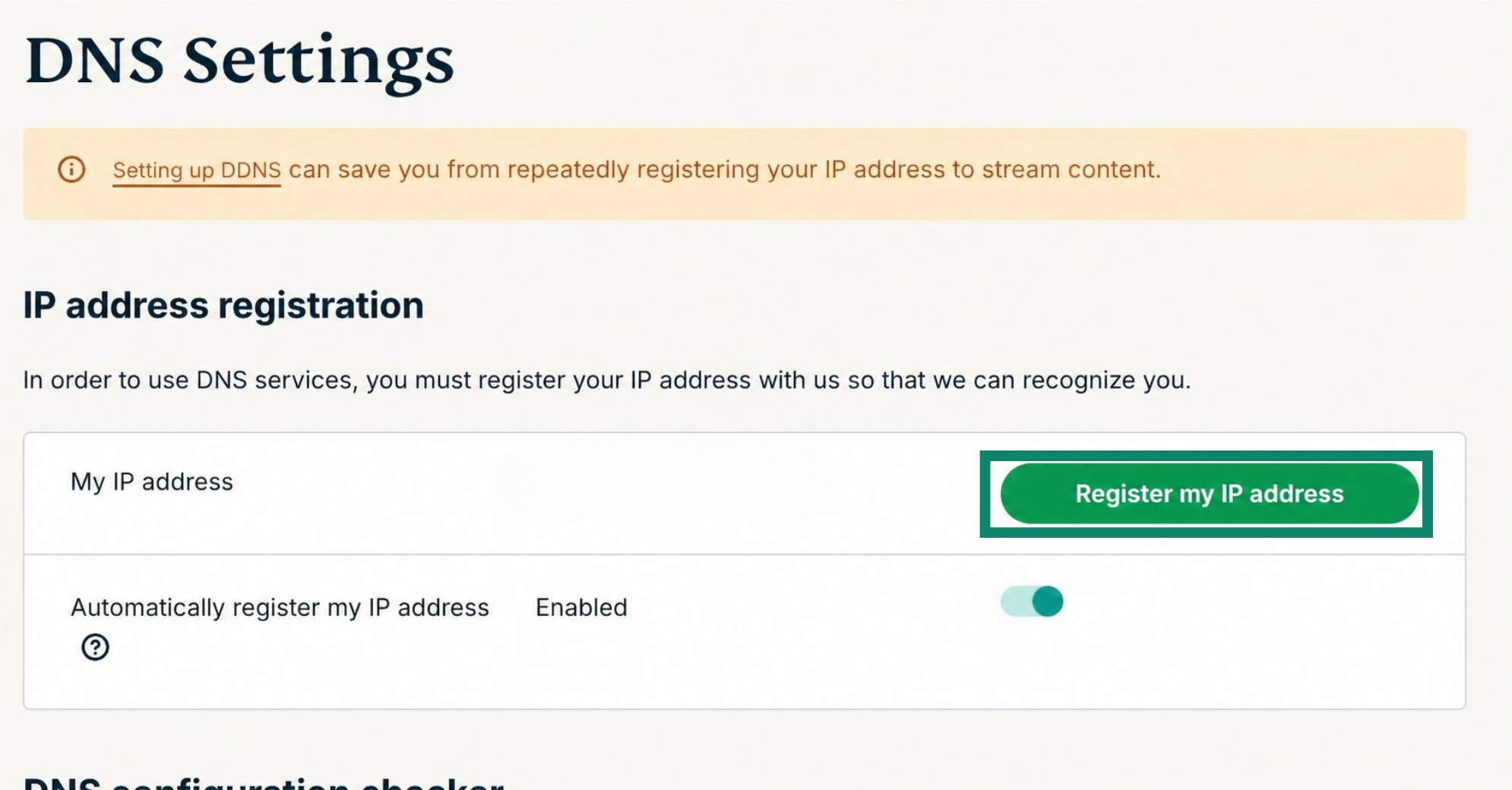
ภายใต้การลงทะเบียนที่อยู่ IP คลิก Register my IP address หากปรากฏว่า “ลงทะเบียนแล้ว” ถัดจากที่อยู่ IP ของคุณ คุณไม่จำเป็นต้องเลือกตัวเลือกนี้อีก

Next to "My IP address," click "Register my IP address."

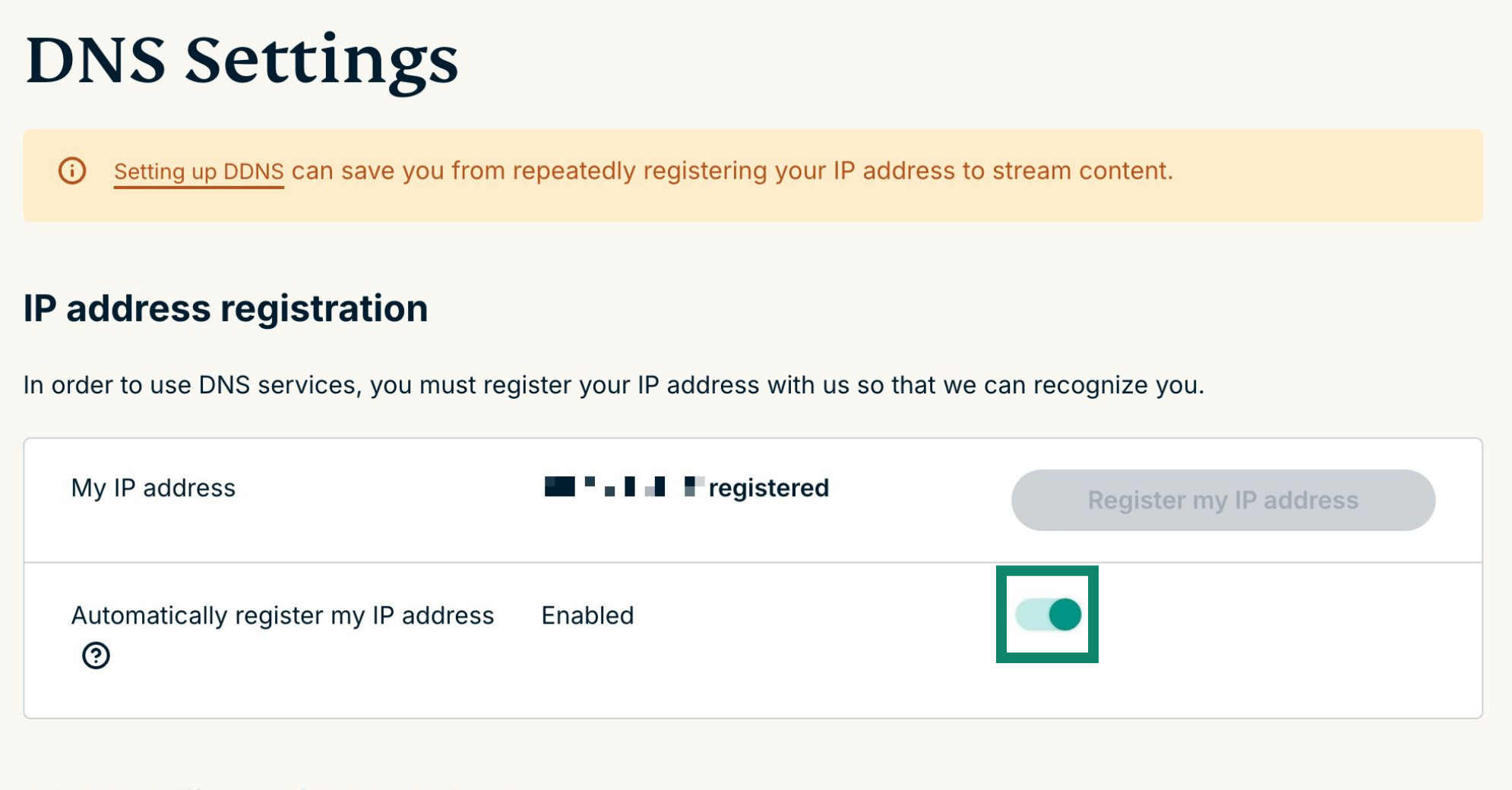
สลับเปิด Automatically register my IP address ขอแนะนำเนื่องจากจะติดตามการเปลี่ยนแปลงที่อยู่ IP ของคุณโดยอัตโนมัติ

Toggle "Automatically register my IP address" on.

เมื่อคุณเปิดใช้งาน Automatically register my IP address อย่าลืมอัปเดตที่อยู่ IP ที่ลงทะเบียนของคุณโดยลงชื่อเข้าใช้บัญชีของคุณบนเว็บไซต์ ExpressVPN เป็นระยะ หรือคุณสามารถใช้แอป ExpressVPN (บนอุปกรณ์ใดก็ได้) ในขณะที่เชื่อมต่อกับเครือข่ายเดียวกันกับ Apple TV ของคุณ การกระทำเหล่านี้ทำให้อุปกรณ์ในเครือข่ายของคุณเข้าถึง MediaStreamer ได้อย่างต่อเนื่อง

ต้องการความช่วยเหลือ? ติดต่อทีมสนับสนุน ExpressVPN เพื่อขอความช่วยเหลือทันที

กลับไปด้านบน


2. รับที่อยู่ IP ของเซิร์ฟเวอร์ MediaStreamer ของคุณ

ไปที่หน้าการตั้งค่า ExpressVPN หากได้รับแจ้ง ให้ป้อนข้อมูลรับรอง ExpressVPN ของคุณแล้วคลิก Sign In

Enter your account credentials, then click "Sign In."

ป้อนรหัสยืนยันที่ส่งไปยังอีเมลของคุณ

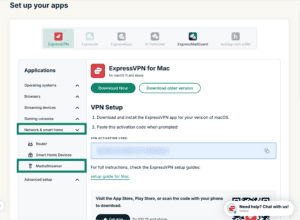
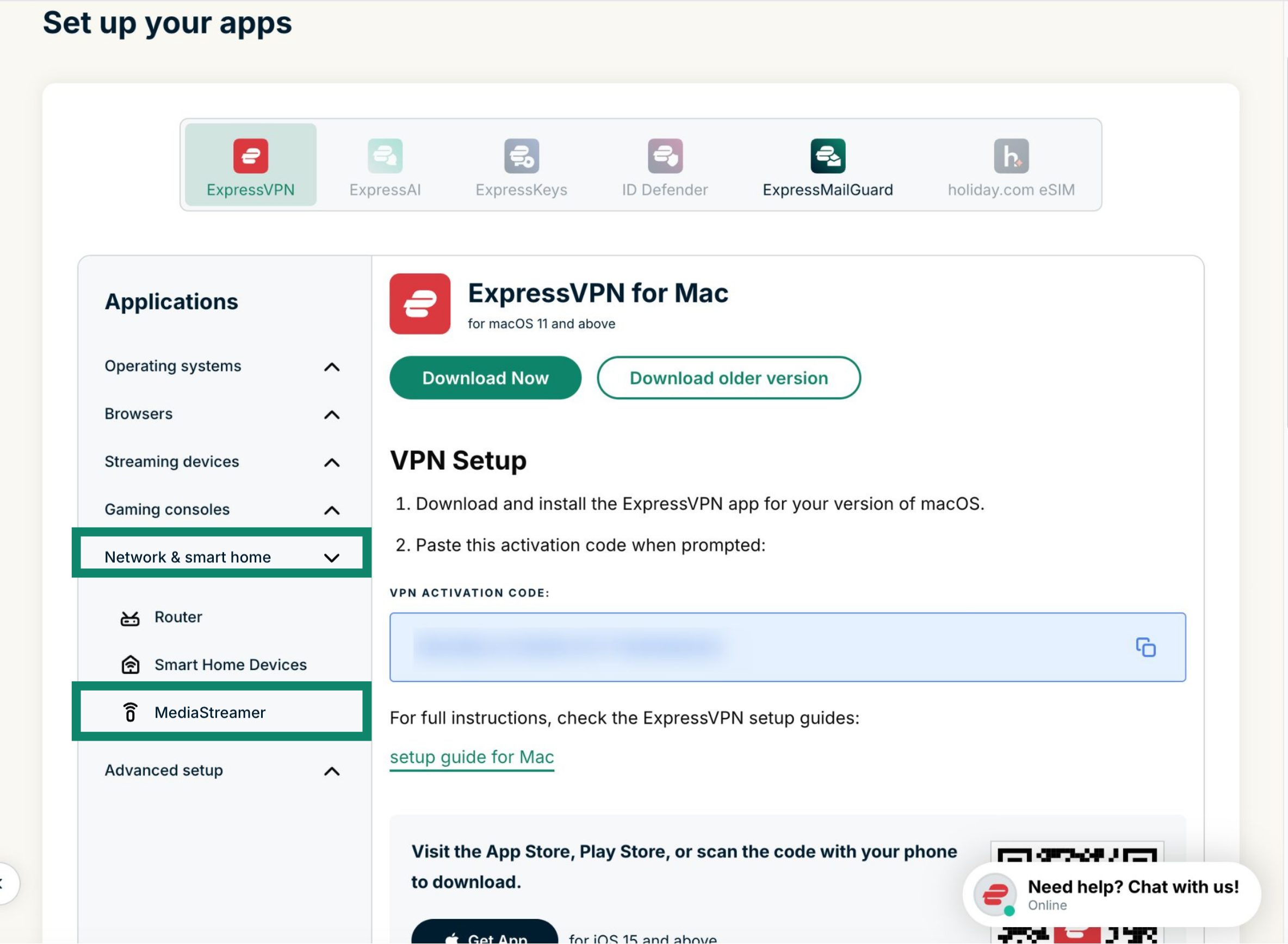
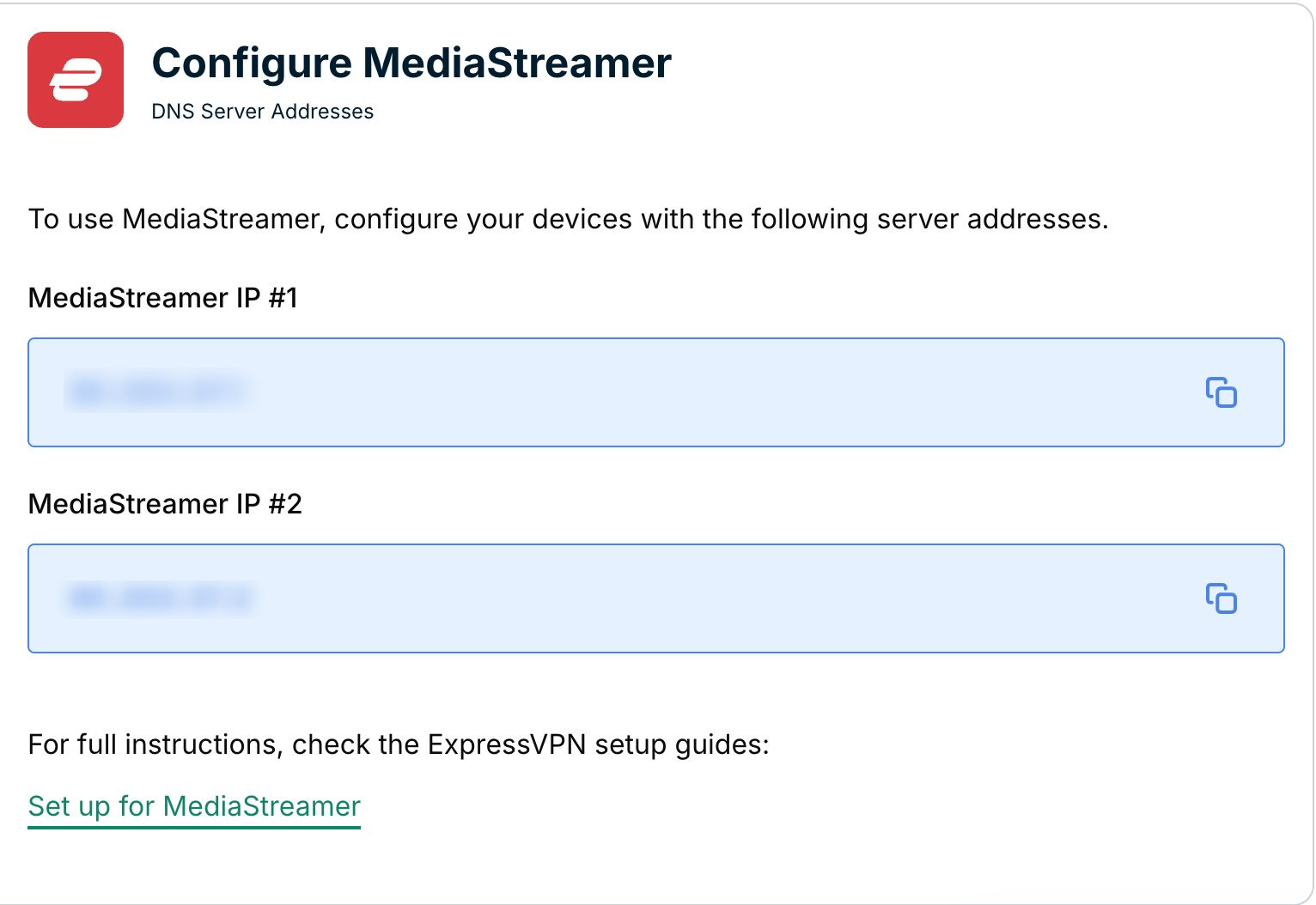
ทางด้านขวา คุณจะพบที่อยู่ IP ของเซิร์ฟเวอร์ MediaStreamer DNS

Under "ExpressVPN for Apple TV," you will find the DNS server IP address for your Apple TV.

เปิดหน้าต่างเบราว์เซอร์นี้ไว้ คุณจะต้องใช้ข้อมูลนี้สำหรับการตั้งค่าในภายหลัง

ต้องการความช่วยเหลือ? ติดต่อทีมสนับสนุน ExpressVPN เพื่อขอความช่วยเหลือทันที

กลับไปด้านบน


3. กำหนดการตั้งค่าตำแหน่งบน Apple TV ของคุณ

บน Apple TV ของคุณ ให้เปิด Settings

Apple TV screen with Settings button highlighted.

เลือก iTunes Store

Apple TV Settings menu with iTunes Store highlighted.

เลือก Location

Apple TV iTunes Store menu with Location highlighted.

เลื่อนลงและเลือก United States

Apple TV Location menu with United States highlighted.

กลับไปที่ main screen แอปที่คุณต้องการจะปรากฏขึ้น

Apple TV screen showing U.S. content providers.

ต้องการความช่วยเหลือ? ติดต่อทีมสนับสนุน ExpressVPN เพื่อขอความช่วยเหลือทันที

กลับไปด้านบน


4. กำหนดค่าเซิร์ฟเวอร์ DNS บน Apple TV ของคุณ

ไปที่ Settings > General

Apple TV Settings menu with General highlighted.

เลือก Network

Apple TV General menu with Network highlighted.

เลือก Wi-Fi หรือ Ethernet ขึ้นอยู่กับการตั้งค่าอินเทอร์เน็ต Apple TV ของคุณ (ในที่นี้เราเลือก Ethernet หากคุณใช้ Wi-Fi ให้เลือก Wi-Fi และป้อนข้อมูลรับรองเครือข่ายไร้สายของคุณ)

Apple TV Network menu with Ethernet highlighted.

เลือก Configure DNS

Apple TV Ethernet Configuration menu with Configure DNS highlighted.

เลือก Manual

Apple TV Configure DNS menu with Manual highlighted.

หมายเหตุ: เราขอแนะนำให้คุณจดที่อยู่/การตั้งค่า DNS ปัจจุบันของคุณก่อนที่จะเปลี่ยนแปลงเพื่อใช้อ้างอิงและเก็บรักษาอย่างปลอดภัยในอนาคต คุณอาจจำเป็นต้องใช้หากต้องการหยุดใช้บริการของเรา

ป้อนหมายเลขที่อยู่ IP ของเซิร์ฟเวอร์ MediaStreamer DNS ซึ่งคุณพบก่อนหน้านี้

Apple TV Configure DNS screen awaiting input of IP address.

คุณต้องรีสตาร์ท Apple TV เพื่อให้การเปลี่ยนแปลง DNS เกิดขึ้น เข้าไปที่ Settings > General > Restart

ยินดีด้วย! ตอนนี้คุณมีสิทธิ์เข้าถึงบริการ MediaStreamer

ต้องการความช่วยเหลือ? ติดต่อทีมสนับสนุน ExpressVPN เพื่อขอความช่วยเหลือทันที

กลับไปด้านบน

Share in FacebookShare in TwitterShare in WhatsappShare in TelegramShare by email
บทความนี้มีประโยชน์หรือไม่?

เราเสียใจที่ได้ยินเรื่องนี้ โปรดบอกให้เราทราบว่าควรปรับปรุงอย่างไร

Please enter a valid email address.

เจ้าหน้าที่ฝ่ายสนับสนุนของเราจะติดต่อกลับเพื่อช่วยแก้ปัญหาของคุณ

Share in FacebookShare in TwitterShare in WhatsappShare in TelegramShare by email
  • มัลแวร์คืออะไร?
  • คีย์ความปลอดภัยเครือข่ายคืออะไร?
  • VPN ถูกกฎหมายหรือไม่?
  • วิธีเปลี่ยนตำแหน่งของคุณบน iPhone
  • รอยเท้าดิจิทัลคืออะไร?
  • จะใช้งาน VPN ร่วมกับ Tor เพื่อที่จะไม่เปิดเผยตัวตนบนโลกออนไลน์ได้อย่างไร
  • รับ VPN ที่ดีที่สุดสำหรับอุปกรณ์ต่าง ๆ
VPN สำหรับทุกอุปกรณ์
  • ดาวน์โหลด ExpressVPN
  • MacOS
  • Windows PC
  • iOS (iPhone และ iPad)
  • Android
  • Linux
  • เราเตอร์
  • Apple TV
  • Fire Stick
  • Android TV
  • ส่วนขยาย Chrome
ที่ตั้งเซิร์ฟเวอร์ VPN
  • เซิร์ฟเวอร์ใน 105 ประเทศ
  • VPN สหรัฐอเมริกา
  • VPN สหราชอาณาจักร
  • VPN แคนาดา
  • VPN ออสเตรเลีย
คุณสมบัติ
  • สำรวจคุณสมบัติทั้งหมด
  • การทดลองใช้ VPN ที่ปราศจากความเสี่ยง
  • แผนและราคา
ผลิตภัณฑ์
  • ExpressKeys
  • ExpressMailGuard
  • ExpressAI
เกี่ยวกับ ExpressVPN
  • เกี่ยวกับเรา
  • ศูนย์ความเชื่อถือ
  • ศูนย์สิทธิประโยชน์
  • การตรวจสอบความปลอดภัย
  • รีวิว ExpressVPN
  • ผู้เชี่ยวชาญของเรา
  • สื่อ
  • ร่วมงานกับเรา
โปรแกรม
  • ท็อตแน่ม ฮ็อทสเปอร์
  • Brooklyn Nets
  • มาเป็นพันธมิตรกับเรา
  • โปรแกรมพันธมิตร
  • อินฟลูเอนเซอร์
รับความช่วยเหลือ
  • สาธิตการตั้งค่า VPN
  • คำถามที่พบบ่อย
  • ซื้อ VPN
เรียนรู้เพิ่มเติม
  • VPN คืออะไร?
  • IP ของฉันคืออะไร?
  • ซ่อน IP ของฉัน
  • 5 สุดยอดการใช้งาน VPN
  • บล็อก

© 2026 ExpressVPN สงวนลิขสิทธิ์ทั้งหมด

  • นโยบายความเป็นส่วนตัว
  • งื่อนไขการให้บริการ
  • เปลี่ยนการตั้งค่าของคุณ

เลือกภาษา

  • English
  • Dansk
  • Deutsch
  • Español
  • Français
  • Italiano
  • Nederlands
  • Norsk
  • Polski
  • Português
  • Suomi
  • Svenska
  • Türkçe
  • Русский
  • 한국어
  • 日本語

Live chat

Need help? Chat with us!

Online