






ExpressVPN 앱 및 구성을 이용하시려면, 먼저 계정을 만들어주세요.
이 가이드에서는 ExpressVPN을 실행하는 라우터에서 MediaStreamer를 사용하는 방법을 안내합니다. 여기에는 라우터용 ExpressVPN 앱을 실행하는 지원 라우터와 Aircove 및 Aircove Go가 포함됩니다.
MediaStreamer는 스트리밍 경험을 개선하기 위해 설계된 DNS 서비스입니다. MediaStreamer는 VPN이 아니며 VPN의 개인 정보 보호 및 보안 혜택을 제공하지 않습니다. MediaStreamer로는 위치를 변경할 수 없습니다.
MediaStreamer를 사용하려면
- 라우터에 ExpressVPN을 설치하세요.
- 라우터에 기기를 연결하세요.
이동하기
ExpressVPN 웹사이트에서 IP 주소 등록하기
ExpressVPN을 실행하는 라우터에서 MediaStreamer 사용하기(v2 이상)
ExpressVPN을 실행하는 라우터에서 MediaStreamer 사용하기(v1)
ExpressVPN 웹사이트에서 IP 주소 등록하기
- ExpressVPN+ 포털로 이동한 후, 메시지가 표시되면 ExpressVPN 계정에 로그인합니다.
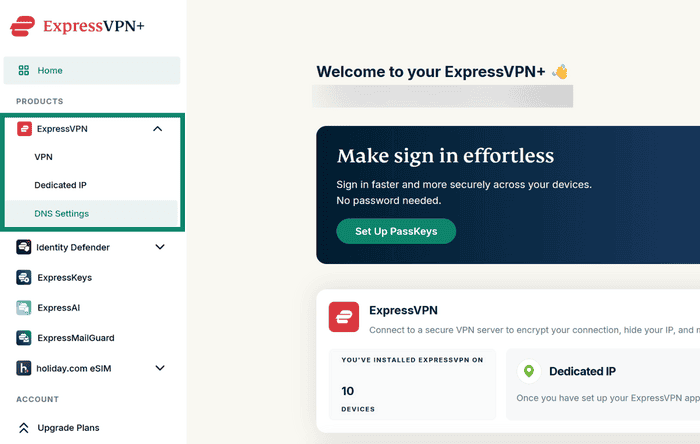
- 왼쪽 메뉴에서 ExpressVPN > DNS 설정을 선택합니다.

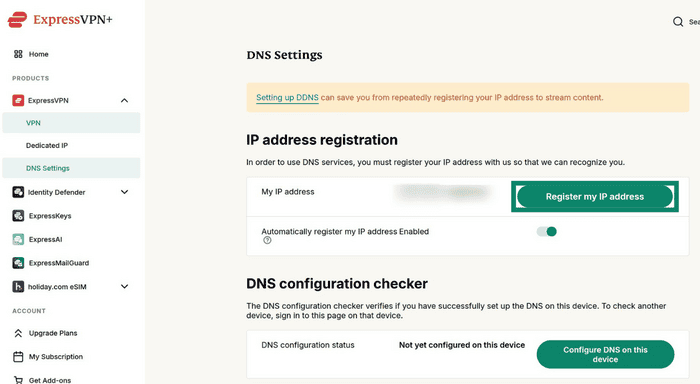
- IP 주소 등록에서 내 IP 주소 등록을 선택합니다. IP 주소가 이미 등록된 것으로 표시되면 이 단계를 건너뛸 수 있습니다.

- 내 IP 주소 자동 등록을 켭니다. 이렇게 하면 IP 주소가 변경될 때 등록 정보가 자동으로 업데이트됩니다.
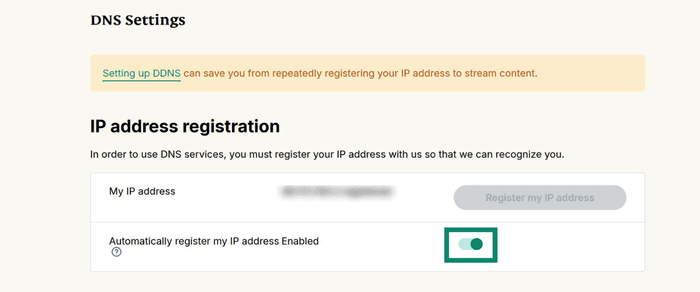

IP 주소 자동 등록을 활성화하면 기기에서 ExpressVPN 앱을 사용하거나 가끔 ExpressVPN 계정에 로그인하여 IP 주소를 최신 상태로 유지할 수 있습니다.
도움이 필요하신가요? ExpressVPN 지원팀에 문의하고 즉각적인 지원을 받아보세요.
ExpressVPN을 실행하는 라우터에서 MediaStreamer 사용하기(v2)
- ExpressVPN을 실행 중인 공유기에 로그인합니다.
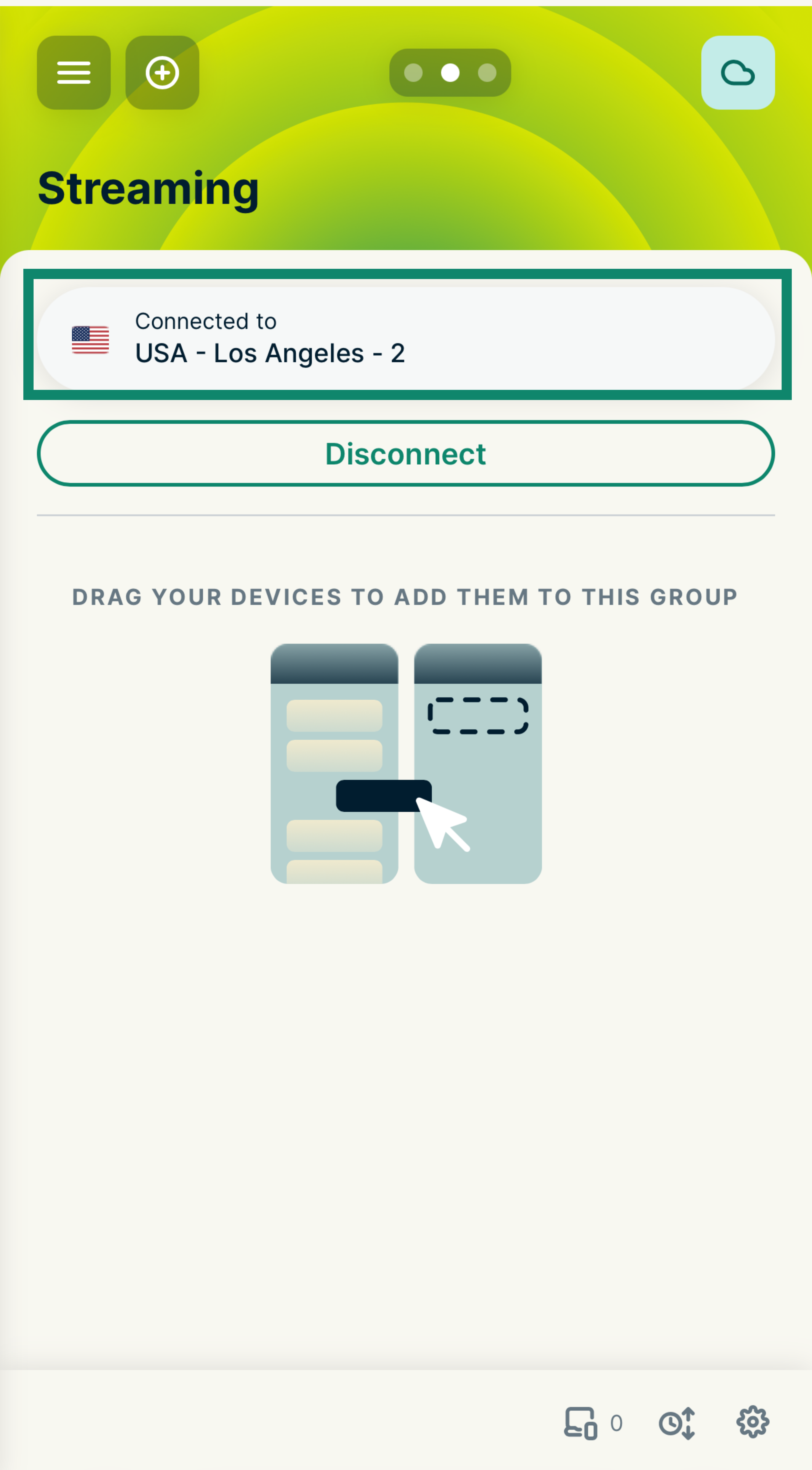
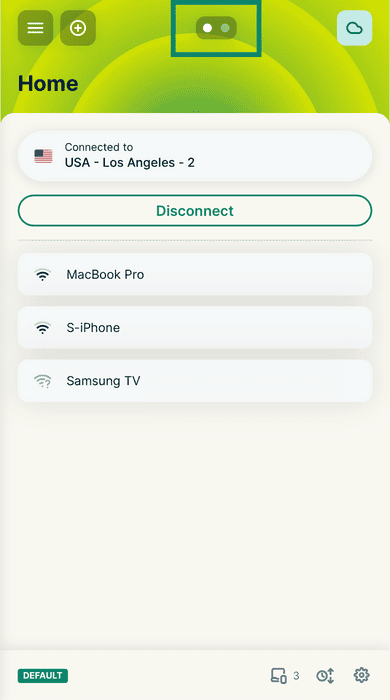
- 오른쪽으로 스와이프하여 MediaStreamer를 사용할 기기 그룹(예: ‘스트리밍’ 그룹)을 선택합니다.

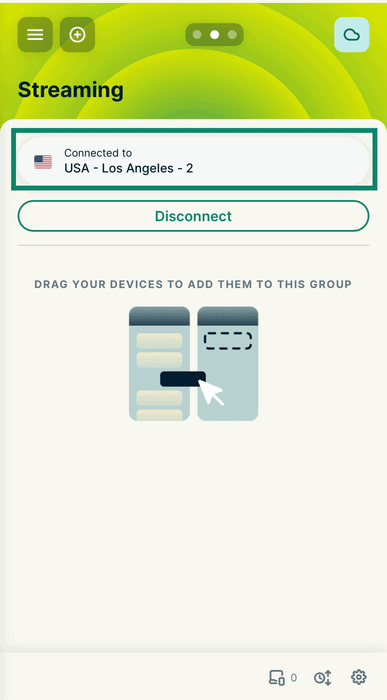
- 그룹 상단의 현재 위치를 탭하여 위치 선택 메뉴를 엽니다.

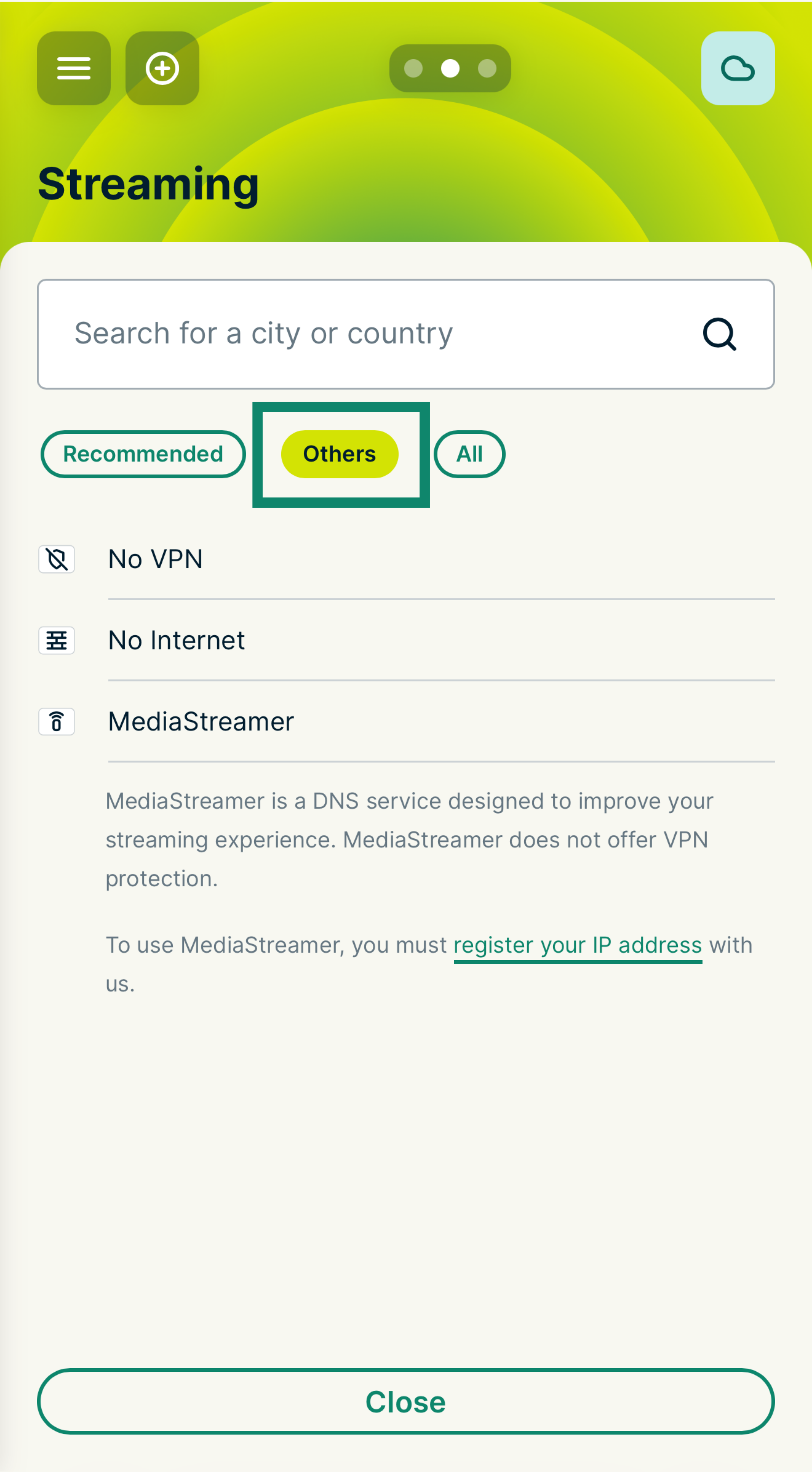
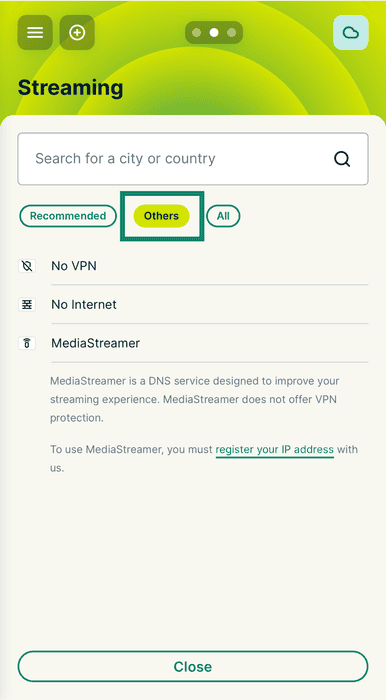
- Others(기타) 탭을 선택합니다.

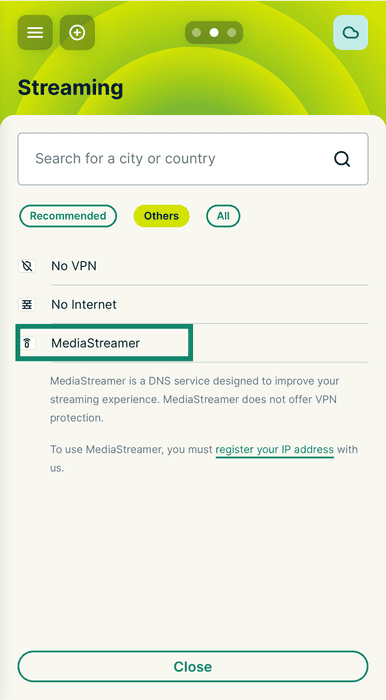
- MediaStreamer를 선택합니다.
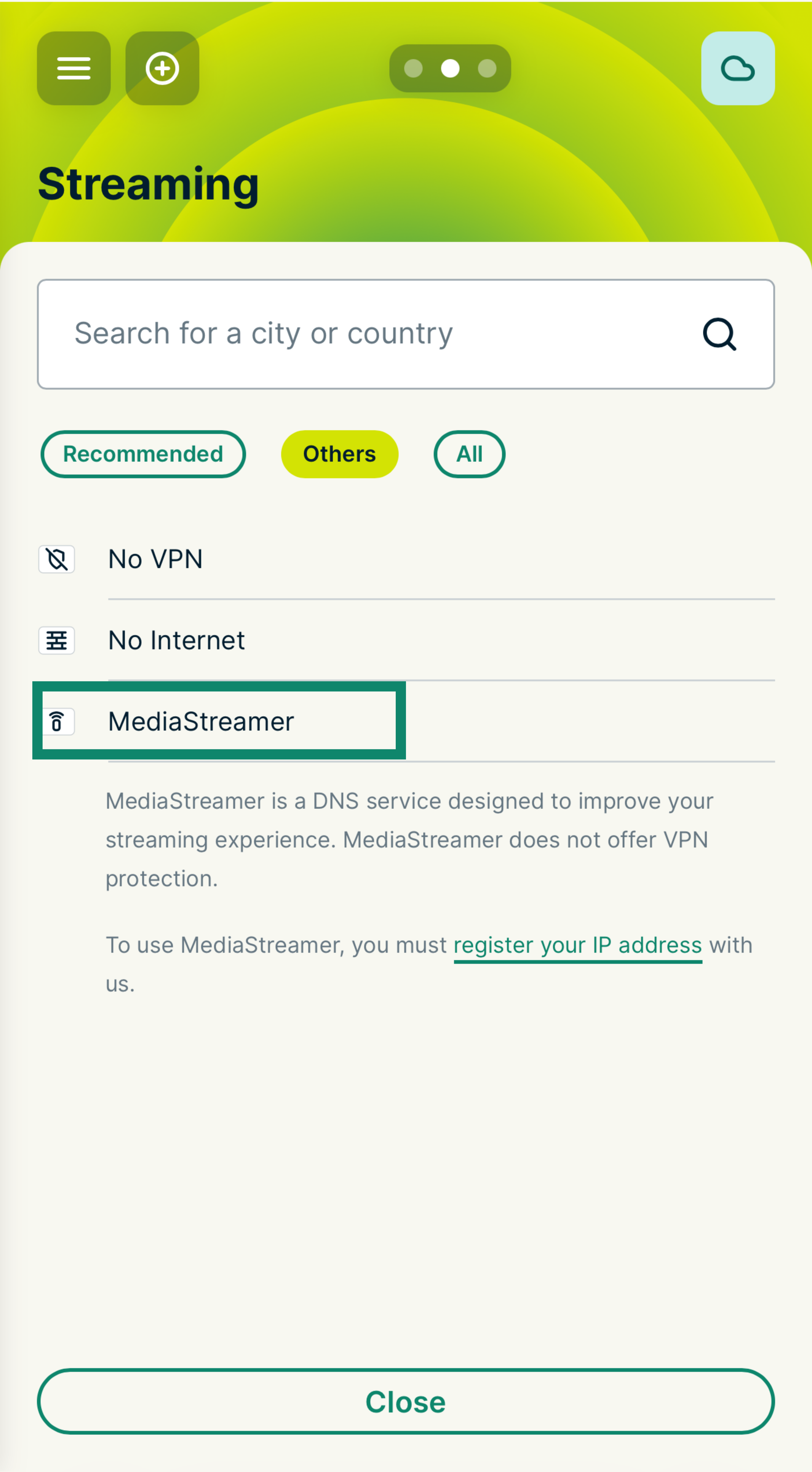
이제 해당 기기 그룹에서 MediaStreamer를 사용하게 됩니다. 기기를 연결하려면 원하는 기기를 이 그룹으로 드래그 앤 드롭하기만 하면 됩니다.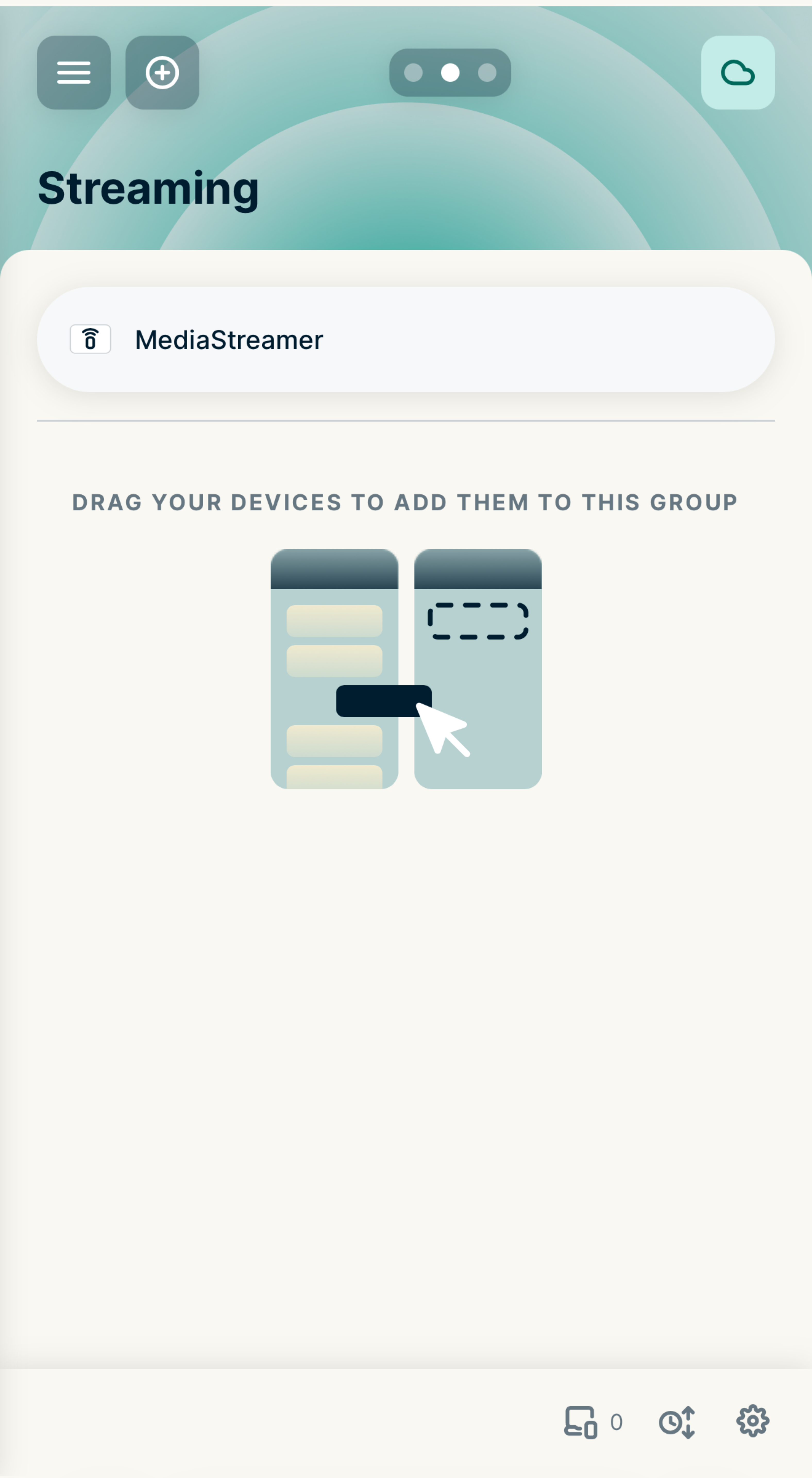
도움이 필요하신가요? ExpressVPN 지원팀에 문의하고 즉각적인 지원을 받아보세요.
ExpressVPN을 실행하는 라우터에서 MediaStreamer 사용하기(v1)
- ExpressVPN을 실행하는 라우터에 로그인하세요.
- VPN > 기기 관리를 선택하세요.
- Settings에서 Let me select which devices should be protected을 선택하세요.
- MediaStreamer를 사용할 기기를 선택합니다.
도움이 필요하신가요? ExpressVPN 지원팀에 문의하고 즉각적인 지원을 받아보세요.