






弊社のアプリと設定を使用するには、まずExpressVPNアカウントに登録してください。
このガイドでは、ExpressVPNを実行しているルーターでMediaStreamerを使用する方法を説明します。対象には、ExpressVPNルーターアプリに対応したルーターのほか、AircoveとAircove Goも含まれます。
MediaStreamerは、ストリーミング体験を向上させるために設計されたDNSサービスです。MediaStreamerはVPNではないので、VPNのようなプライバシーやセキュリティの利点はありません。MediaStreamerを使用してロケーションを変更することはできません。
MediaStreamerを使用するために、以下をご確認ください。
- ルーターのExpressVPN設定
- ルーターのデバイス接続
目次
ExpressVPNウェブサイトでIPアドレスを登録する
ExpressVPN(v2以降)が動作するルーターでMediaStreamerを使用する場合
ExpressVPN(v1)が動作するルーターでMediaStreamerを使用する場合
ExpressVPNウェブサイトでIPアドレスを登録する
- ExpressVPN+ポータルにアクセスし、必要に応じてExpressVPNアカウントにサインインします。
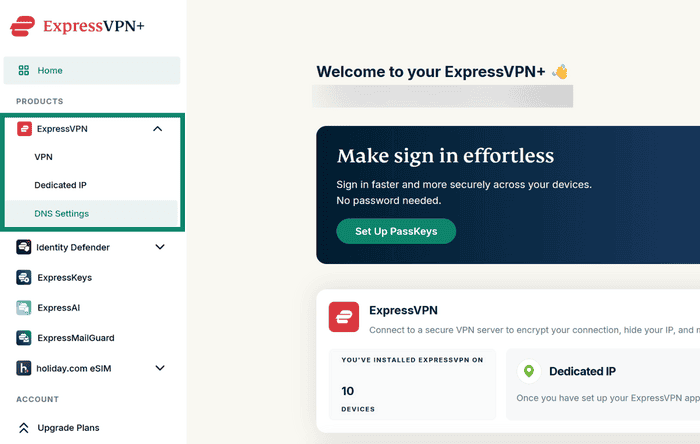
- ExpressVPN > DNS Settings(DNS設定)を左側のメニューから選択します。

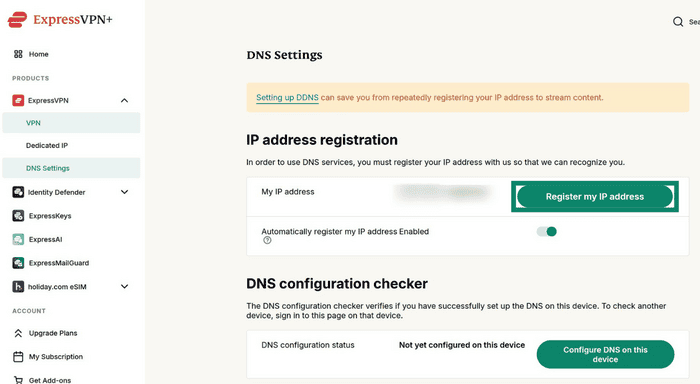
- IP address registration(IPアドレスの登録)で、Register my IP address(IPアドレスを登録)を選択します。IPアドレスがすでに登録済みと表示されている場合は、この手順を省略できます。

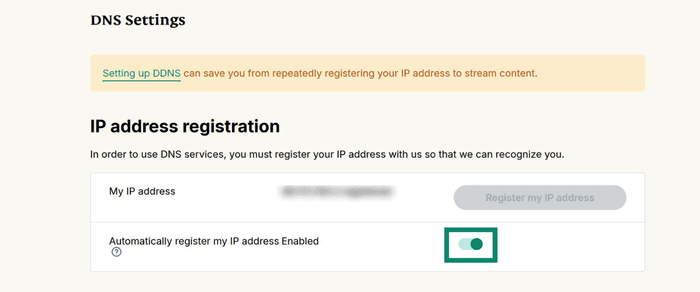
- Automatically register my IP address(IPアドレスを自動登録)をオンにします。これにより、IPアドレスが変更された場合も登録情報が自動的に更新されます。

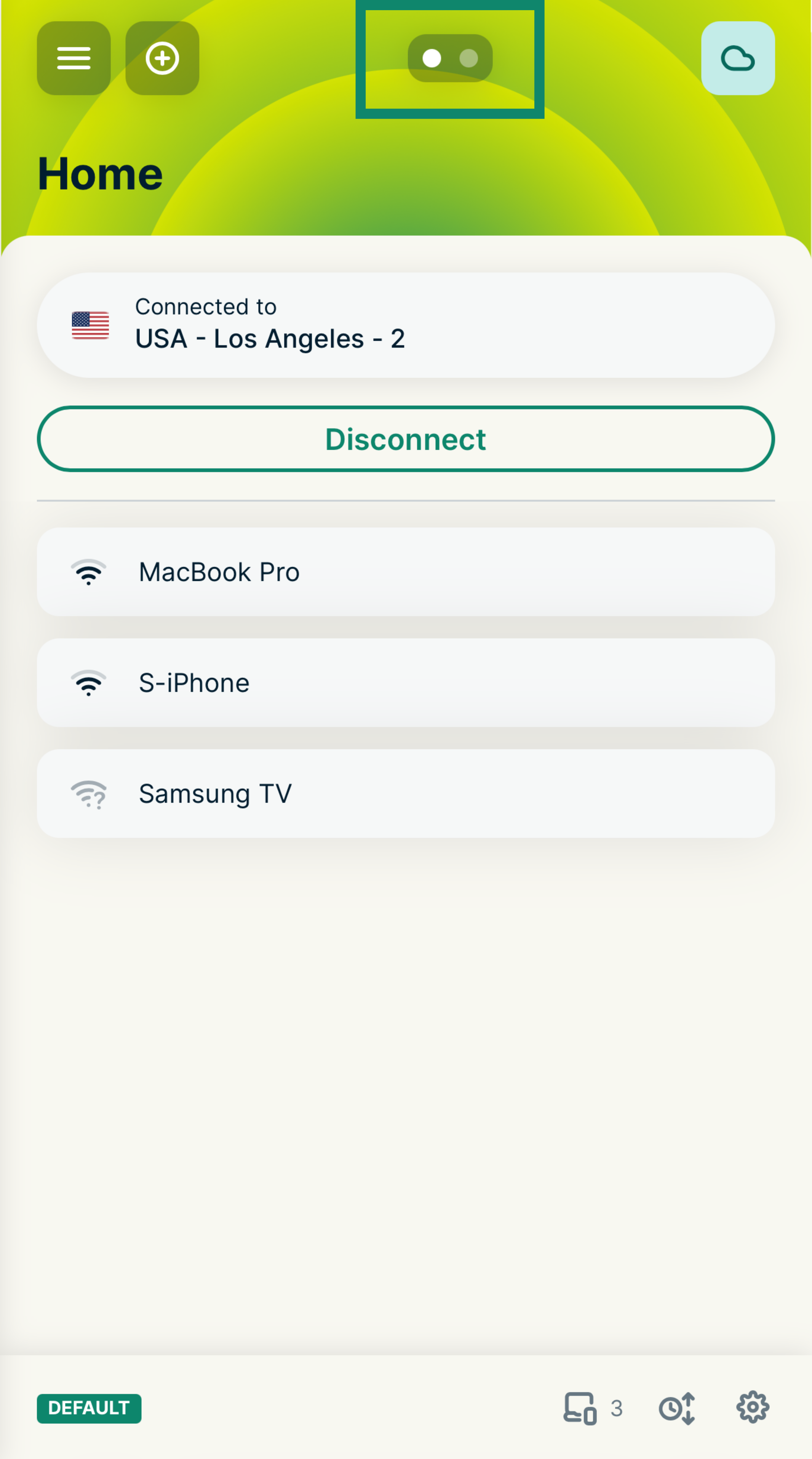
Automatically register your IP address(IPアドレスを自動登録)を有効にすると、デバイスでExpressVPNアプリを使用するか、ExpressVPNアカウントにときどきサインインすることで、登録済みのIPアドレスを最新の状態に保つことができます。
サポートが必要ですか? すぐにサポートを受けるには、ExpressVPNサポートチームまでお問い合わせください。
ExpressVPN(v2)が動作するルーターでMediaStreamerを使用する場合
- ExpressVPNを実行しているルーターにサインインします。
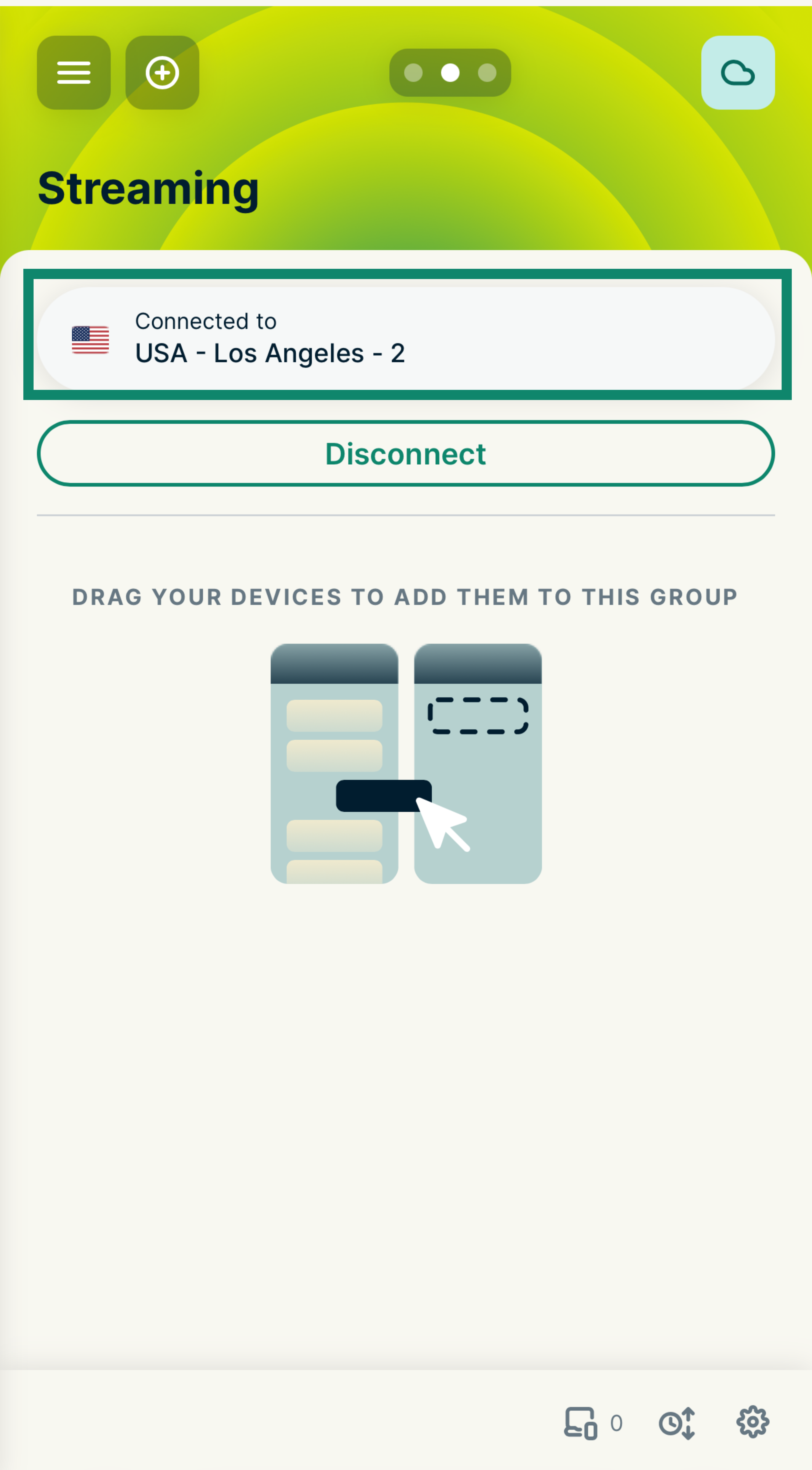
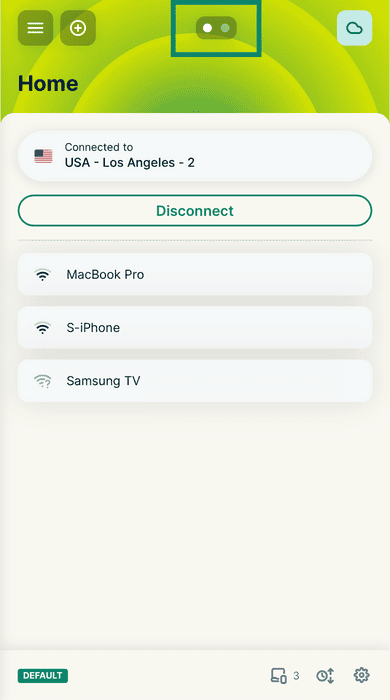
- MediaStreamerを使用するデバイスグループ(例:「Streaming」グループ)を右にスワイプして選択します。

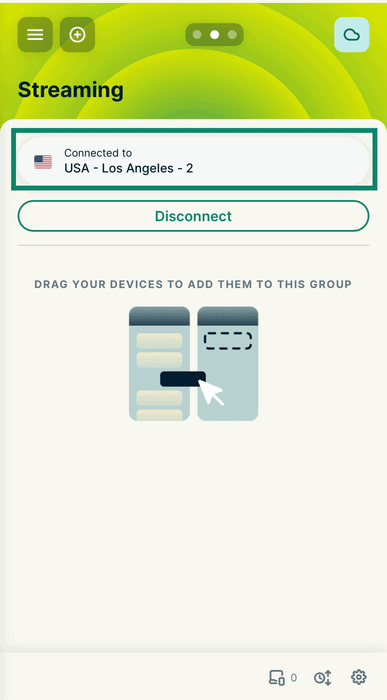
- グループ上部の現在のロケーションをタップして、ロケーション選択画面を開きます。

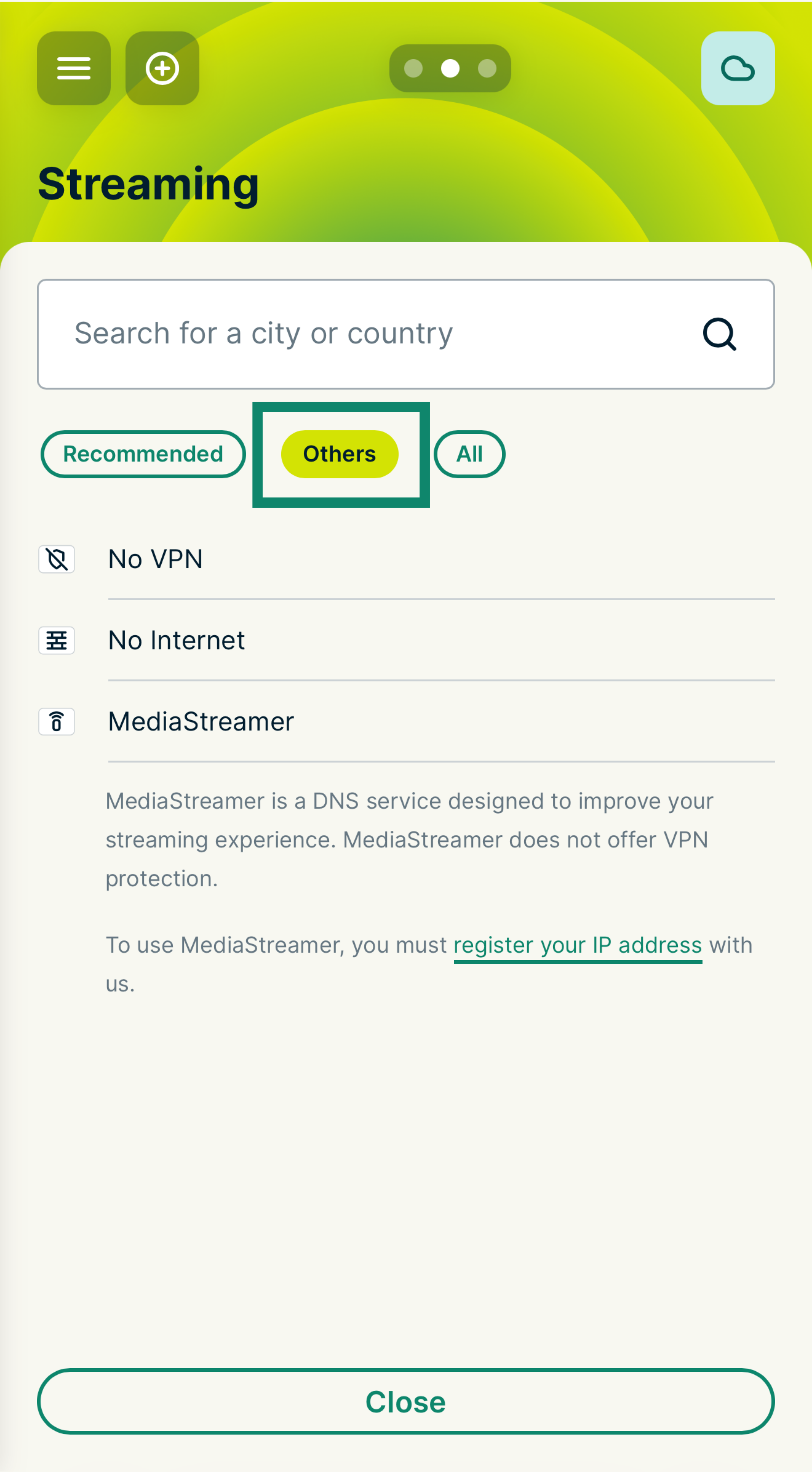
- Others(その他)タブを選択します。
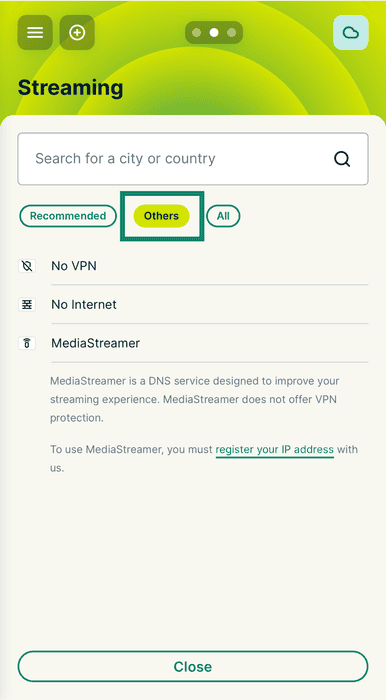

- MediaStreamerを選択します。
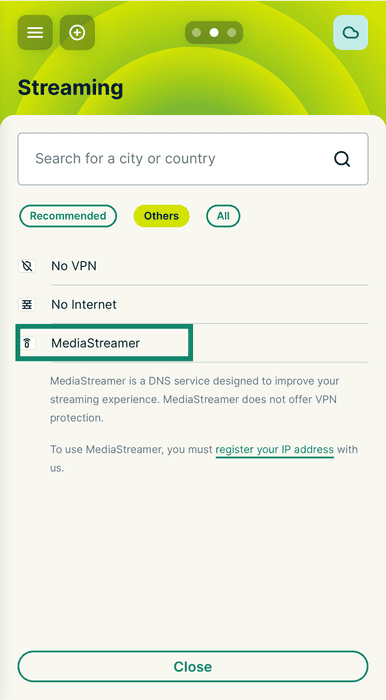
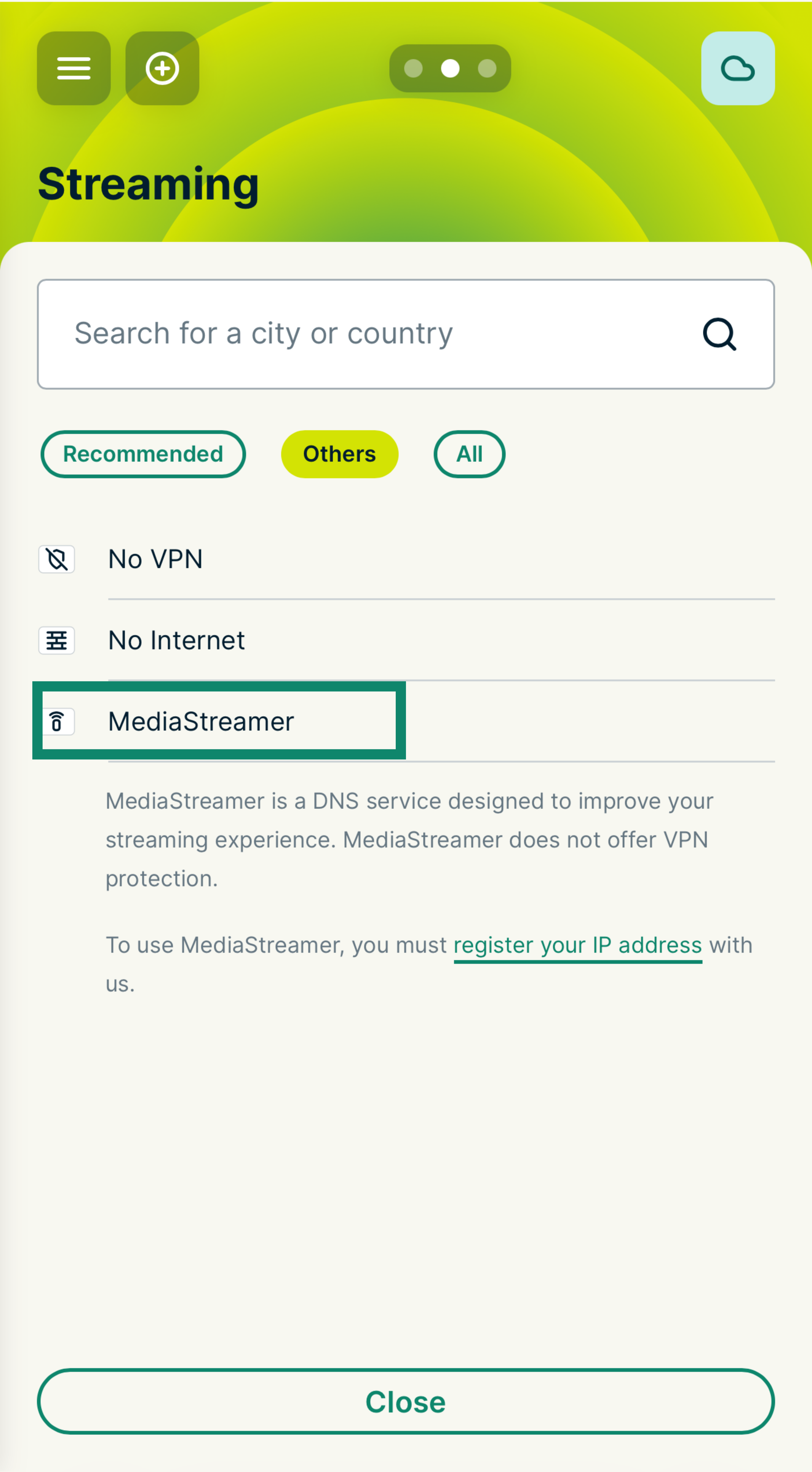
これで、このデバイスグループでMediaStreamerを使用できます。デバイスを接続するには、このグループにドラッグ&ドロップするだけです。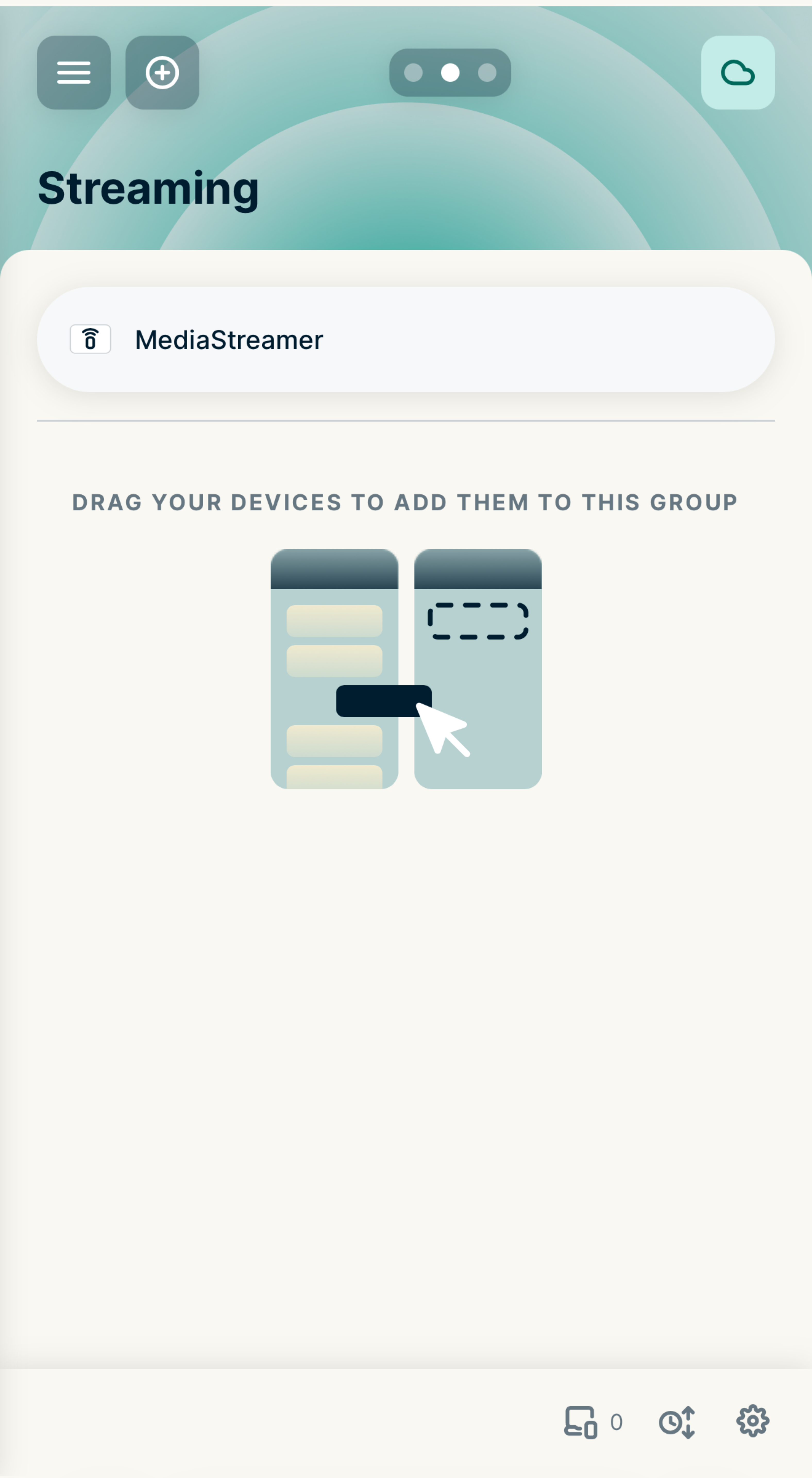
サポートが必要ですか? すぐにサポートを受けるには、ExpressVPNサポートチームまでお問い合わせください。
ExpressVPN(v1)が動作するルーターでMediaStreamerを使用する場合
- ExpressVPNが動作しているルーターにサインインします
- VPN > デバイス管理
- Settingsから、Let me select which devices should be protectedを選択します
- MediaStreamerを使用するデバイスを選択します。
サポートが必要ですか? すぐにサポートを受けるには、ExpressVPNサポートチームまでお問い合わせください。