ExpressVPN
    • No-logbeleid
    • Servers in 113 Countries
    • Use on Multiple Devices
    • High-Speed VPN
    • Access Online Services Securely
    • Gaming-VPN
    • Alle functies bekijken
    • Over ExpressVPN
    Sign Up For Expressvpn

    One subscription gives you access to a fast-growing suite of privacy and security tools that work seamlessly together to improve your digital life.

    View all products
    • Lightway VPN protocol
    • Internet Kill Switch
    • Split Tunneling
    • Private, Encrypted DNS
    • Avoid ISP Throttling
    • Threat Manager
    • Adblocker
    • Ouderlijk toezicht
    • Dedicated IP
  • Download VPN
    • Windows new
    • MacOS new
    • Linux new
    • iPhone / iPad
    • Android
    • Apple TV
    • Fire Stick
    • Android TV
    • VPN voor routers
    • Aircove-routers
    • Chrome
    • Firefox
    • Edge
  • Pricing
    • Wat is een VPN?
    • VPN for Beginners
    • How To Use a VPN
    • VPN Encryption Explained
    • Blog
    • Glossary
    • IP Address Checker
    • DNS-lektest
    • WebRTC-lektest
    • Wachtwoordgenerator
    • Helpdesk
    • Veelgestelde vragen
    • Livechat
    • VPN-handleidingen
    • Redemption Code
  • Icon10VPN for Teams
  • Producten
    Icon11

    ExpressVPN for Teams Get fast, secure VPN protection for growing teams. Easy to deploy, simple to manage, built to scale.

    Img2
    • ExpressVPN

      ExpressVPN Industry-leading, ultra-fast VPN with secure servers in 113 countries.

    • ExpressMailGuard

      ExpressMailGuard Private email relay service to protect your inbox and identity.

    • ExpressKeys

      ExpressKeys Secure password management, multi-factor authentication, and more.

    • ExpressAI

      ExpressAI The first consumer AI powered by confidential computing for privacy-led intelligence.

    • Identity Defender

      Identity Defender Powerful suite of ID protection, monitoring, and data removal tools

    Other products from the family behind ExpressVPN

    • holiday.com eSIM

      holiday.com eSIM Unlimited data with a single eSIM across 150+ destinations.

    • Intego

      Intego Award-winning macOS antivirus, firewall, system tools, and more.

  • Mijn account
Nu proberen
ExpressVPN
    • No-logbeleid
    • Servers in 113 Countries
    • Use on Multiple Devices
    • High-Speed VPN
    • Access Online Services Securely
    • Gaming-VPN
    • Alle functies bekijken
    • Over ExpressVPN
    Sign Up For Expressvpn

    One subscription gives you access to a fast-growing suite of privacy and security tools that work seamlessly together to improve your digital life.

    View all products
    • Lightway VPN protocol
    • Internet Kill Switch
    • Split Tunneling
    • Private, Encrypted DNS
    • Avoid ISP Throttling
    • Threat Manager
    • Adblocker
    • Ouderlijk toezicht
    • Dedicated IP
  • Download VPN
    • Windows new
    • MacOS new
    • Linux new
    • iPhone / iPad
    • Android
    • Apple TV
    • Fire Stick
    • Android TV
    • VPN voor routers
    • Aircove-routers
    • Chrome
    • Firefox
    • Edge
  • Pricing
    • Wat is een VPN?
    • VPN for Beginners
    • How To Use a VPN
    • VPN Encryption Explained
    • Blog
    • Glossary
    • IP Address Checker
    • DNS-lektest
    • WebRTC-lektest
    • Wachtwoordgenerator
    • Helpdesk
    • Veelgestelde vragen
    • Livechat
    • VPN-handleidingen
    • Redemption Code
  • VPN for Teams
  • Producten
    • ExpressVPN

      ExpressVPN Industry-leading, ultra-fast VPN with secure servers in 113 countries.

    • ExpressMailGuard

      ExpressMailGuard Private email relay service to protect your inbox and identity.

    • ExpressKeys

      ExpressKeys Secure password management, multi-factor authentication, and more.

    • ExpressAI

      ExpressAI The first consumer AI powered by confidential computing for privacy-led intelligence.

    • Identity Defender

      Identity Defender Powerful suite of ID protection, monitoring, and data removal tools

    Other products from the family behind ExpressVPN

    • holiday.com eSIM

      holiday.com eSIM Unlimited data with a single eSIM across 150+ destinations.

    • Intego

      Intego Award-winning macOS antivirus, firewall, system tools, and more.

    Icon11

    ExpressVPN for Teams Get fast, secure VPN protection for growing teams. Easy to deploy, simple to manage, built to scale.

    Img2
  • Mijn account
Nu proberen
Home Home » Een vergeten of verloren wachtwoord herstellen

Je account beheren

Een vergeten of verloren wachtwoord herstellen

Laatst bijgewerkt: 15 september 2026

Share in FacebookShare in TwitterShare in WhatsappShare in TelegramShare by email

Om onze apps en configuraties te gebruiken moet je je eerst aanmelden voor een ExpressVPN-account.

Om een vergeten of kwijtgeraakt wachtwoord opnieuw in te stellen, kun je naar onze pagina voor wachtwoordherstel gaan. Hieronder lees je hoe je vanaf daar je wachtwoord kunt wijzigen.

Weet je het wachtwoord van je ExpressVPN-account nog en wil je dit wijzigen? Bekijk dan onze handleiding over het wijzigen van je wachtwoord.

Ga naar….

Je wachtwoord wijzigen via e-mail
Je wachtwoord wijzigen via de ExpressVPN-app


Je wachtwoord wijzigen via e-mail

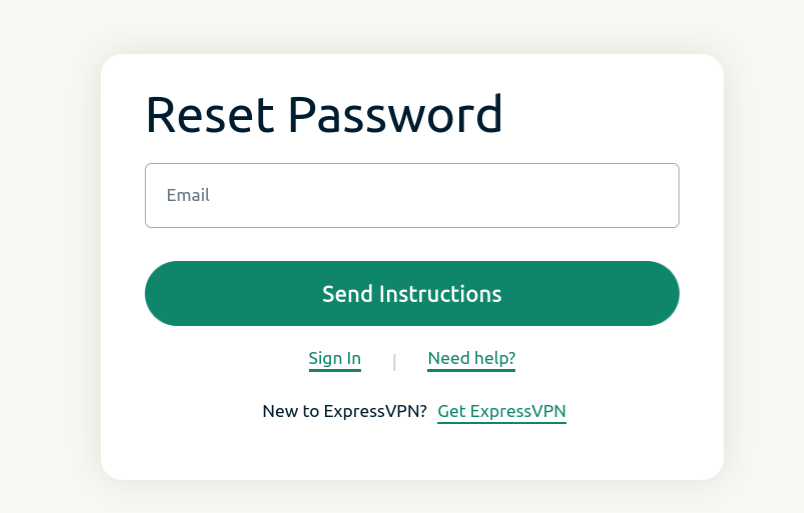
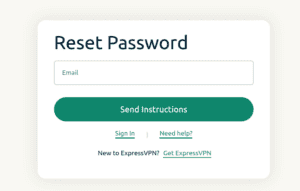
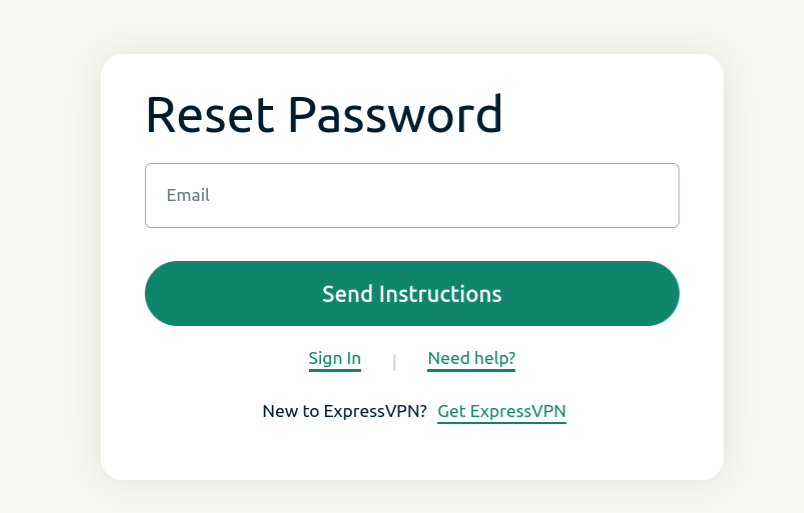
  1. Ga naar de pagina voor wachtwoordherstel en voer het e-mailadres in dat aan je account is gekoppeld. Klik op Send Instructions (Instructies verzenden).
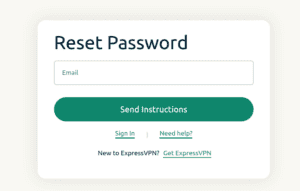
    Reset password screen for ExpressVPN.
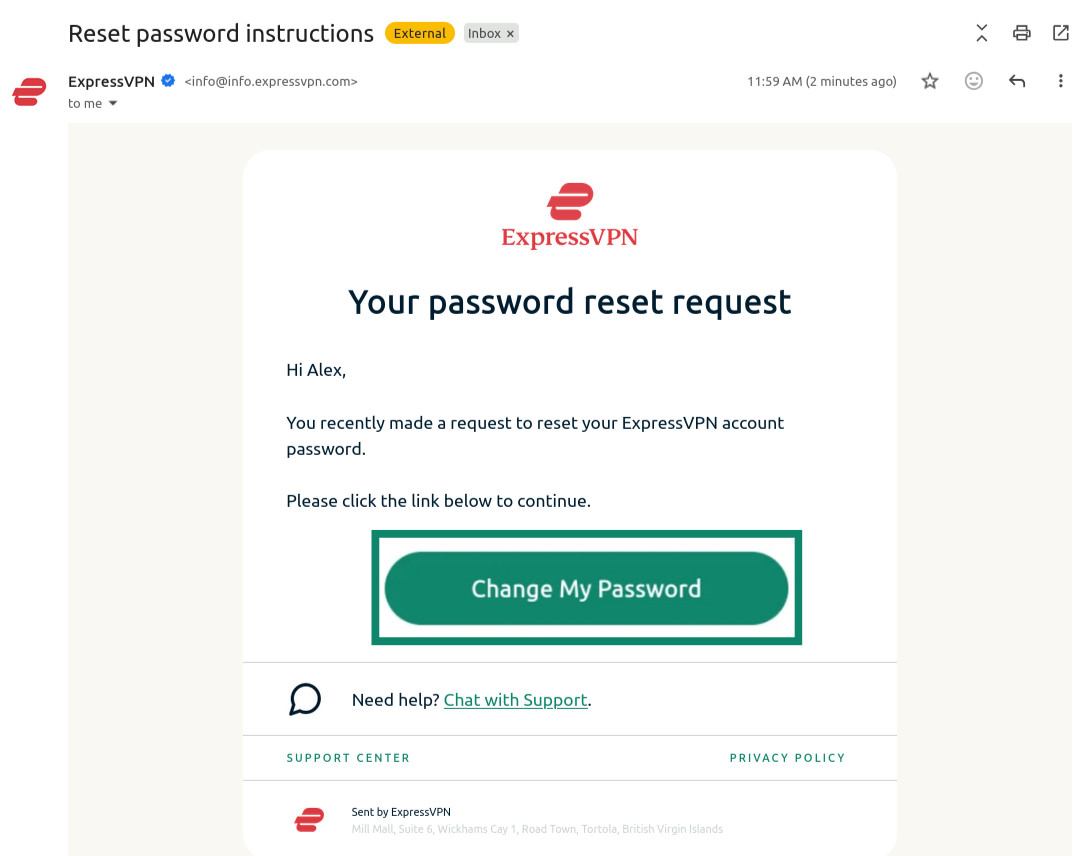
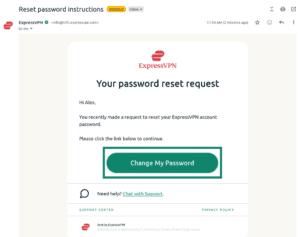
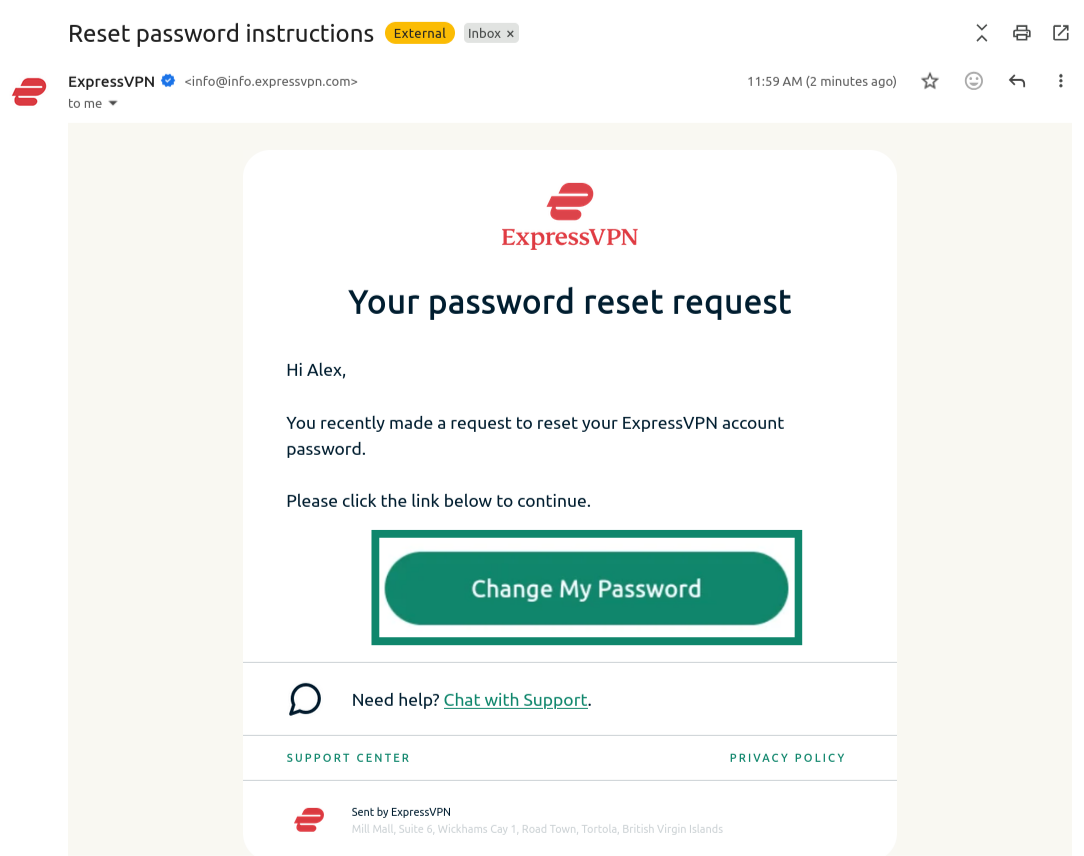
  2. Open de nieuwe e-mail die je hebt ontvangen en klik op Change My Password (Mijn wachtwoord wijzigen).
    Email from ExpressVPN showing the "Change My Password" button highlighted.
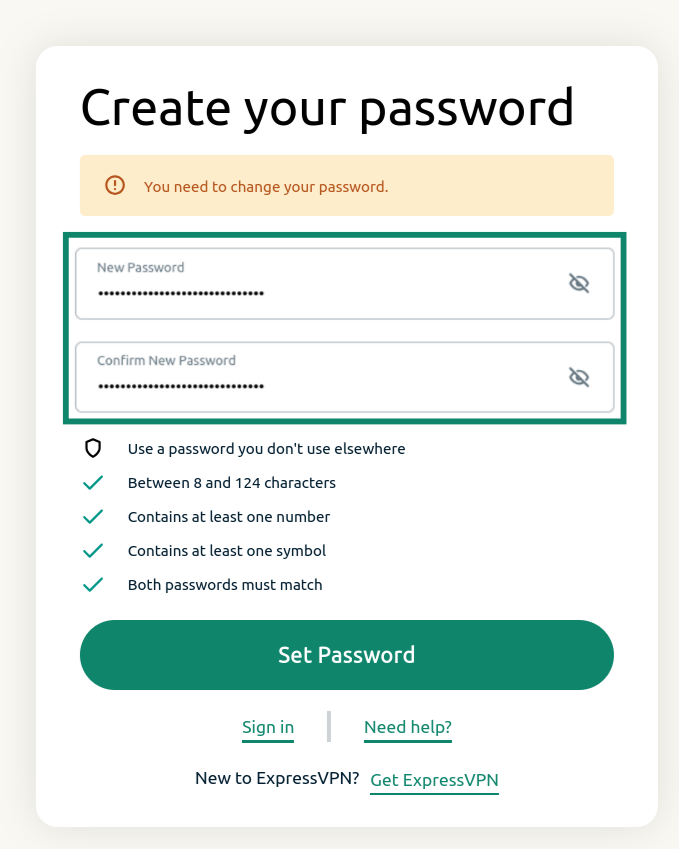
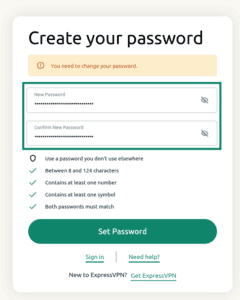
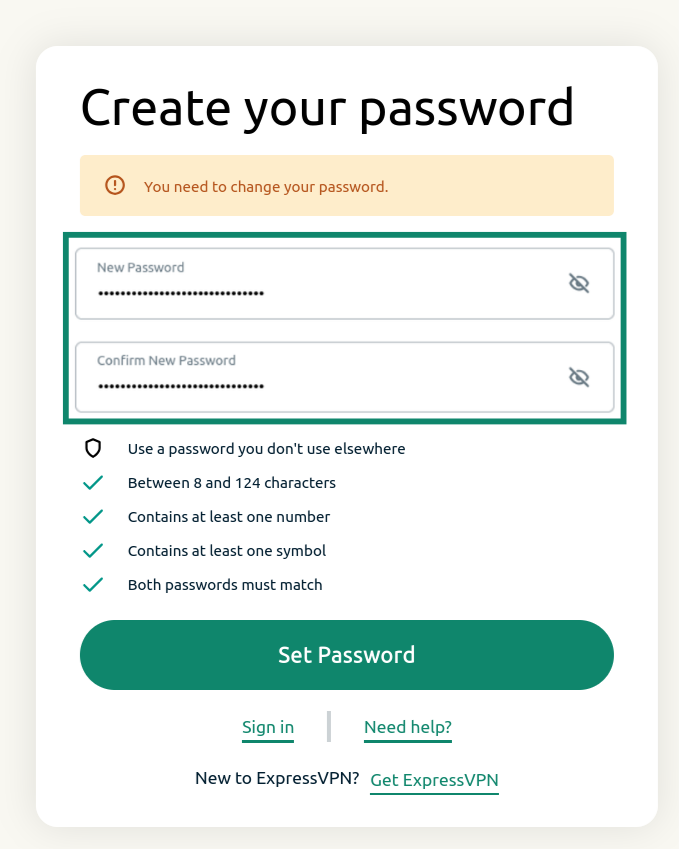
  3. Voer een nieuw wachtwoord in, bevestig het en klik op Set Password (Wachtwoord instellen).
    ExpressVPN password reset screen showing the password reset fields and the "Set Password" button.

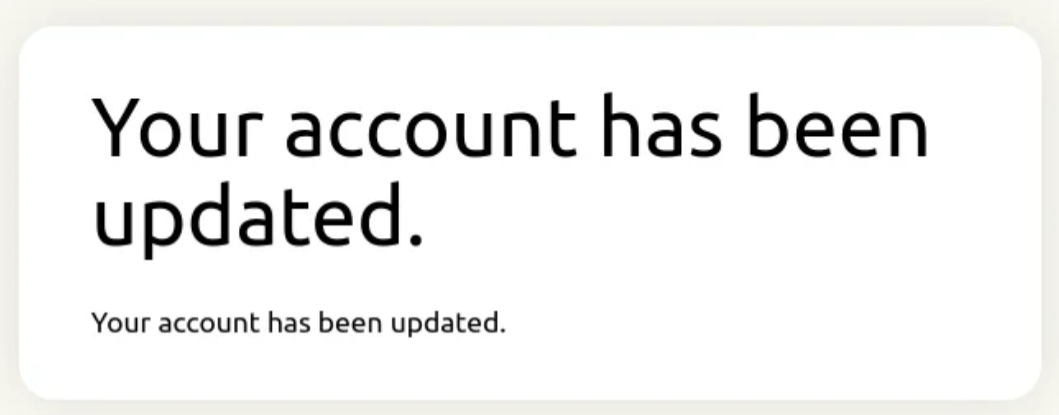
Je ontvangt een melding dat je account is bijgewerkt. Je wachtwoord is nu opnieuw ingesteld.
Notification showing that the ExpressVPN password has been updated.

Hulp nodig? Neem contact op met de helpdesk van ExpressVPN voor directe ondersteuning.

Terug naar boven


Je wachtwoord wijzigen via de ExpressVPN-app

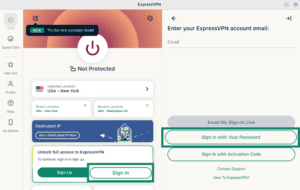
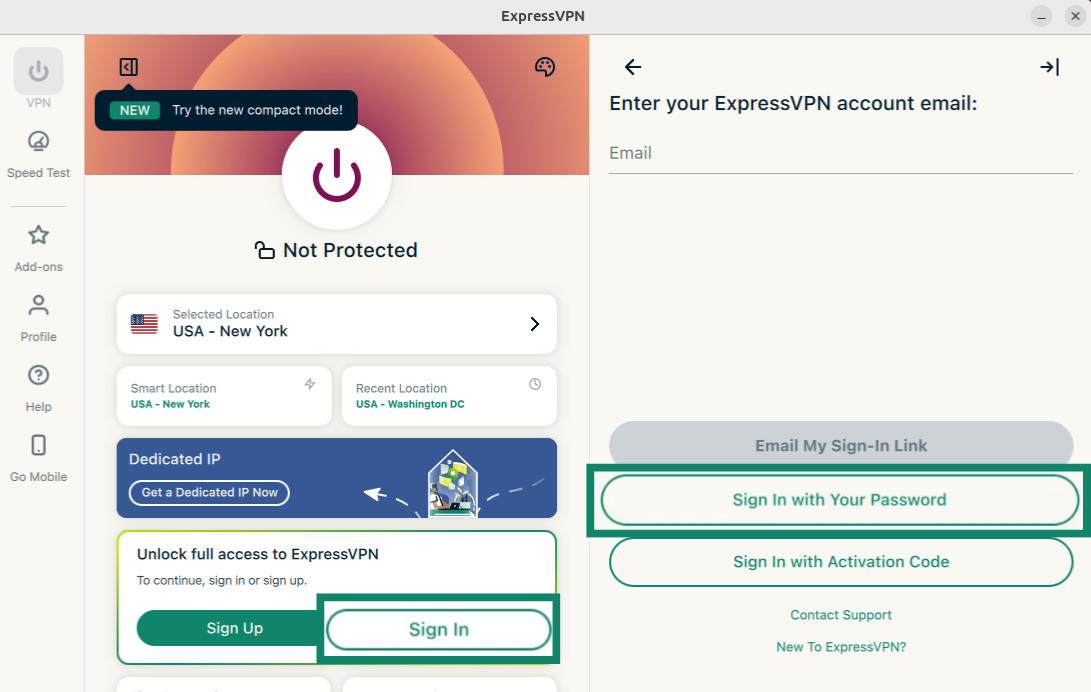
  1. Open de ExpressVPN-app en selecteer Sign In (Aanmelden).
  2. Selecteer Sign in with Your Password (Aanmelden met je wachtwoord).
    ExpressVPN app showing the "Sign In" and "Sign In with Your Password" buttons highlighted.
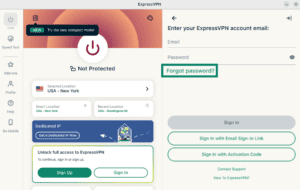
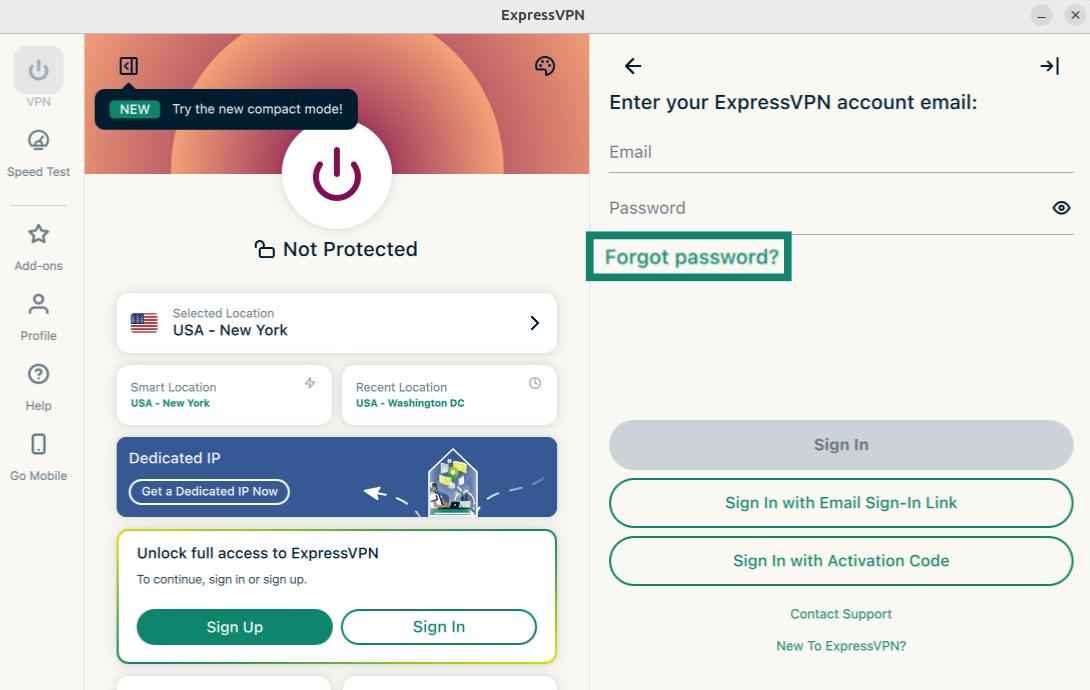
  3. Klik op Forgot password (Wachtwoord vergeten)?
    ExpressVPN app showing the "Forgot password?" button highlighted.
  4. De pagina voor het opnieuw instellen van je wachtwoord wordt geopend. Voer het e-mailadres in dat aan je ExpressVPN-account is gekoppeld en klik op Send Instructions (Instructies verzenden).
    ExpressVPN app showing the "Forgot password?" button highlighted.
  5. Open de nieuwe e-mail die je hebt ontvangen en klik op Change My Password (Mijn wachtwoord wijzigen).
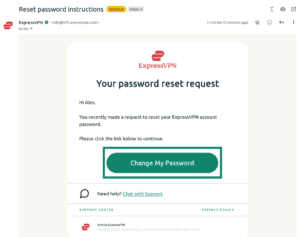
    Email from ExpressVPN showing the "Change My Password" button highlighted.
  6. Voer een nieuw wachtwoord in, bevestig het en klik op Set Password (Wachtwoord instellen).
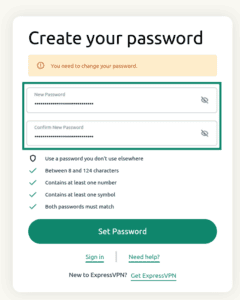
    ExpressVPN password reset screen showing the password reset fields and the "Set Password" button.

Je wachtwoord is nu opnieuw ingesteld.
Hulp nodig? Neem contact op met de helpdesk van ExpressVPN voor directe ondersteuning.

Terug naar boven

Share in FacebookShare in TwitterShare in WhatsappShare in TelegramShare by email
Heeft dit artikel je geholpen?

Het spijt ons dat te horen. Laat ons weten wat we kunnen verbeteren.

Please enter a valid email address.

Een van onze helpdeskmedewerkers gaat je punt oppakken.

Share in FacebookShare in TwitterShare in WhatsappShare in TelegramShare by email
  • Wat is malware?
  • Wat is een netwerkbeveiligingssleutel?
  • Zijn VPN's legaal?
  • Hoe verander je de locatie op je iPhone?
  • Wat is een digitale voetafdruk?
  • Hoe combineer je een VPN met Tor voor online anonimiteit?
  • Krijg de beste VPN voor meerdere apparaten
VPN voor alle apparaten
  • Download ExpressVPN
  • MacOS
  • Windows PC
  • iOS (iPhone en iPad)
  • Android
  • Linux
  • Routers
  • Apple TV
  • Fire Stick
  • Android TV
  • Chrome-extensie
VPN-servers
  • Servers in 113 landen
  • VPN VS
  • VPN VK
  • VPN Canada
  • VPN Australië
Functies
  • Alle functies bekijken
  • Probeer VPN: gratis annuleren
  • Abonnementen en prijzen
Producten
  • ExpressKeys
  • ExpressMailGuard
  • ExpressAI
Over ExpressVPN
  • Over ons
  • Privacy- en veiligheidscentrum
  • Rechtencentrum
  • Veiligheidsaudits
  • ExpressVPN-reviews
  • Onze experts
  • Pers
  • Werken bij ExpressVPN
Programmer
  • Tottenham Hotspur
  • Brooklyn Nets
  • Partner worden
  • Affiliates
  • Influencere
Hulp vragen
  • VPN-handleidingen
  • Veelgestelde vragen
  • Neem een VPN
Lees meer
  • Wat is een VPN?
  • Wat is mijn IP?
  • Verberg mijn IP
  • 5 voordelen van een VPN
  • Blog

© 2026 ExpressVPN. Alle rechten voorbehouden.

  • Privacybeleid
  • Gebruiksvoorwaarden
  • Cookie voorkeur

Kies een taal

  • English
  • Deutsch
  • Español
  • Français
  • Italiano
  • Português

Live chat

Need help? Chat with us!

Online