ExpressVPN
    • No-Logs-Richtlinie
    • Servers in 113 Countries
    • Use on Multiple Devices
    • High-Speed VPN
    • Access Online Services Securely
    • Gaming-VPN
    • Alle Features entdecken
    • Über ExpressVPN
    Sign Up For Expressvpn

    One subscription gives you access to a fast-growing suite of privacy and security tools that work seamlessly together to improve your digital life.

    View all products
    • VPN-Protokoll Lightway
    • Internet Kill Switch
    • Split-Tunneling
    • Private, Encrypted DNS
    • Avoid ISP Throttling
    • Threat Manager
    • Werbeblocker
    • Kinderschutz
    • Dedizierte IP-Adresse
  • VPN-Download
    • Windows new
    • MacOS new
    • Linux new
    • iPhone / iPad
    • Android
    • Apple TV
    • Fire Stick
    • Android TV
    • VPN für Router
    • Aircove Router
    • Chrome
    • Firefox
    • Edge
  • Pricing
    • Was ist ein VPN?
    • VPN for Beginners
    • How To Use a VPN
    • VPN Encryption Explained
    • Blog
    • Glossary
    • IP Address Checker
    • DNS-Leak-Test
    • WebRTC-Leak-Test
    • Passwort-Generator
    • Hilfecenter
    • FAQ
    • Live-Chat
    • VPN-Setup Tutorials
    • Redemption Code
  • Icon10VPN for Teams
  • Produkte
    Icon11

    ExpressVPN for Teams Get fast, secure VPN protection for growing teams. Easy to deploy, simple to manage, built to scale.

    Img2
    • ExpressVPN

      ExpressVPN Industry-leading, ultra-fast VPN with secure servers in 113 countries.

    • ExpressMailGuard

      ExpressMailGuard Private email relay service to protect your inbox and identity.

    • ExpressKeys

      ExpressKeys Secure password management, multi-factor authentication, and more.

    • ExpressAI

      ExpressAI The first consumer AI powered by confidential computing for privacy-led intelligence.

    • Identity Defender

      Identity Defender Powerful suite of ID protection, monitoring, and data removal tools

    Other products from the family behind ExpressVPN

    • holiday.com eSIM

      holiday.com eSIM Unlimited data with a single eSIM across 150+ destinations.

    • Intego

      Intego Award-winning macOS antivirus, firewall, system tools, and more.

  • Mein Konto
Los geht's
ExpressVPN
    • No-Logs-Richtlinie
    • Servers in 113 Countries
    • Use on Multiple Devices
    • High-Speed VPN
    • Access Online Services Securely
    • Gaming-VPN
    • Alle Features entdecken
    • Über ExpressVPN
    Sign Up For Expressvpn

    One subscription gives you access to a fast-growing suite of privacy and security tools that work seamlessly together to improve your digital life.

    View all products
    • VPN-Protokoll Lightway
    • Internet Kill Switch
    • Split-Tunneling
    • Private, Encrypted DNS
    • Avoid ISP Throttling
    • Threat Manager
    • Werbeblocker
    • Kinderschutz
    • Dedizierte IP-Adresse
  • VPN-Download
    • Windows new
    • MacOS new
    • Linux new
    • iPhone / iPad
    • Android
    • Apple TV
    • Fire Stick
    • Android TV
    • VPN für Router
    • Aircove Router
    • Chrome
    • Firefox
    • Edge
  • Pricing
    • Was ist ein VPN?
    • VPN for Beginners
    • How To Use a VPN
    • VPN Encryption Explained
    • Blog
    • Glossary
    • IP Address Checker
    • DNS-Leak-Test
    • WebRTC-Leak-Test
    • Passwort-Generator
    • Hilfecenter
    • FAQ
    • Live-Chat
    • VPN-Setup Tutorials
    • Redemption Code
  • VPN for Teams
  • Produkte
    • ExpressVPN

      ExpressVPN Industry-leading, ultra-fast VPN with secure servers in 113 countries.

    • ExpressMailGuard

      ExpressMailGuard Private email relay service to protect your inbox and identity.

    • ExpressKeys

      ExpressKeys Secure password management, multi-factor authentication, and more.

    • ExpressAI

      ExpressAI The first consumer AI powered by confidential computing for privacy-led intelligence.

    • Identity Defender

      Identity Defender Powerful suite of ID protection, monitoring, and data removal tools

    Other products from the family behind ExpressVPN

    • holiday.com eSIM

      holiday.com eSIM Unlimited data with a single eSIM across 150+ destinations.

    • Intego

      Intego Award-winning macOS antivirus, firewall, system tools, and more.

    Icon11

    ExpressVPN for Teams Get fast, secure VPN protection for growing teams. Easy to deploy, simple to manage, built to scale.

    Img2
  • Mein Konto
Los geht's
Home Home » So stellen Sie ein verlorenes oder vergessenes Passwort wieder her

Kontoverwaltung

So stellen Sie ein verlorenes oder vergessenes Passwort wieder her

Zuletzt aktualisiert: 15. September 2026

Share in FacebookShare in TwitterShare in WhatsappShare in TelegramShare by email

Um unsere Apps und Konfigurationen nutzen zu können, registrieren Sie sich bitte zuerst für ein ExpressVPN-Konto.

Um ein verlorenes oder vergessenes Passwort zurückzusetzen, können Sie unsere Passwortseite zum Zurücksetzen nutzen. In der nachfolgenden Anleitung wird beschrieben, wie Sie dort Ihr Passwort ändern können.

Falls Sie sich an das Passwort für Ihr ExpressVPN-Konto erinnern und es ändern möchten, lesen Sie bitte unsere Anleitung unter: So ändern Sie Ihr Passwort.

Weiter zum Abschnitt

Ihr Passwort via E-Mail ändern
Ihr Passwort via ExpressVPN-App ändern


Ihr Passwort via E-Mail ändern

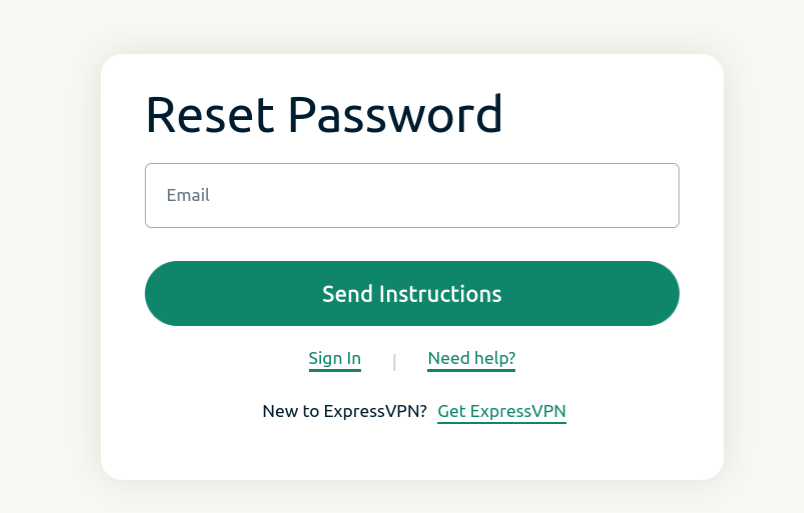
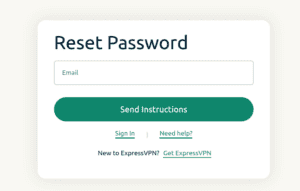
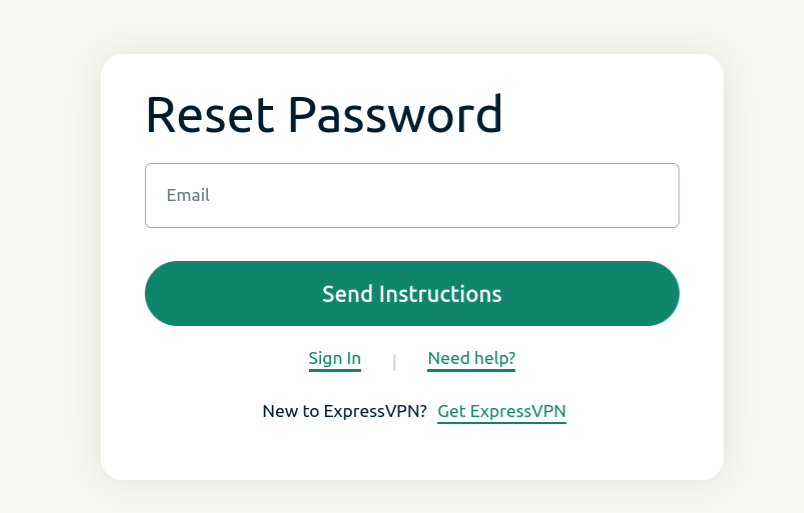
  1. Öffnen Sie die Seite zum Zurücksetzen des Passworts und geben Sie die E-Mail-Adresse ein, die mit Ihrem Konto verknüpft ist. Klicken Sie auf Send Instructions (Anleitung schicken).
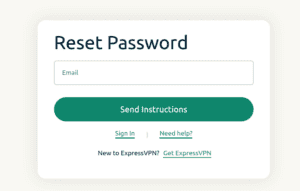
    Reset password screen for ExpressVPN.
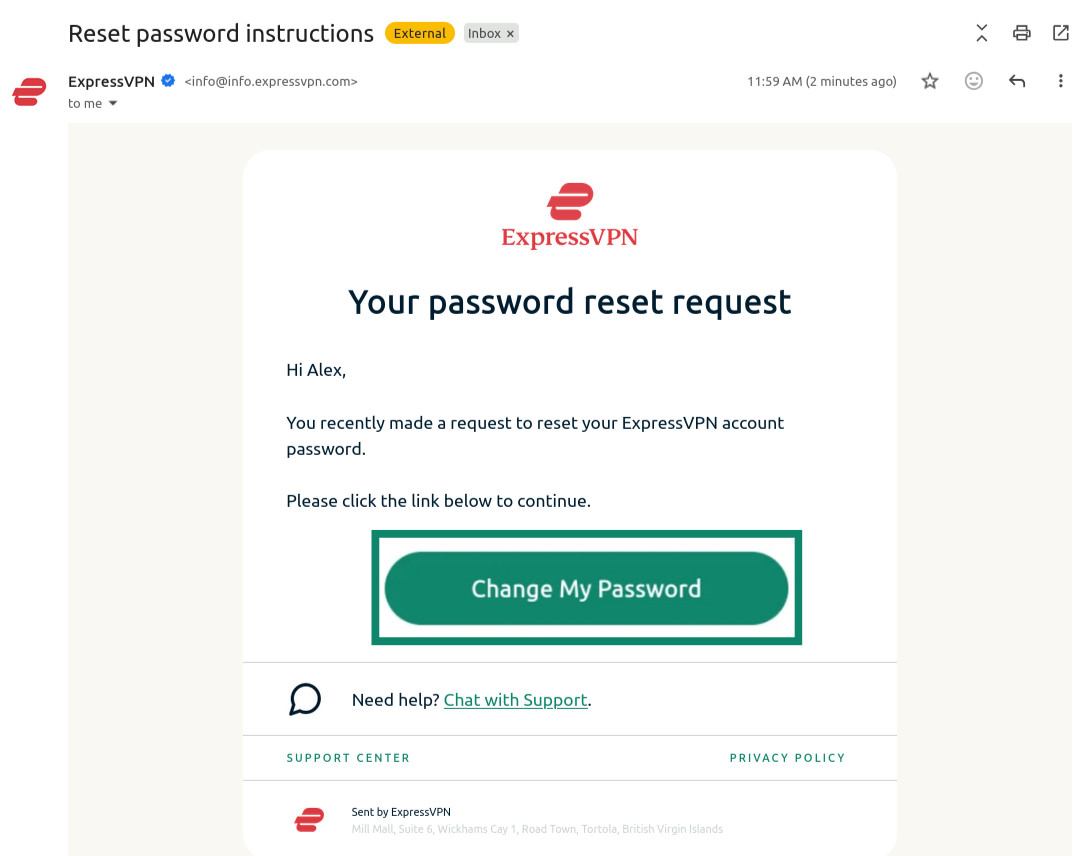
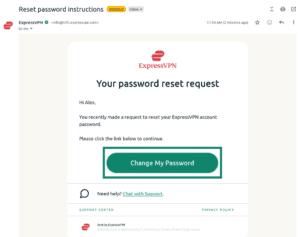
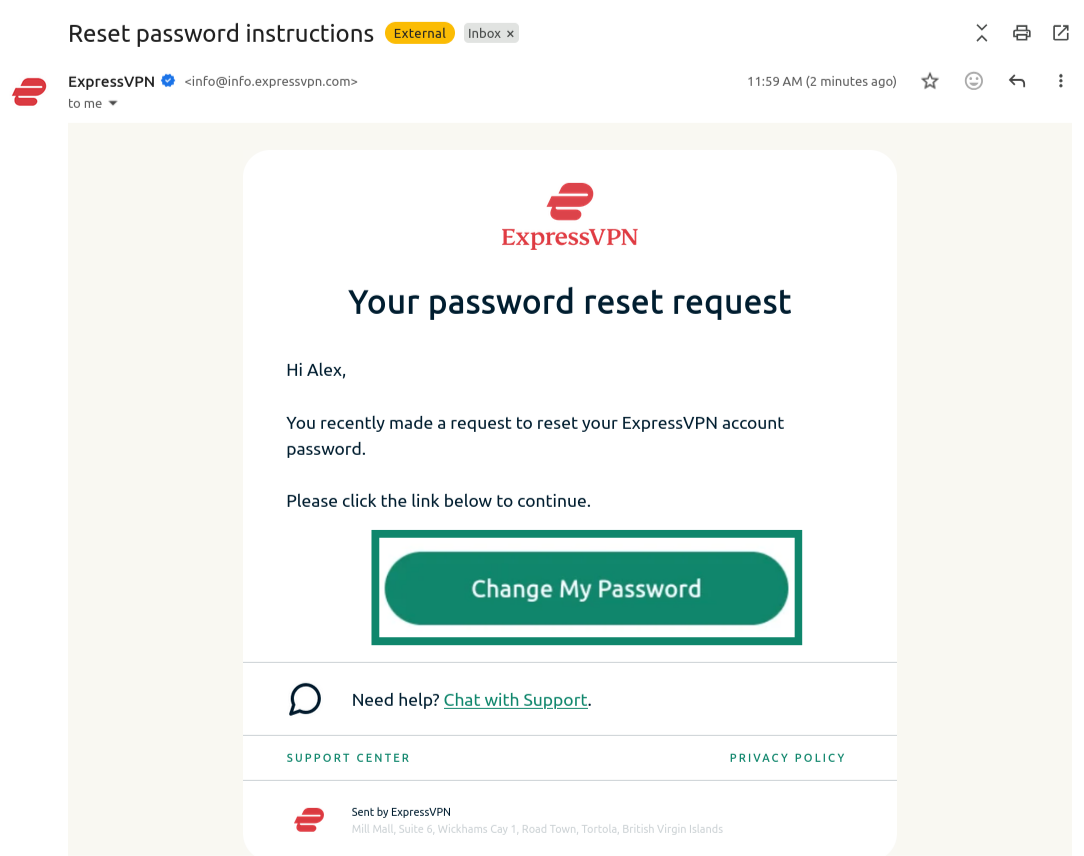
  2. Öffnen Sie die neue E-Mail, die Sie erhalten haben und klicken Sie auf die Schaltfläche Change My Password (Mein Passwort ändern).
    Email from ExpressVPN showing the "Change My Password" button highlighted.
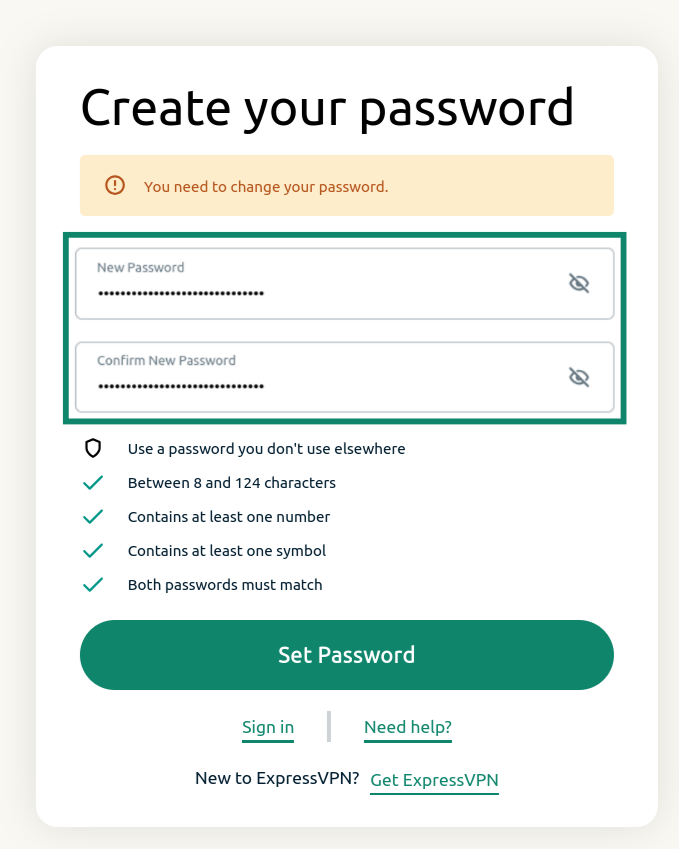
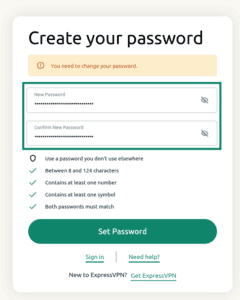
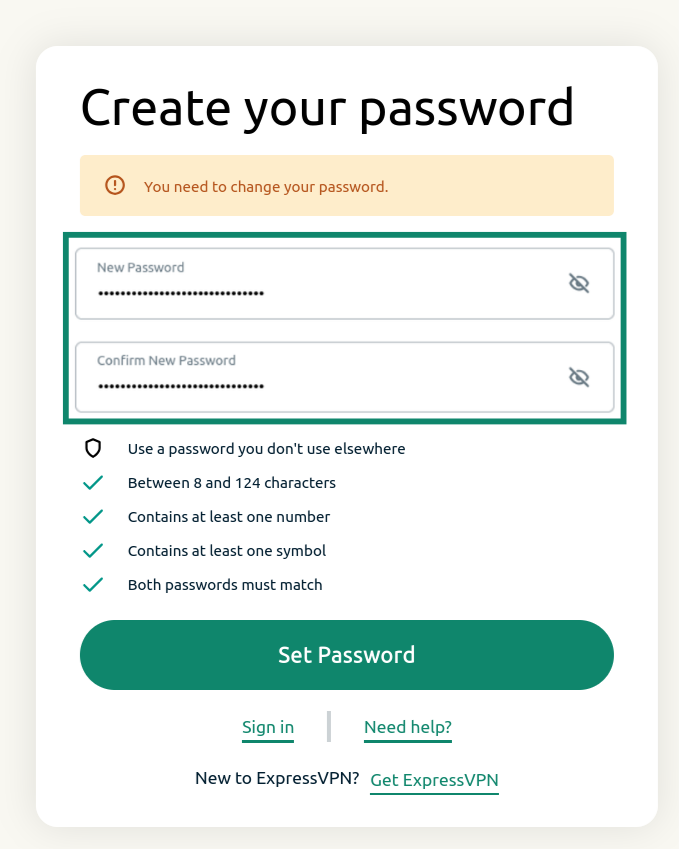
  3. Geben Sie ein neues Passwort ein, bestätigen Sie es und klicken Sie auf Set Password (Passwort festlegen).
    ExpressVPN password reset screen showing the password reset fields and the "Set Password" button.

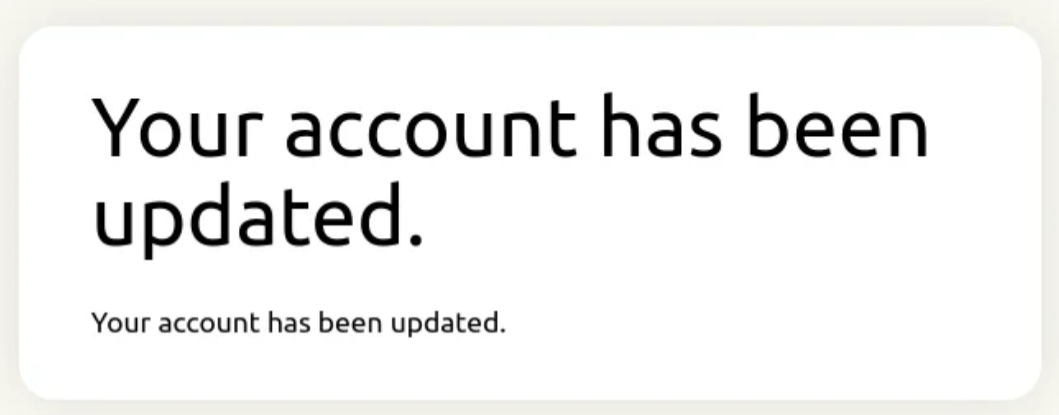
Sie erhalten eine Benachrichtigung, dass Ihr Konto aktualisiert wurde. Ihr Passwort sollte nun zurückgesetzt sein.
Notification showing that the ExpressVPN password has been updated.

Hilfe benötigt? Kontaktieren Sie das Support-Team von ExpressVPN, um sofort Hilfe zu erhalten.

Zurück zum Anfang


Ihr Passwort via ExpressVPN-App ändern

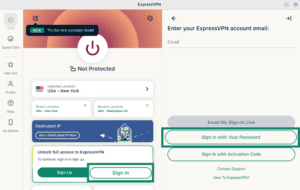
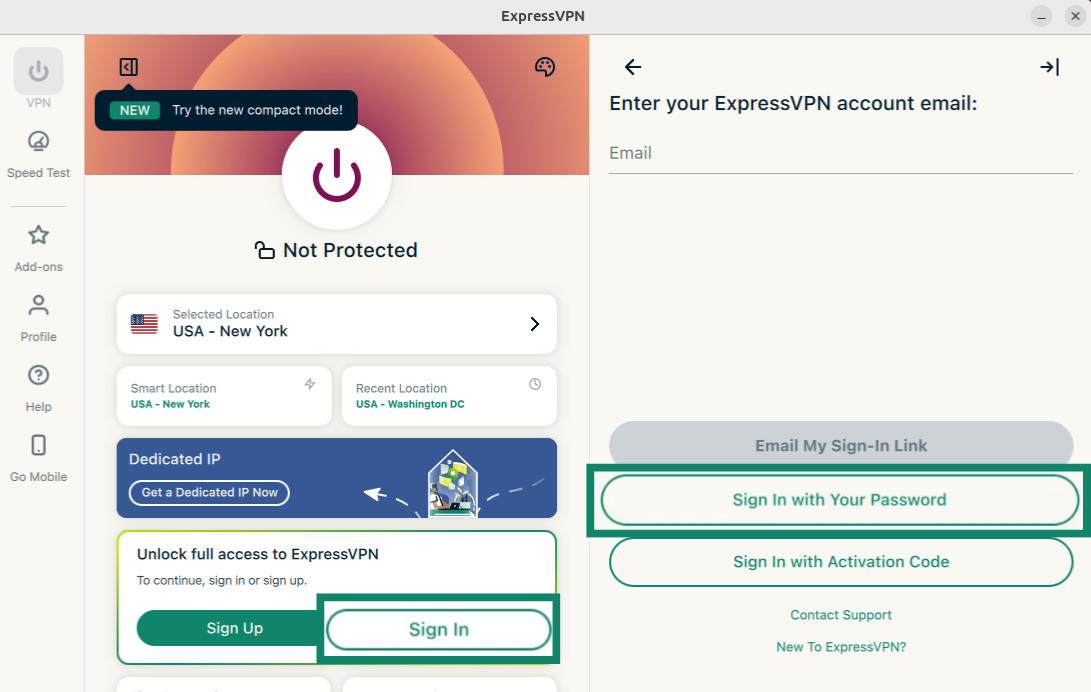
  1. Öffnen Sie die ExpressVPN-App und wählen Sie Sign In (Anmelden).
  2. Wählen Sie Sign in with Your Password (Mit Ihrem Passwort anmelden).
    ExpressVPN app showing the "Sign In" and "Sign In with Your Password" buttons highlighted.
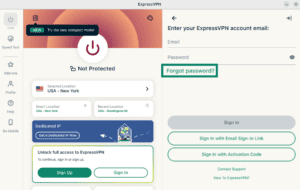
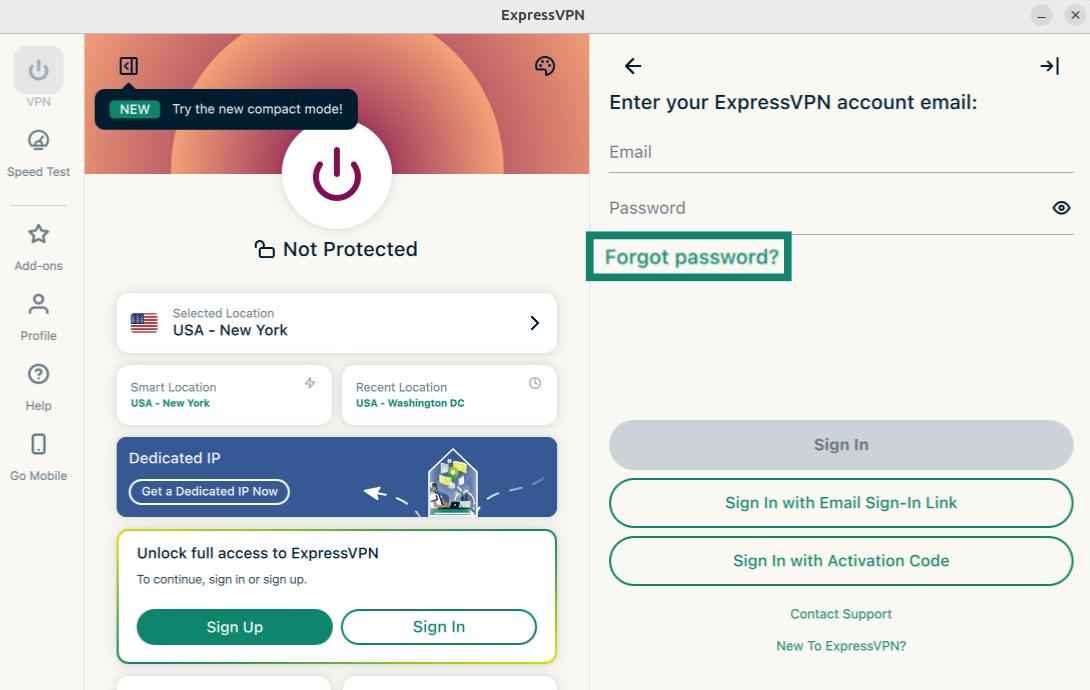
  3. Klicken Sie auf Forgot password? (Passwort vergessen?)
    ExpressVPN app showing the "Forgot password?" button highlighted.
  4. Es öffnet sich die Seite zum Zurücksetzen des Passworts. Geben Sie die E-Mail-Adresse ein, die mit Ihrem ExpressVPN-Konto verknüpft ist. Klicken Sie anschließend auf Send Instructions (Anleitung schicken).
    ExpressVPN app showing the "Forgot password?" button highlighted.
  5. Öffnen Sie die E-Mail. Die Sie erhalten haben, und klicken Sie auf die Schaltfläche Change My Password (Mein Passwort ändern).
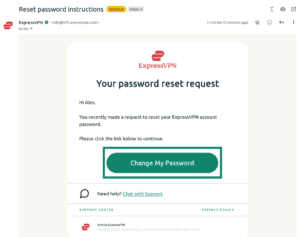
    Email from ExpressVPN showing the "Change My Password" button highlighted.
  6. Geben Sie ein neues Passwort ein, bestätigen Sie es und klicken Sie auf Set Password (Passwort festlegen).
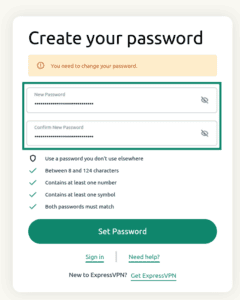
    ExpressVPN password reset screen showing the password reset fields and the "Set Password" button.

Ihr Passwort sollte nun zurückgesetzt sein.
Hilfe benötigt? Kontaktieren Sie das Support-Team von ExpressVPN, um sofort Hilfe zu erhalten.

Zurück zum Anfang

Share in FacebookShare in TwitterShare in WhatsappShare in TelegramShare by email
War dieser Beitrag hilfreich?

Das tut uns leid. Lassen Sie uns wissen, wie wir uns verbessern können.

Please enter a valid email address.

Ein Mitarbeiter unseres Supportteams wird sich mit Ihrem Problem befassen.

Share in FacebookShare in TwitterShare in WhatsappShare in TelegramShare by email
  • Was ist Malware?
  • Was ist ein Netzwerk-Sicherheits-Schlüssel?
  • Sind VPNs legal?
  • Wie Du den Standort auf Deinem iPhone änderst
  • Was ist ein digitaler Fußabdruck?
  • Wie man ein VPN und Tor für Online-Anonymität kombiniert
  • Erhalte das beste VPN für mehrere Geräte
VPN für alle Geräte
  • ExpressVPN herunterladen
  • MacOS
  • Windows-PC
  • iOS (iPhone & iPad)
  • Android
  • Linux
  • Router
  • Apple TV
  • Fire Stick
  • Android TV
  • Chrome-Erweiterung
VPN Serverstandorte
  • Server in 113 Ländern
  • USA-VPN
  • UK-VPN
  • Kanada-VPN
  • Australien-VPN
Features
  • Alle Features entdecken
  • VPN-Testversion ohne Risiko
  • Abos und Preise
Produkte
  • ExpressKeys
  • ExpressMailGuard
  • ExpressAI
Über ExpressVPN
  • Über uns
  • Trust Center
  • Rights Center
  • Sicherheitsaudits
  • ExpressVPN-Erfahrungen
  • Unsere Experten
  • Presse
  • Karriere
Programme
  • Tottenham Hotspur
  • Brooklyn Nets
  • Partner werden
  • Affiliates
  • Influencer
Support
  • VPN-Setup Tutorials
  • FAQ
  • VPN kaufen
Mehr erfahren
  • Was ist ein VPN?
  • Was ist meine IP-Adresse?
  • Verberge meine IP
  • Top 5 VPN-Verwendungen
  • Blog

© 2026 ExpressVPN. Alle Rechte vorbehalten.

  • Datenschutzrichtlinie
  • Servicebedingungen
  • Cookie-Einstellungen

Wählen Sie eine Sprache

  • English
  • Español
  • Français
  • Italiano
  • Nederlands
  • Português

Live chat

Need help? Chat with us!

Online