ExpressVPN
    • Politica No-log
    • Servers in 113 Countries
    • Use on Multiple Devices
    • High-Speed VPN
    • Access Online Services Securely
    • VPN per il gaming
    • Esplora tutte le caratteristiche
    • Informazioni su ExpressVPN
    Sign Up For Expressvpn

    One subscription gives you access to a fast-growing suite of privacy and security tools that work seamlessly together to improve your digital life.

    View all products
    • Protocollo VPN Lightway
    • Internet Kill Switch
    • Split-tunneling
    • Private, Encrypted DNS
    • Avoid ISP Throttling
    • Threat Manager
    • Blocco degli annunci
    • Controlli parentali
    • IP dedicato
  • Download VPN
    • Windows new
    • MacOS new
    • Linux new
    • iPhone / iPad
    • Android
    • Apple TV
    • Fire Stick
    • Android TV
    • VPN per router
    • Aircove Router
    • Chrome
    • Firefox
    • Edge
  • Pricing
    • VPN: cos’è?
    • VPN for Beginners
    • How To Use a VPN
    • VPN Encryption Explained
    • Blog
    • Glossary
    • IP Address Checker
    • Test di esposizione del DNS
    • Test di esposizione di WebRTC
    • Generatore di password
    • Centro di supporto
    • FAQ
    • Chat dal vivo
    • Tutorial installazione VPN
    • Redemption Code
  • Icon10VPN for Teams
  • Prodotti
    Icon11

    ExpressVPN for Teams Get fast, secure VPN protection for growing teams. Easy to deploy, simple to manage, built to scale.

    Img2
    • ExpressVPN

      ExpressVPN Industry-leading, ultra-fast VPN with secure servers in 113 countries.

    • ExpressMailGuard

      ExpressMailGuard Private email relay service to protect your inbox and identity.

    • ExpressKeys

      ExpressKeys Secure password management, multi-factor authentication, and more.

    • ExpressAI

      ExpressAI The first consumer AI powered by confidential computing for privacy-led intelligence.

    • Identity Defender

      Identity Defender Powerful suite of ID protection, monitoring, and data removal tools

    Other products from the family behind ExpressVPN

    • holiday.com eSIM

      holiday.com eSIM Unlimited data with a single eSIM across 150+ destinations.

    • Intego

      Intego Award-winning macOS antivirus, firewall, system tools, and more.

  • Il mio account
Abbonati qui
ExpressVPN
    • Politica No-log
    • Servers in 113 Countries
    • Use on Multiple Devices
    • High-Speed VPN
    • Access Online Services Securely
    • VPN per il gaming
    • Esplora tutte le caratteristiche
    • Informazioni su ExpressVPN
    Sign Up For Expressvpn

    One subscription gives you access to a fast-growing suite of privacy and security tools that work seamlessly together to improve your digital life.

    View all products
    • Protocollo VPN Lightway
    • Internet Kill Switch
    • Split-tunneling
    • Private, Encrypted DNS
    • Avoid ISP Throttling
    • Threat Manager
    • Blocco degli annunci
    • Controlli parentali
    • IP dedicato
  • Download VPN
    • Windows new
    • MacOS new
    • Linux new
    • iPhone / iPad
    • Android
    • Apple TV
    • Fire Stick
    • Android TV
    • VPN per router
    • Aircove Router
    • Chrome
    • Firefox
    • Edge
  • Pricing
    • VPN: cos’è?
    • VPN for Beginners
    • How To Use a VPN
    • VPN Encryption Explained
    • Blog
    • Glossary
    • IP Address Checker
    • Test di esposizione del DNS
    • Test di esposizione di WebRTC
    • Generatore di password
    • Centro di supporto
    • FAQ
    • Chat dal vivo
    • Tutorial installazione VPN
    • Redemption Code
  • VPN for Teams
  • Prodotti
    • ExpressVPN

      ExpressVPN Industry-leading, ultra-fast VPN with secure servers in 113 countries.

    • ExpressMailGuard

      ExpressMailGuard Private email relay service to protect your inbox and identity.

    • ExpressKeys

      ExpressKeys Secure password management, multi-factor authentication, and more.

    • ExpressAI

      ExpressAI The first consumer AI powered by confidential computing for privacy-led intelligence.

    • Identity Defender

      Identity Defender Powerful suite of ID protection, monitoring, and data removal tools

    Other products from the family behind ExpressVPN

    • holiday.com eSIM

      holiday.com eSIM Unlimited data with a single eSIM across 150+ destinations.

    • Intego

      Intego Award-winning macOS antivirus, firewall, system tools, and more.

    Icon11

    ExpressVPN for Teams Get fast, secure VPN protection for growing teams. Easy to deploy, simple to manage, built to scale.

    Img2
  • Il mio account
Abbonati qui
Home Home » Come recuperare una password persa o dimenticata

Gestisci il tuo account

Come recuperare una password persa o dimenticata

Ultimo aggiornamento: 15/09/2026

Share in FacebookShare in TwitterShare in WhatsappShare in TelegramShare by email

Per utilizzare le nostre app e configurazioni, prima devi aprire un nuovo account su ExpressVPN.

Per recuperare una password smarrita o dimenticata, potrai visitare la nostra pagina di ripristino password. Le istruzioni riportate di seguito spiegano come modificare la tua password da lì.

Se ricordi la password del tuo account ExpressVPN e desideri modificarla, consulta la nostra guida su come modificare la tua password.

Vai alla sezione

Modifica la tua password tramite e-mail
Modifica la tua password tramite l’app ExpressVPN


Modifica la tua password tramite e-mail

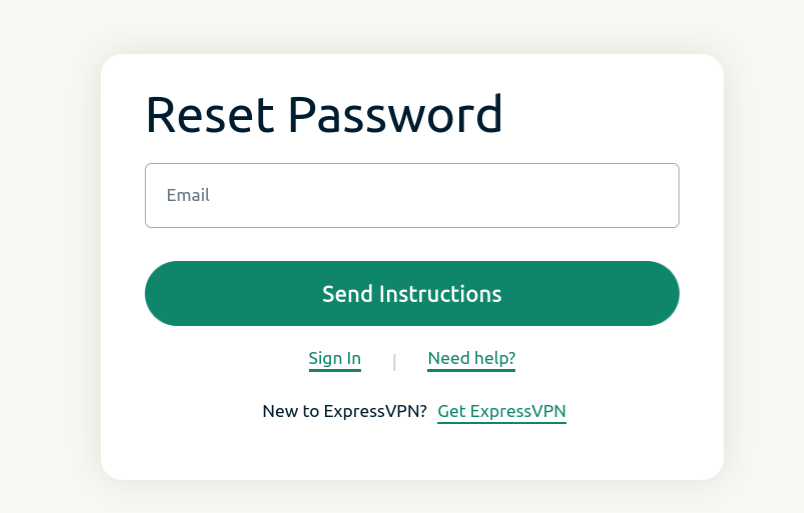
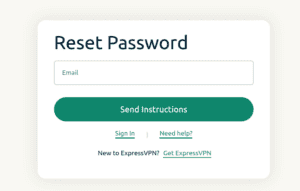
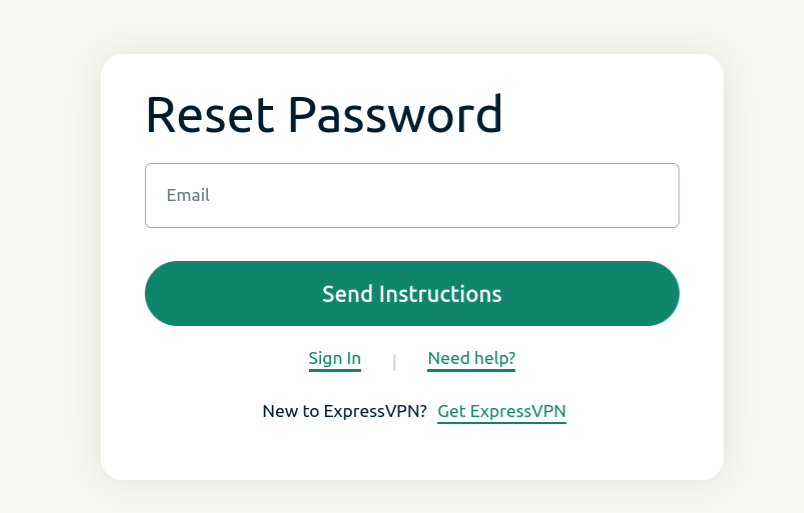
  1. Visita la pagina di ripristino password e inserisci l’indirizzo e-mail associato al tuo account. Clicca su Send Instructions (invia istruzioni).
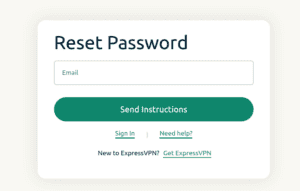
    Reset password screen for ExpressVPN.
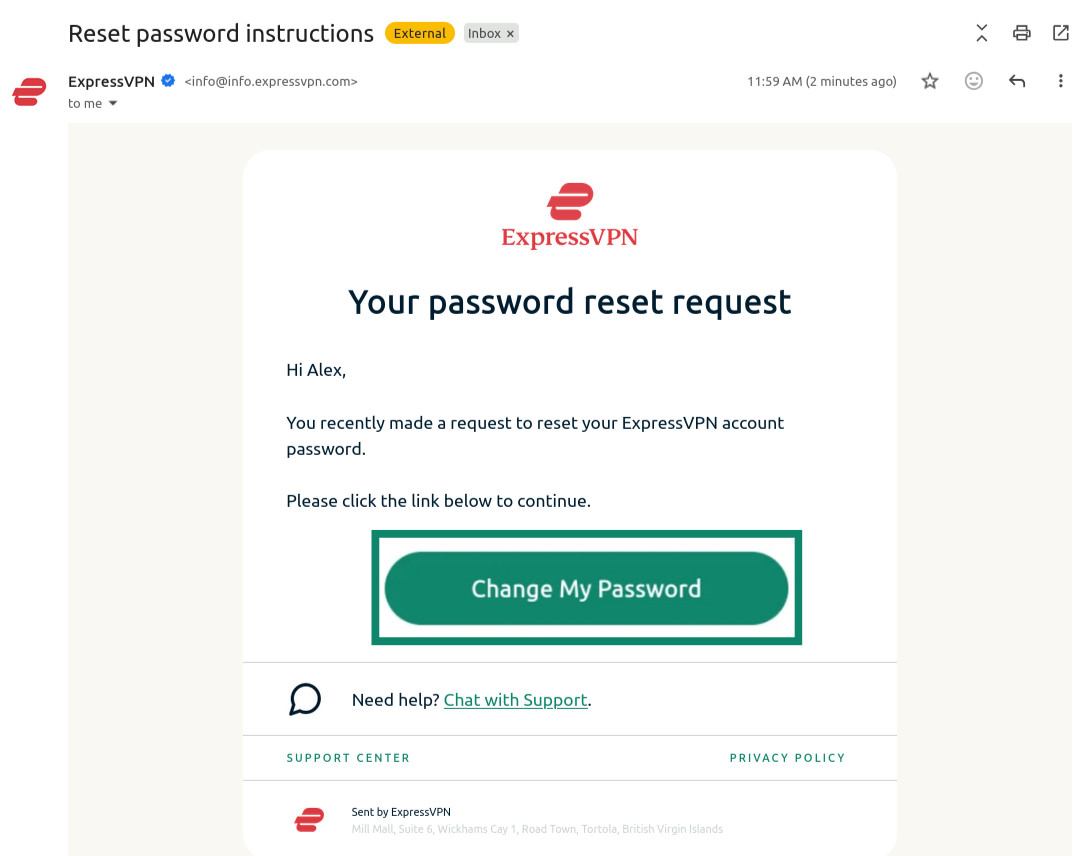
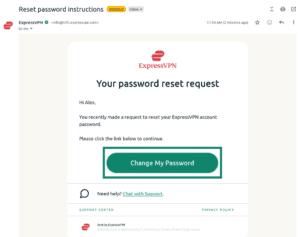
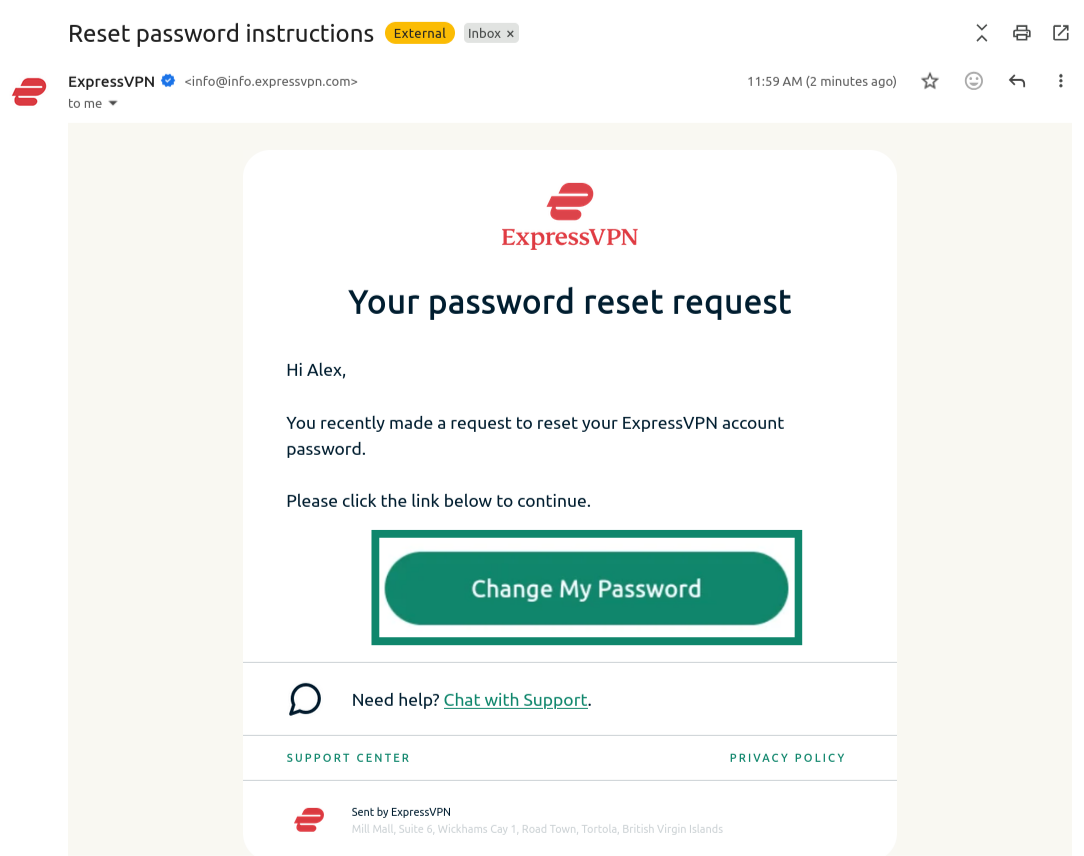
  2. Apri la e-mail appena ricevuta e clicca sul pulsante Change My Password (modifica la mia password).
    Email from ExpressVPN showing the "Change My Password" button highlighted.
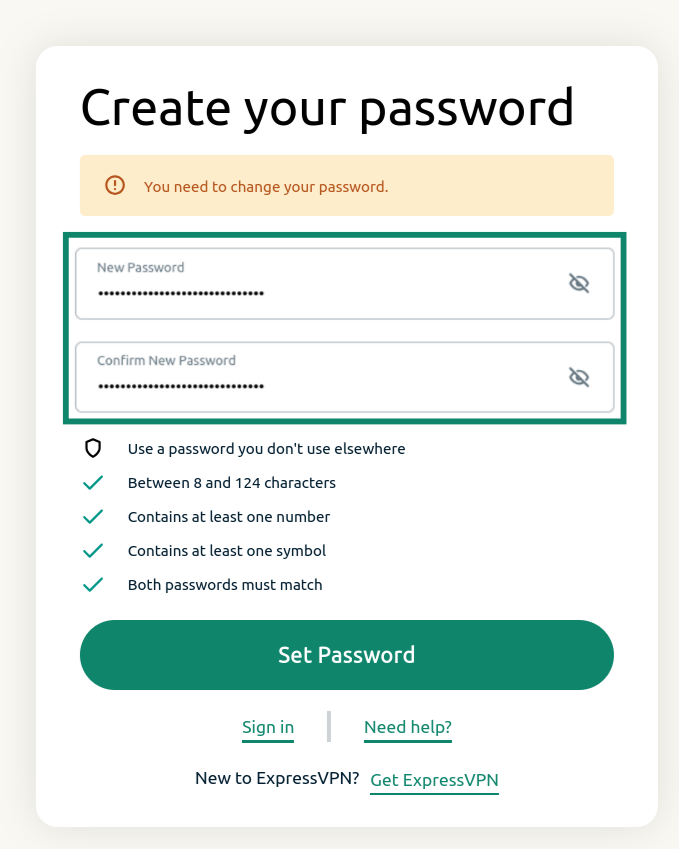
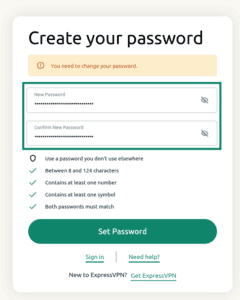
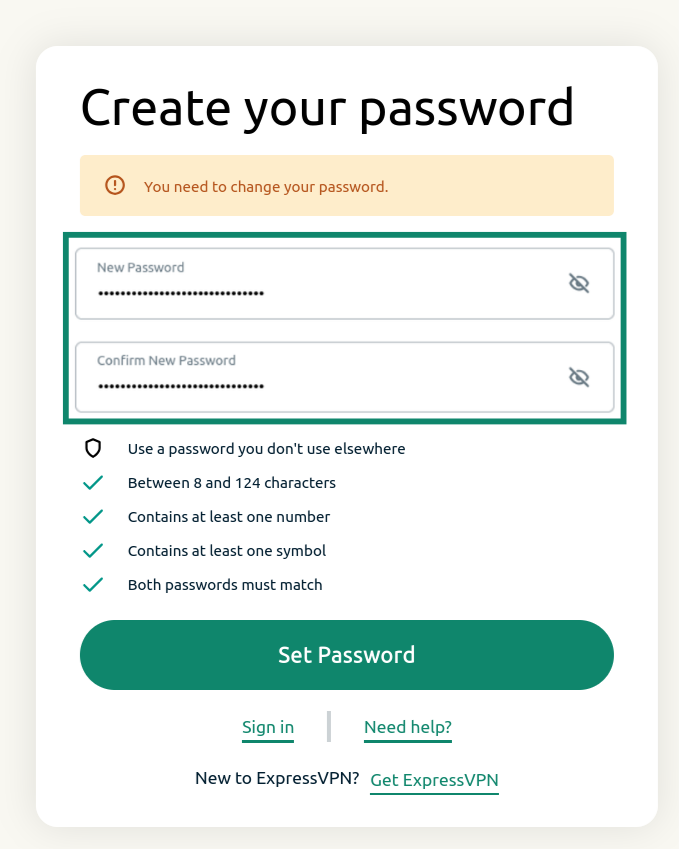
  3. Inserisci una nuova password, confermala e clicca su Set Password (imposta password).
    ExpressVPN password reset screen showing the password reset fields and the "Set Password" button.

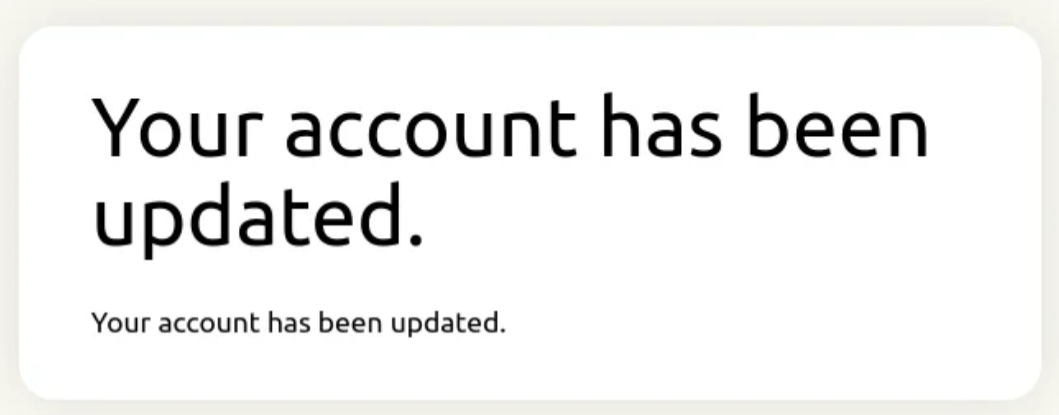
Riceverai una notifica di aggiornamento del tuo account. La tua password ora dovrebbe essere stata reimpostata.
Notification showing that the ExpressVPN password has been updated.

Ti serve aiuto? Contatta il team di supporto ExpressVPN per ricevere assistenza immediata.

Volver arriba


Modifica la tua password tramite l’app ExpressVPN

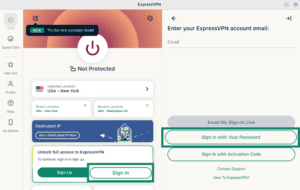
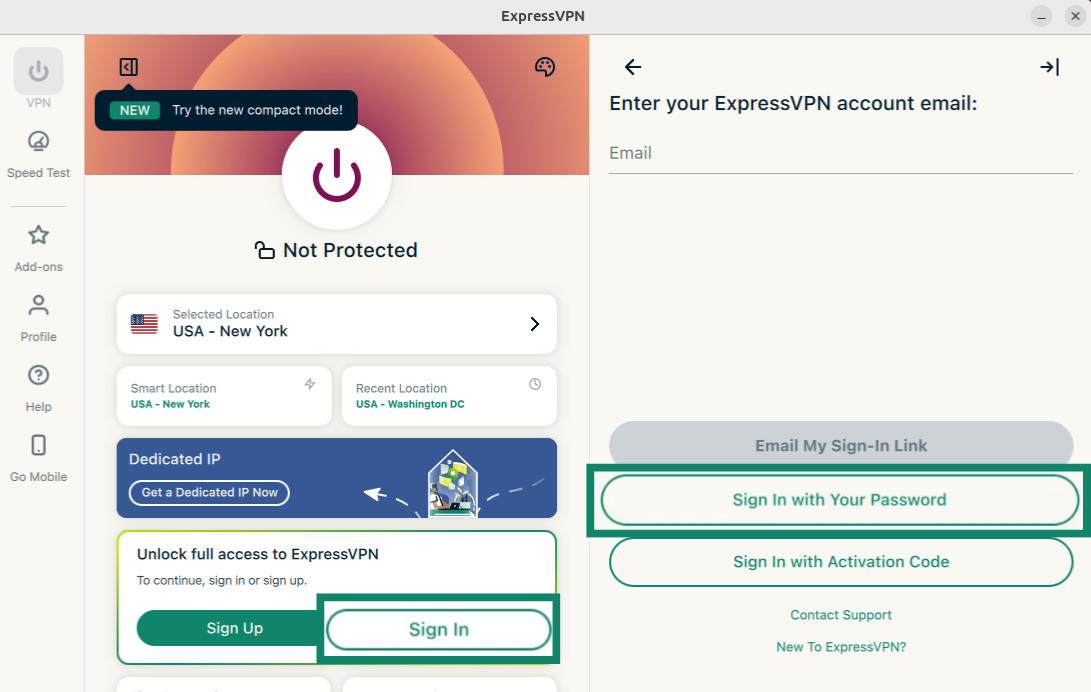
  1. Apri l’app ExpressVPN e seleziona Sign In (Accedi).
  2. Seleziona Sign in with Your Password (accedi con la tua password).
    ExpressVPN app showing the "Sign In" and "Sign In with Your Password" buttons highlighted.
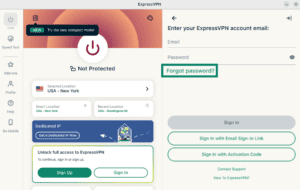
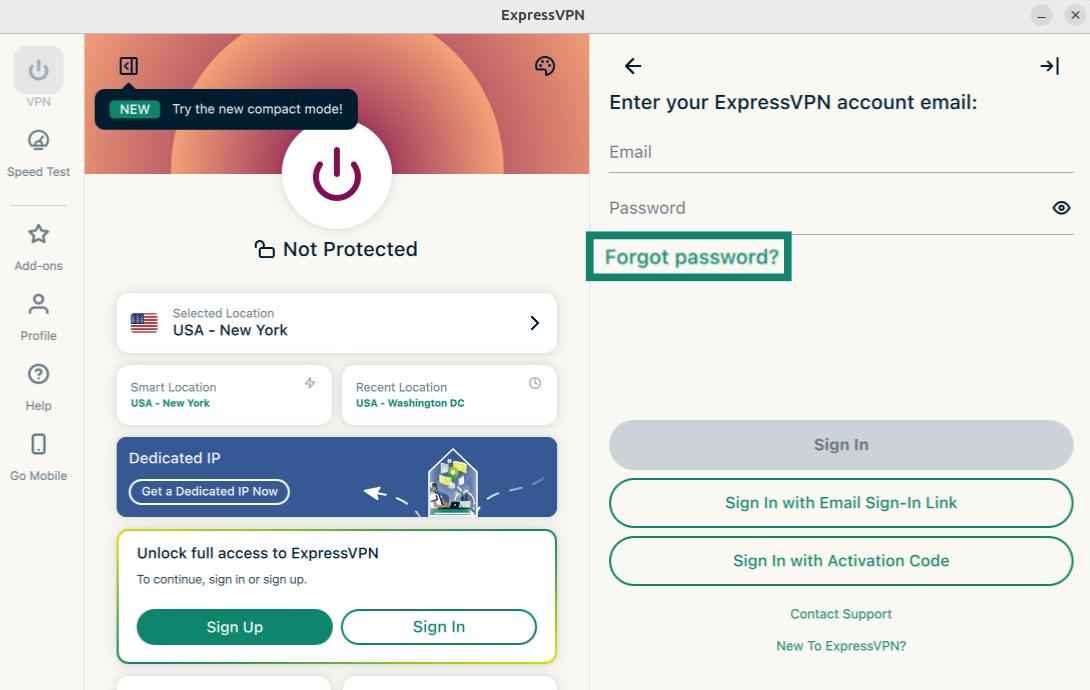
  3. Clicca su Forgot password (password dimenticata)?
    ExpressVPN app showing the "Forgot password?" button highlighted.
  4. Si aprirà la pagina per la reimpostazione della password. Inserisci l’indirizzo e-mail associato al tuo account ExpressVPN e clicca su Send Instructions (invia istruzioni).
    ExpressVPN app showing the "Forgot password?" button highlighted.
  5. Apri la e-mail appena ricevuta e clicca sul pulsante Change My Password (modifica la mia password).
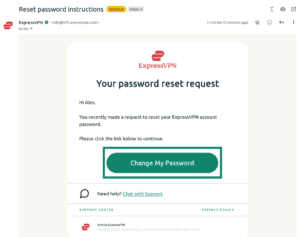
    Email from ExpressVPN showing the "Change My Password" button highlighted.
  6. Inserisci una nuova password, confermala e clicca su Set Password (imposta password).
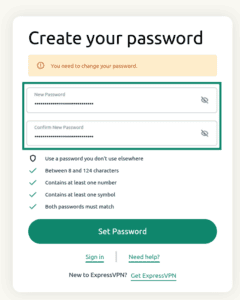
    ExpressVPN password reset screen showing the password reset fields and the "Set Password" button.

La tua password ora dovrebbe essere stata reimpostata.
Ti serve aiuto? Contatta il team di supporto ExpressVPN per ricevere assistenza immediata.

Volver arriba

Share in FacebookShare in TwitterShare in WhatsappShare in TelegramShare by email
Questo articolo ti ha aiutato?

Siamo spiacenti di sentirlo. Facci sapere come possiamo migliorare.

Please enter a valid email address.

Un membro del nostro team di supporto seguirà il tuo problema.

Share in FacebookShare in TwitterShare in WhatsappShare in TelegramShare by email
  • Cos'è un malware?
  • Cos'è una chiave di sicurezza di rete?
  • Le VPN sono legali?
  • Come cambiare la posizione sull'iPhone
  • Cosa si intende per impronte digitali online?
  • Come combinare una VPN con Tor per l'anonimato online
  • Ottieni la migliore VPN per molteplici dispositivi
VPN per tutti i dispositivi
  • Download ExpressVPN
  • MacOS
  • Windows PC
  • iOS (iPhone & iPad)
  • Android
  • Linux
  • Aircove Router
  • Apple TV
  • Fire Stick
  • Android TV
  • Estensione Chrome
Posizioni server VPN
  • Server in 113 paesi
  • VPN USA
  • VPN UK
  • VPN Canada
  • VPN Australia
Caratteristiche
  • Esplora tutte le caratteristiche
  • Prova la VPN senza rischi
  • Piani e prezzi
Prodotti
  • ExpressKeys
  • ExpressMailGuard
  • ExpressAI
Informazioni su ExpressVPN
  • Su di noi
  • Centro di fiducia
  • Centro per i diritti
  • Audit di sicurezza
  • Recensioni su ExpressVPN
  • I nostri esperti
  • Ufficio Stampa
  • Opportunità di lavoro
Programmi
  • Tottenham Hotspur
  • Brooklyn Nets
  • Diventa partner
  • Affiliati
  • Influencer
Supporto
  • Tutorial installazione VPN
  • FAQ
  • Acquista la VPN
Scopri di più
  • VPN: cos’è?
  • Qual è il mio IP?
  • Nascondi il mio IP
  • 5 modi di usare una VPN
  • Blog

© 2026 ExpressVPN. Tutti i diritti riservati.

  • Informativa sulla privacy
  • Termini di servizio
  • Preferenze cookie

Seleziona una lingua

  • English
  • Deutsch
  • Español
  • Français
  • Nederlands
  • Português

Live chat

Need help? Chat with us!

Online