



This guide explains how to use the ExpressVPN+ portal to manage your subscription, access ExpressVPN products and features, and view setup and support resources.
Jump to…
What is ExpressVPN+?
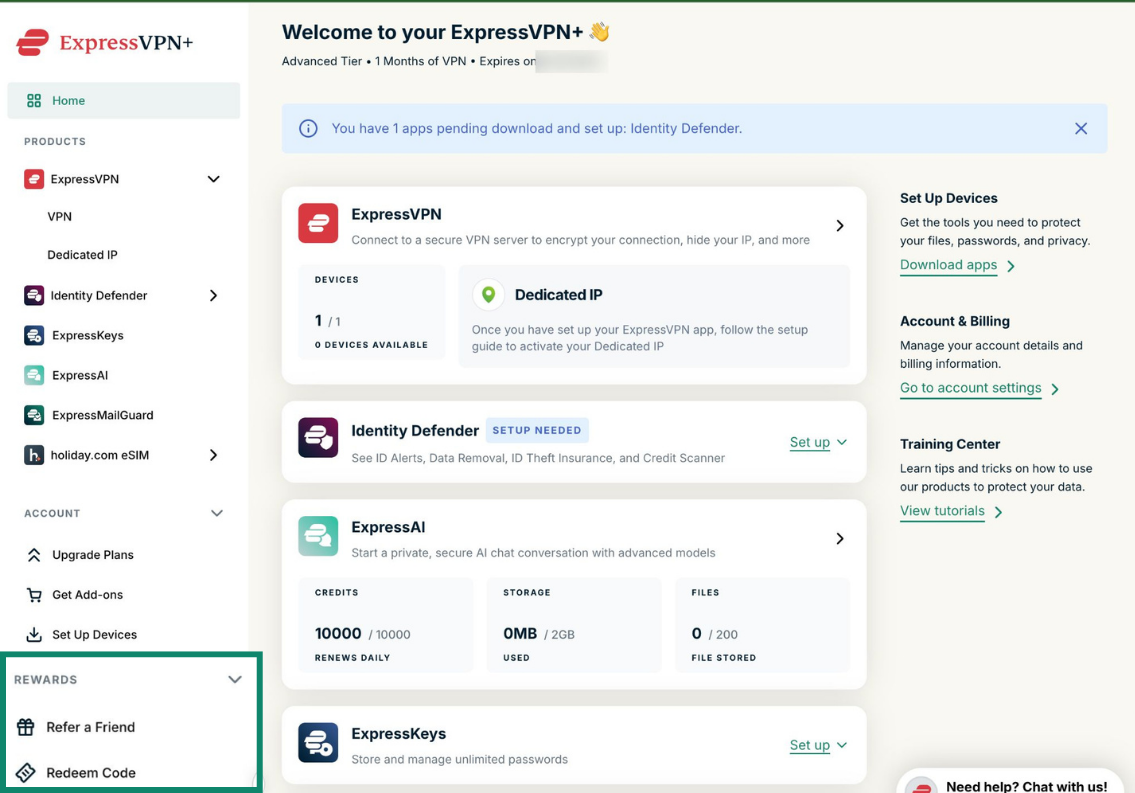
ExpressVPN+ brings your ExpressVPN suite of products, features, and account settings together in one dashboard.
Instead of managing separate apps individually, you can use the dashboard to view your products, access downloads, manage your subscription, and explore additional features available with your account.
Available products and features may vary depending on your subscription and location.
With ExpressVPN+, you can:
- View your products and apps in one place.
- See what products and features still require setup.
- Access setup instructions, app downloads, and support resources.
- Manage your subscription, billing, and account settings.
- View product usage information, such as ExpressAI credits and Identity Defender alerts.
- Access additional products, upgrades, and add-ons available with your subscription.
Need help? Contact the ExpressVPN Support Team for immediate assistance.
How to manage your ExpressVPN+ account
You can manage your subscription, account settings, downloads, and ExpressVPN security suite products directly from the dashboard.
View subscription details and included products
- Log into your ExpressVPN+ dashboard.
- Select Profile > My Subscription.


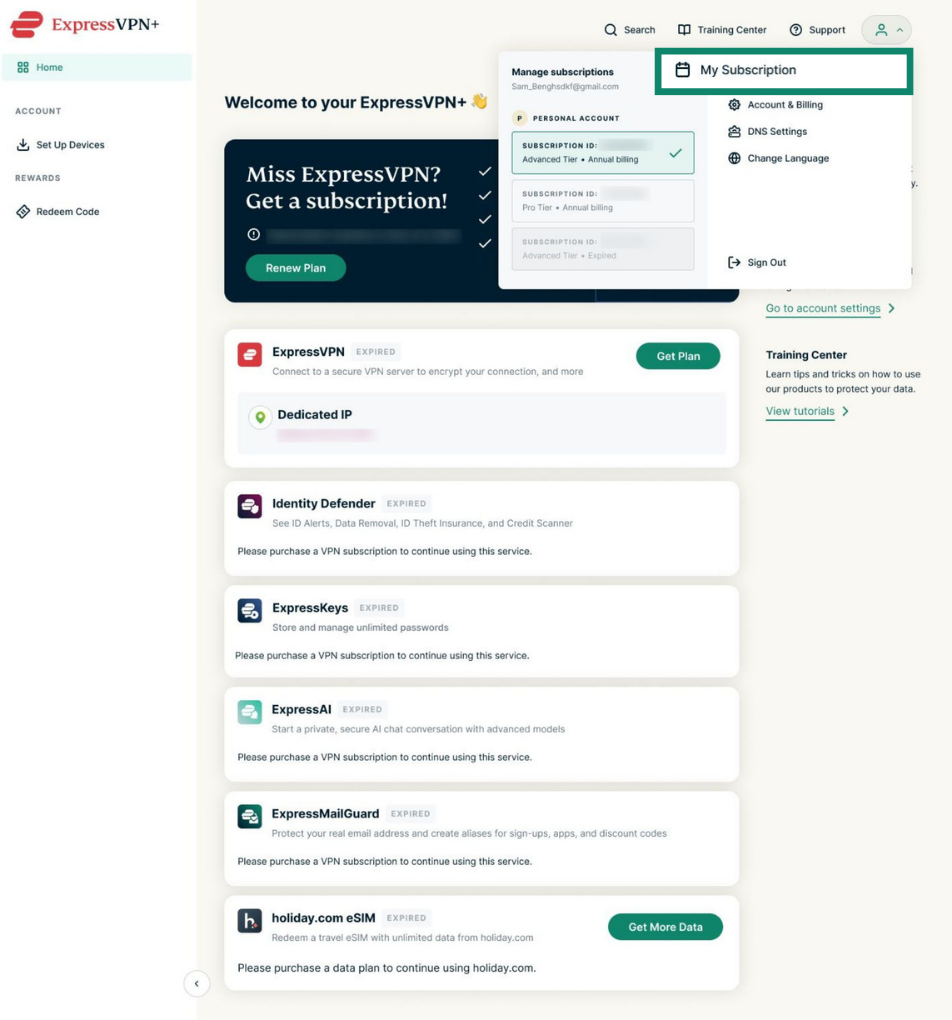
On the My Subscription page, you can view subscription details, included products and add-ons, payment methods, billing information, and renewal settings.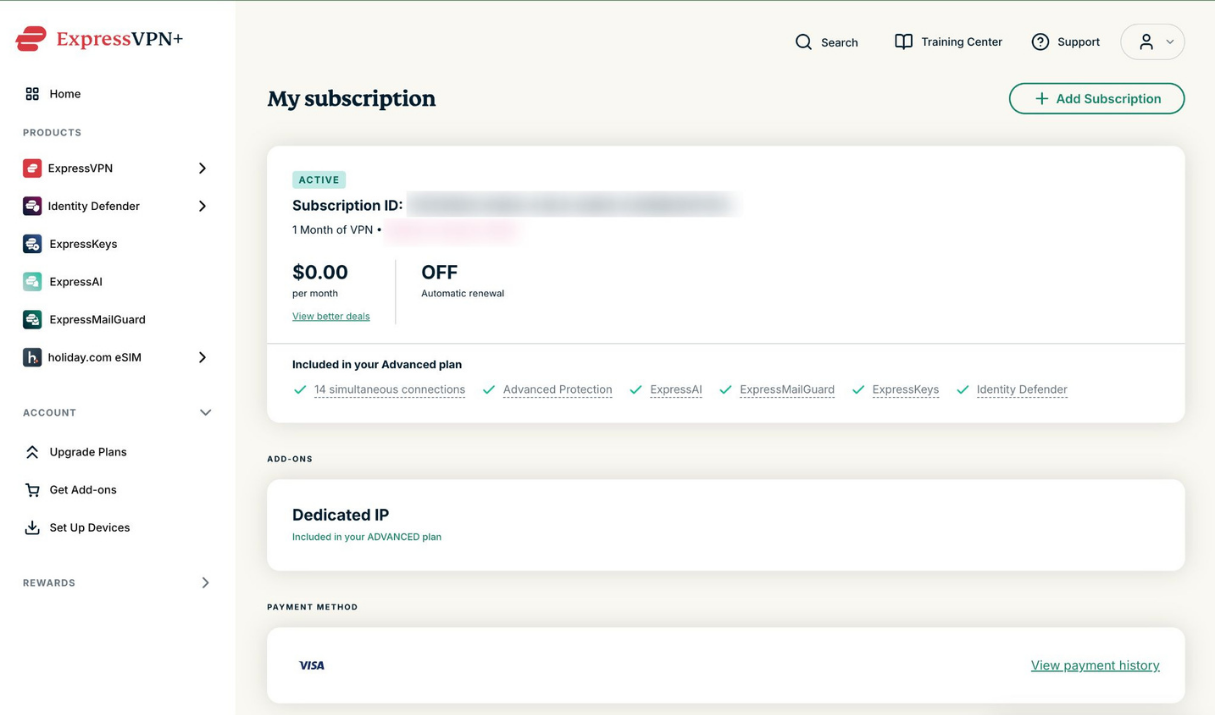
Learn more in our guide to managing your subscription bundle in ExpressVPN+.
View and update payment and billing information
- Log into your ExpressVPN+ dashboard.
- Click Profile > Account & Billing.

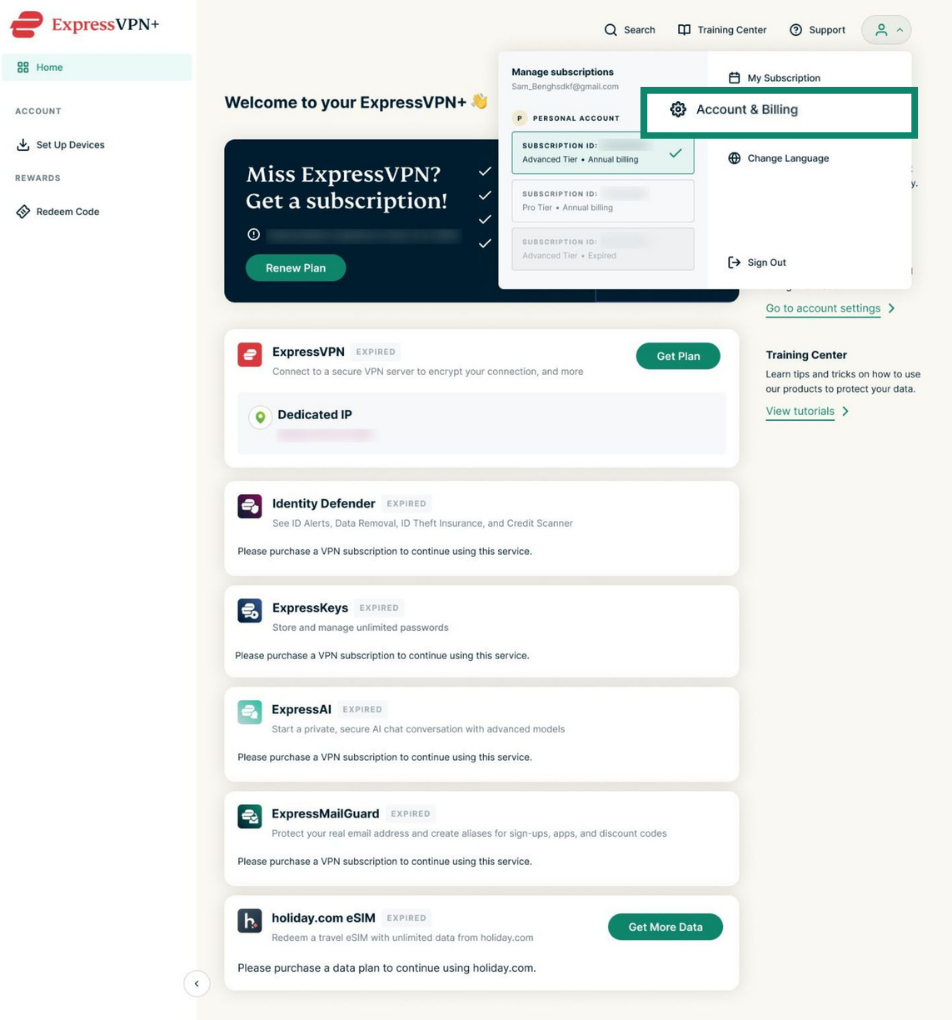
Here, you can see your billing and account information, including your email, password, credit card, and payment history.
Update your payment information
- Credit card: You can edit your existing payment method directly in the ExpressVPN+ portal.
- Google Pay, Apple Pay, or PayPal: You cannot edit these directly. You will need to add a new payment method and then delete the old one.
To add, update, or remove a payment method, see Update your account’s payment method.
Manage your billing details
You can also manage your billing details, including your name, company name, address, and VAT ID, directly from the ExpressVPN+ portal. These details will automatically appear on your ExpressVPN invoices.
To manage your billing details:
- In Account & Billing, find Billing details and select Manage Billing Details.


- On the next screen you can either add billing details if you have not already or edit your existing billing information. When done, select Save Billing Details.


For more details, check out our guide on how to add and manage your billing details.
Upgrade your plan
You can upgrade your ExpressVPN subscription to access additional ExpressVPN+ products and features. Available plans and add-ons may vary depending on your region and subscription.
To upgrade your plan:
- Log into your ExpressVPN+ dashboard.
- Under Account, select Upgrade Plans.


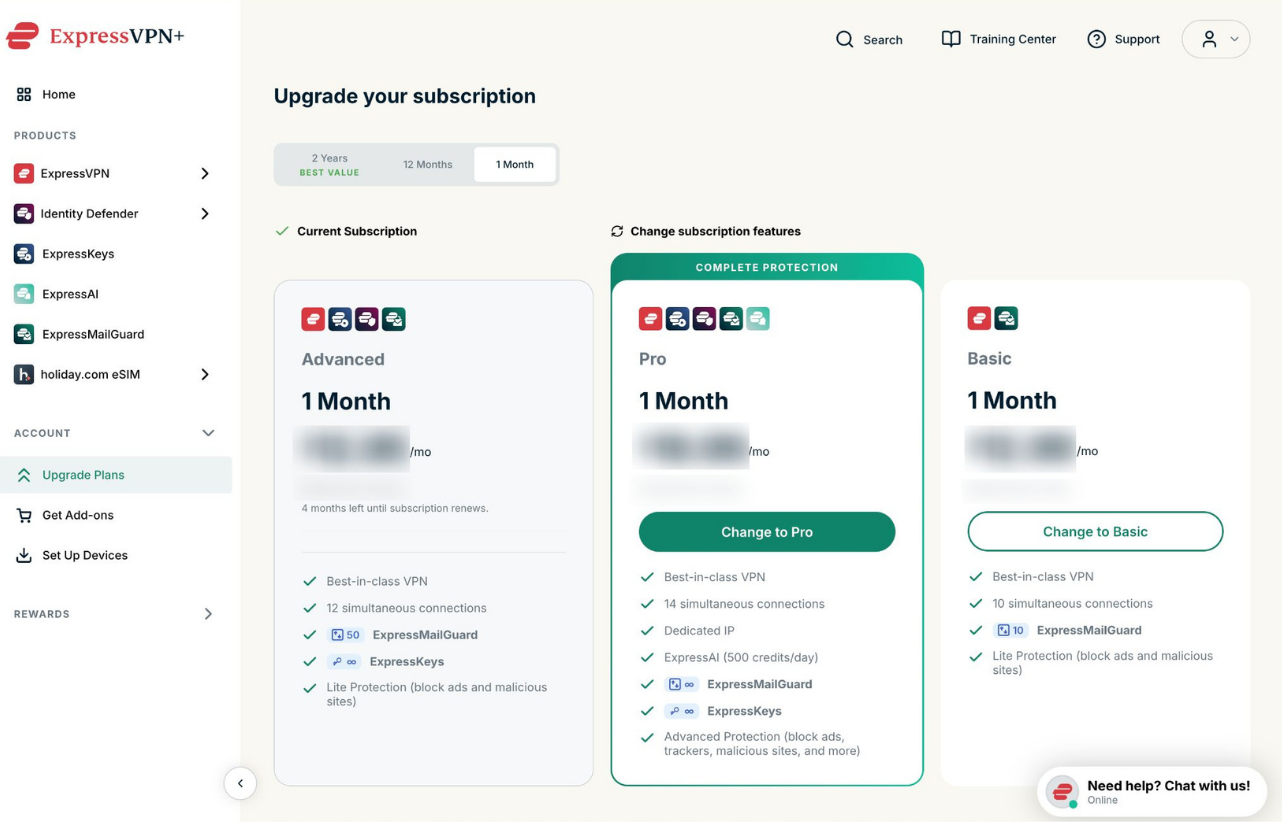
On this Upgrade Plans page, you can compare available subscription tiers, view included products and features, upgrade your subscription, and add other products and services.
For information, read our step-by-step guide to upgrading or downgrading your ExpressVPN subscription.
Explore add-ons
- Log into your ExpressVPN+ dashboard.
- Under Account, select Get Add-ons.


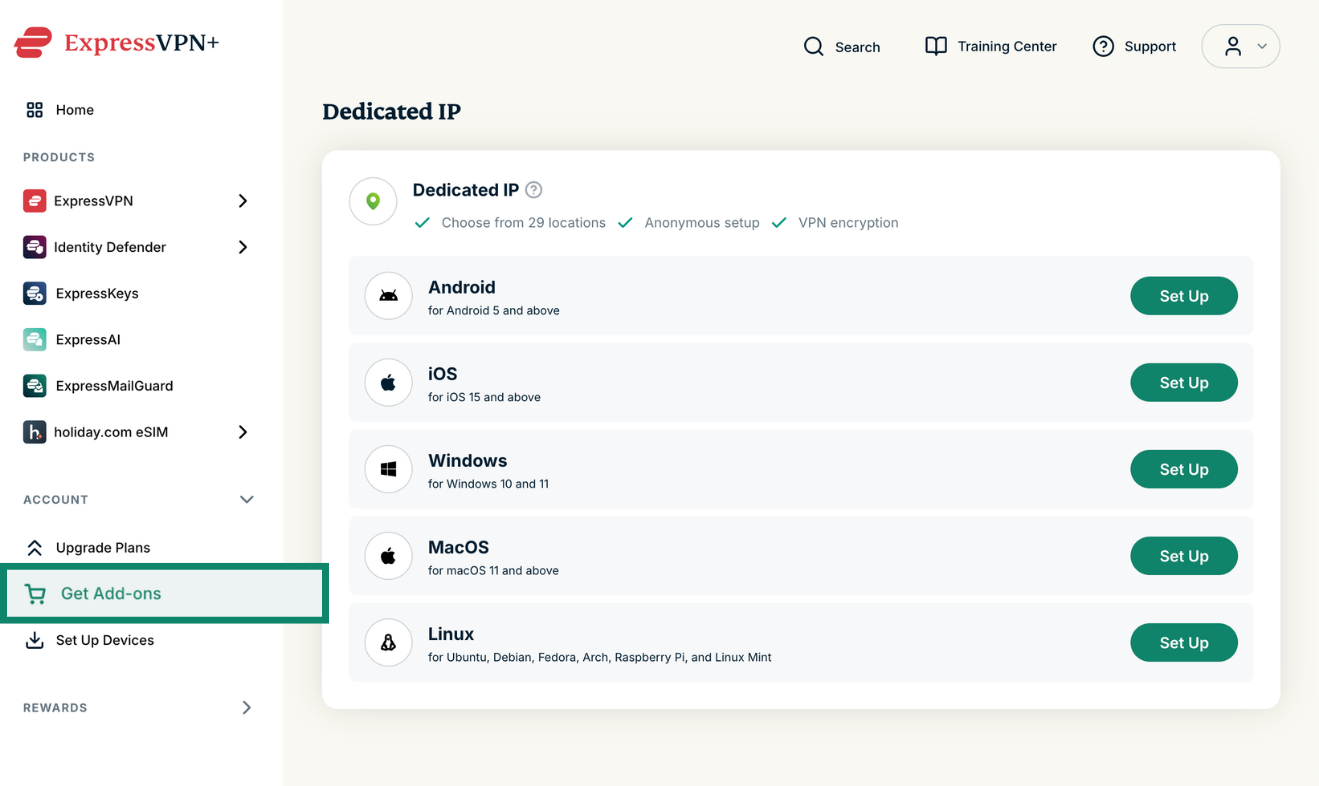
You can explore and purchase additional services such as Dedicated IP, which gives you a static IP address that only you can use.
For more information on how this works, see the Dedicated IP FAQs.
Need help? Contact the ExpressVPN Support Team for immediate assistance.
Download ExpressVPN apps
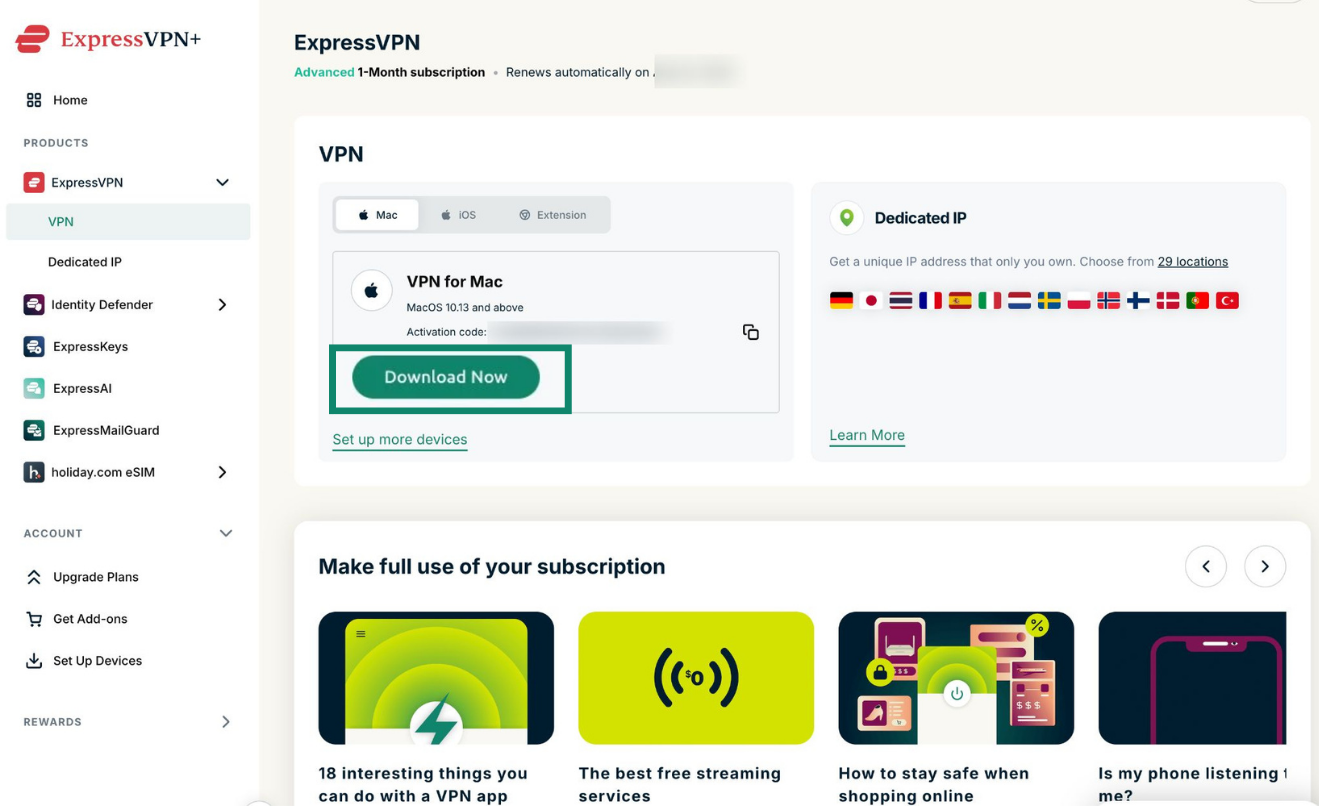
From the ExpressVPN+ dashboard, you can download the ExpressVPN app for supported devices, access setup instructions, view your activation code, and manage your device setup.
To access it:
- Log into your ExpressVPN+ dashboard.
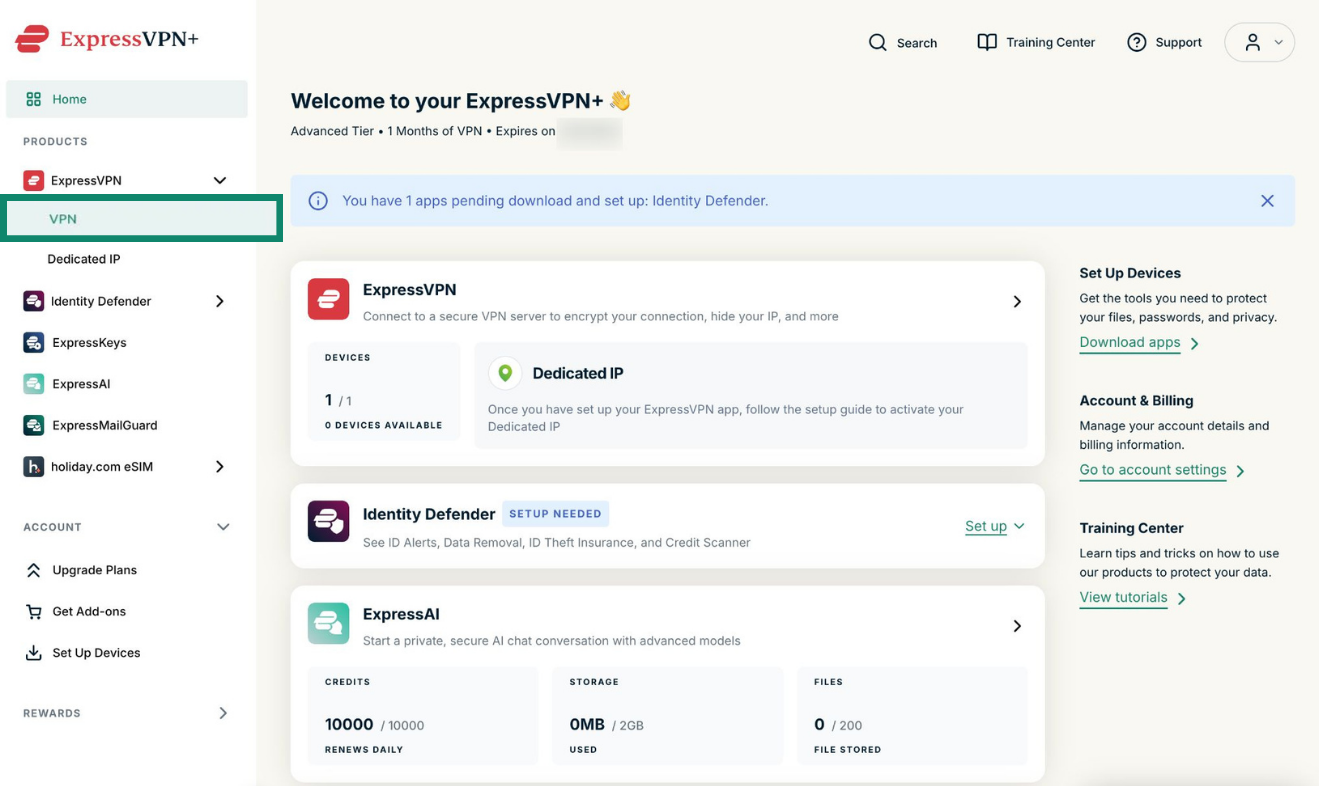
- Under the ExpressVPN drop-down, select VPN.

- Select the correct app for your device from the choices shown, then click the download button.


- Select Set up more devices to explore additional apps and setup options.

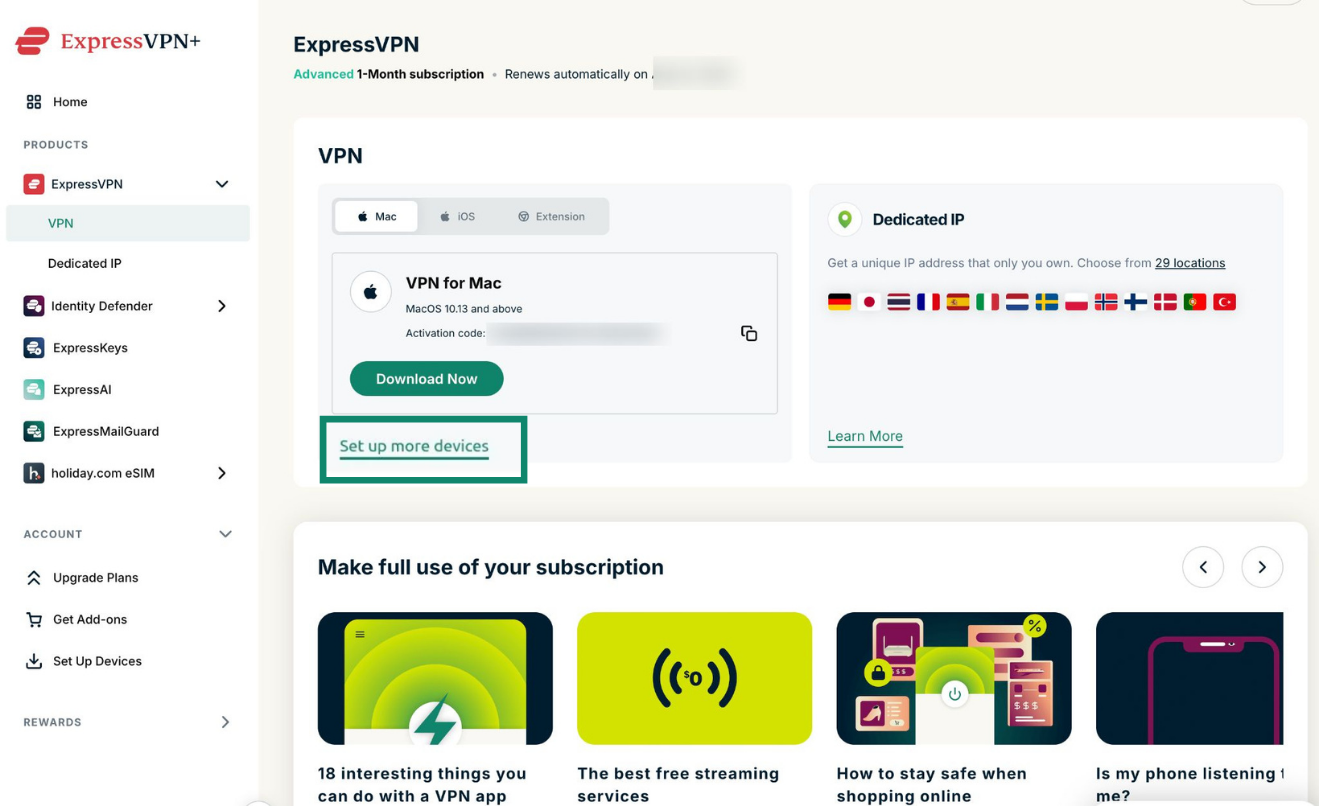
You can also select Set Up Devices under Account in the left-hand sidebar to download apps to your device.
Here, you can switch between different product tabs for ExpressVPN, ExpressAI, ExpressKeys, Identity Defender, ExpressMailGuard, and holiday.com eSIM to set up any of the apps on your devices.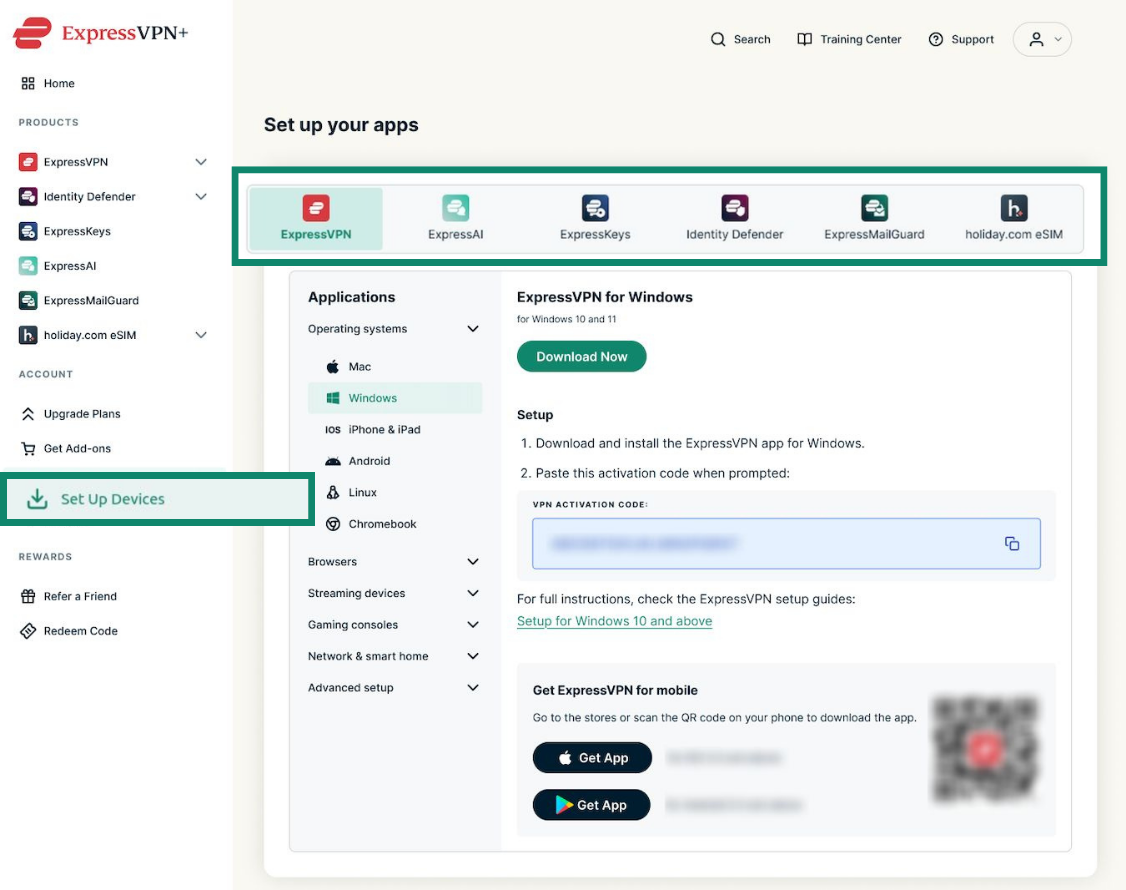
Need help? Contact the ExpressVPN Support Team for immediate assistance.
Set up and use ExpressVPN+ products
From the dashboard homepage, you can view active products, see what still requires setup, and access setup information and resources.
ExpressVPN
Under ExpressVPN on the dashboard homepage, you can see how many devices you have installed and activated ExpressVPN on. This appears as “You’ve installed ExpressVPN on # devices.” Note that this does not reflect the number of devices currently connected to a VPN server; it’s just the number of devices you have activated your VPN subscription on.
To view more settings and options, select the arrow (>) next to ExpressVPN to open the ExpressVPN dashboard page.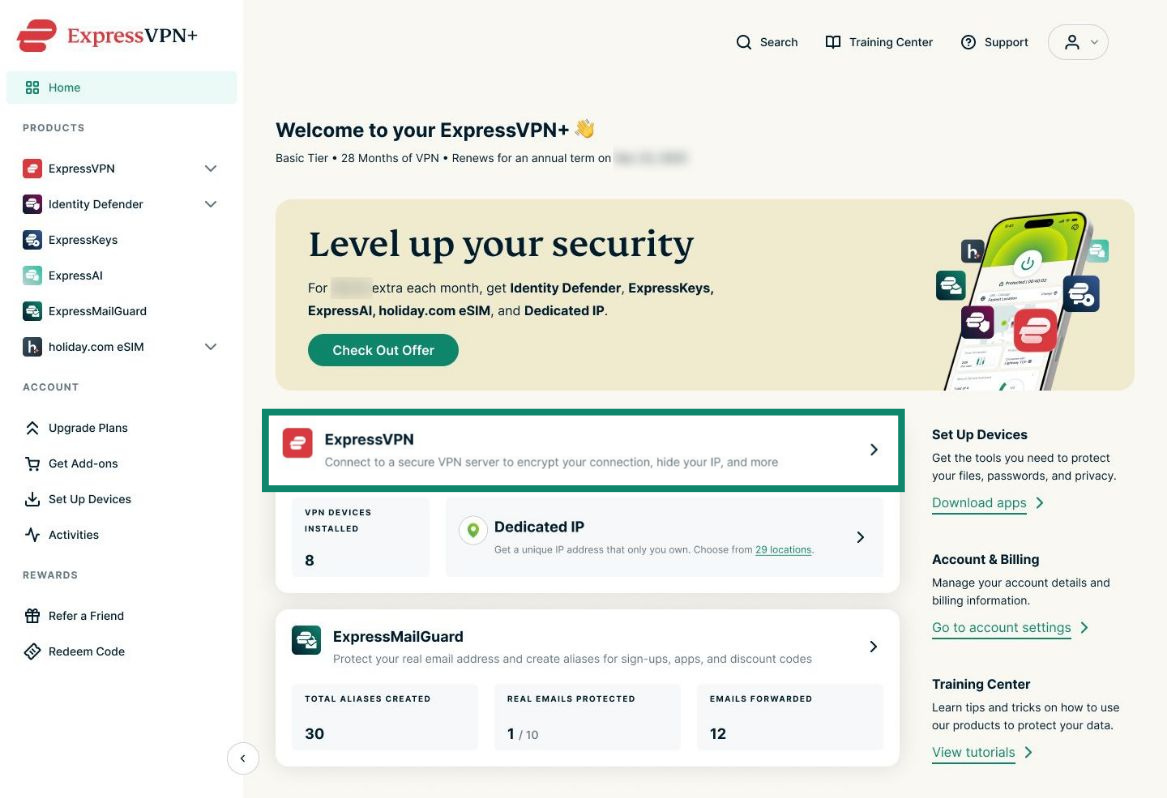
Here, you can see the apps available for your devices and Dedicated IP options. You can also view learning materials to help you make the most of your subscription.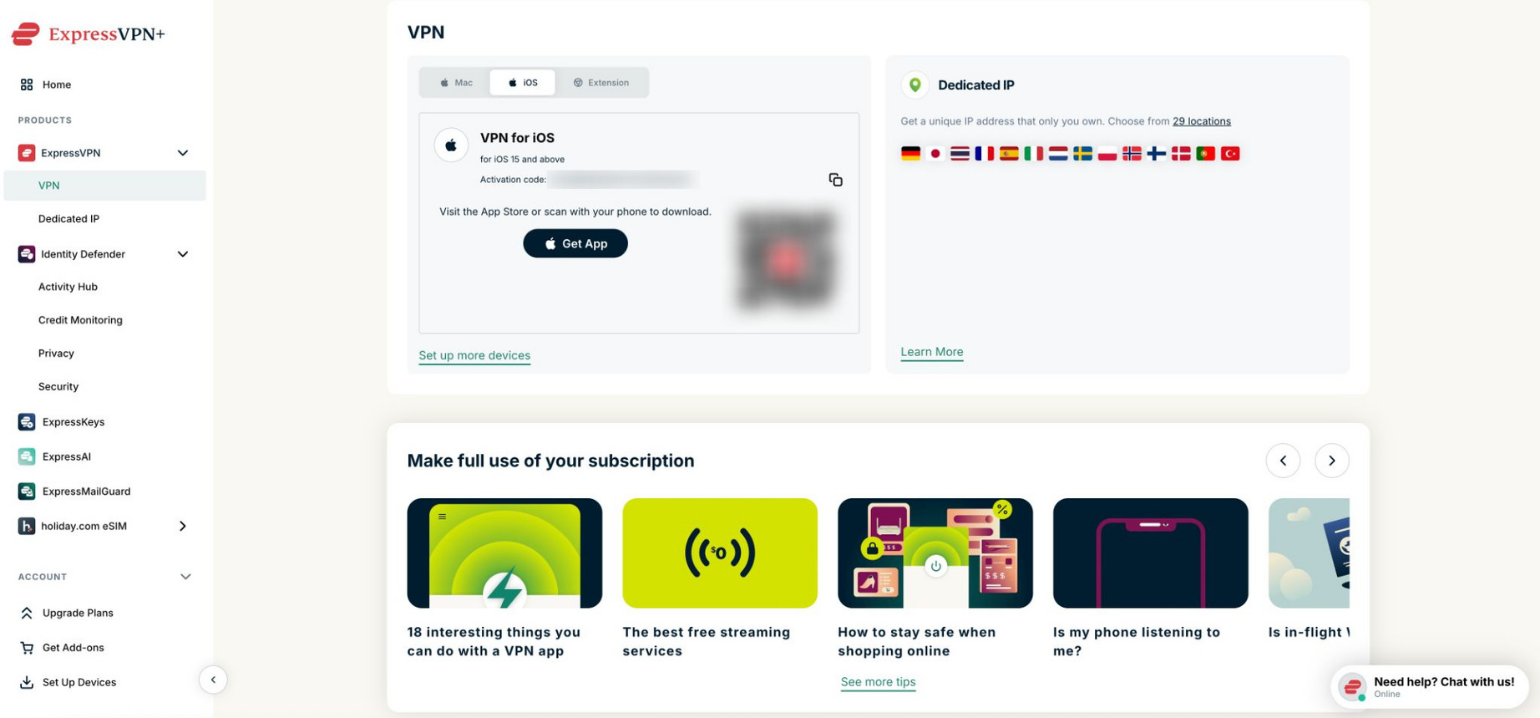
Identity Defender
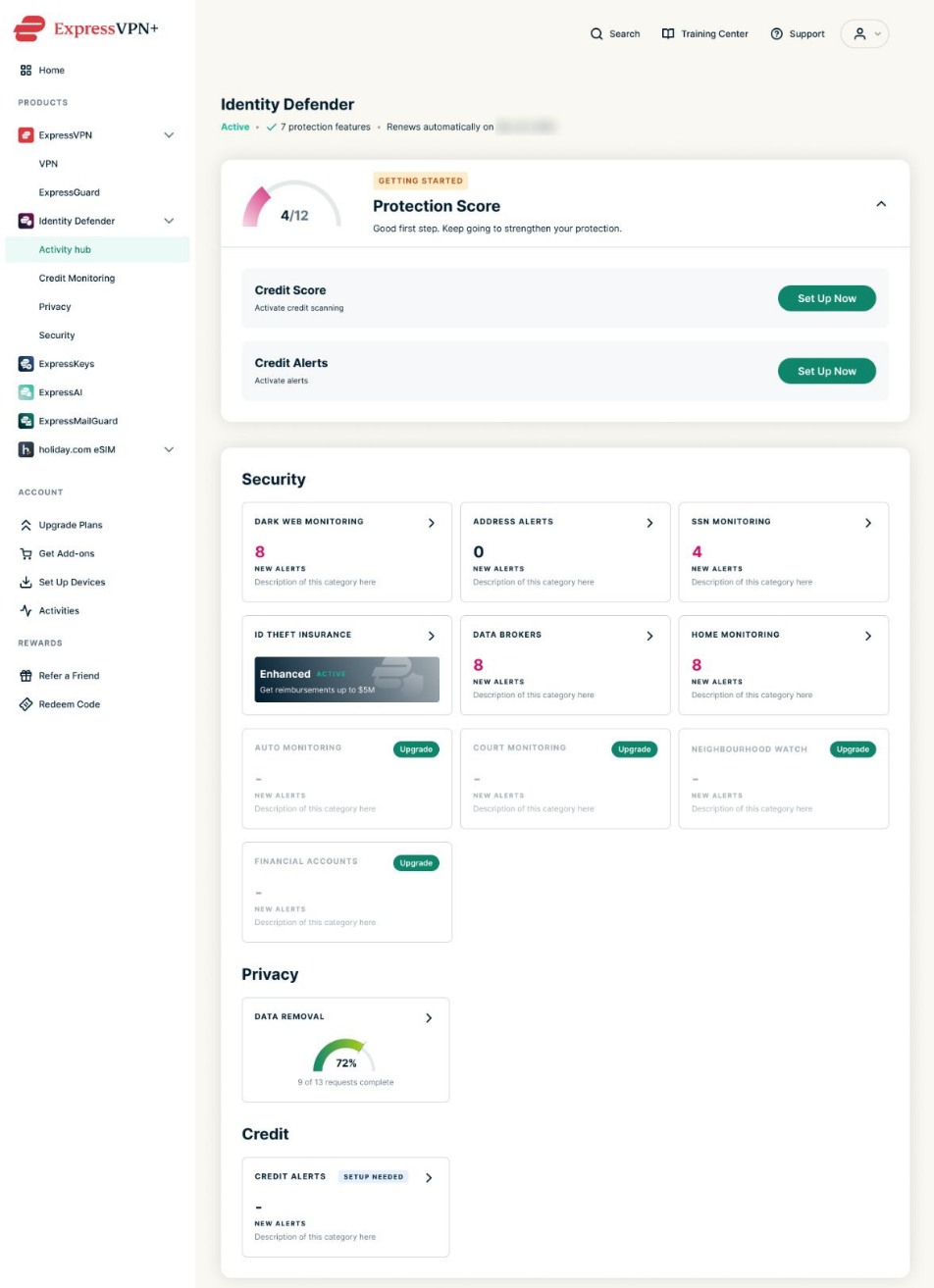
Identity Defender helps protect your identity with monitoring and protection features. From the ExpressVPN+ dashboard, you can set up, manage, and use the service.
To access Identity Defender setup and management options:
Select the arrow (>) next to Identity Defender to open the Identity Defender dashboard.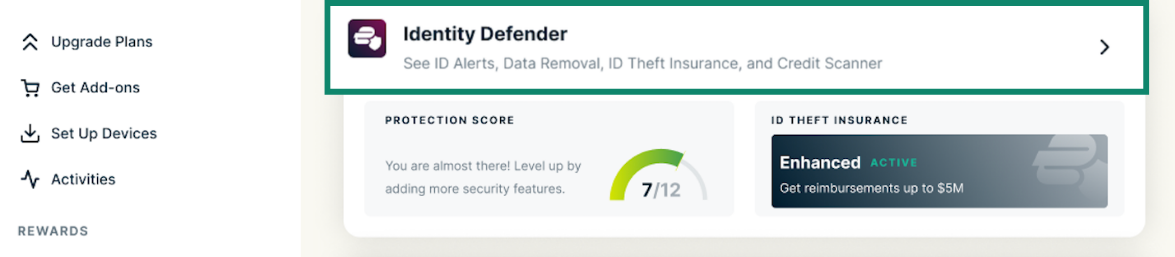
Here you’ll find information under various tabs:
- Protection Score: An overview of the features you have and have not set up.
- Security: An overview of your ID Theft Insurance and all ID Alerts, including alerts related to dark web monitoring, your address, SSN, vehicle records, court records, financial accounts, and the Neighborhood Watch feature.
- Privacy: An overview of the Data Removal tool, which requests the removal of your information from data brokers.
- Credit: An overview of the Credit Scanner and Credit Reports tools, which monitor your credit activity for suspicious activity.


For more information, see our guide on how to set up Identity Defender.
ExpressKeys
ExpressKeys is a password manager that helps you securely store and autofill passwords across your devices. From the dashboard homepage, you can view password security alerts, high-risk password warnings, the number of stored passwords, and data breach alerts.
You can also select the arrow (>) next to ExpressKeys to open the ExpressKeys dashboard page and download the app to your device.
For more information, see how to set up ExpressKeys for iOS, Android, and the Chrome browser extension.
ExpressAI
ExpressAI is a privacy-focused AI platform that you can access with an Express Pro subscription.
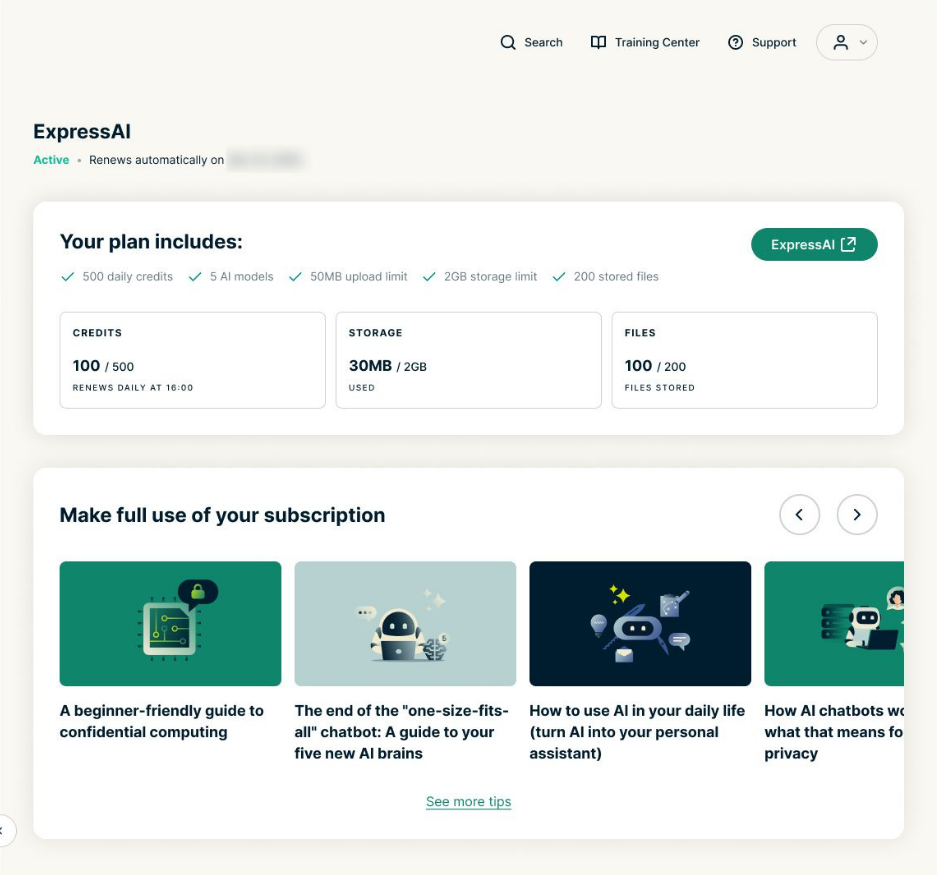
From the ExpressVPN+ dashboard, you can view and manage your ExpressAI usage:
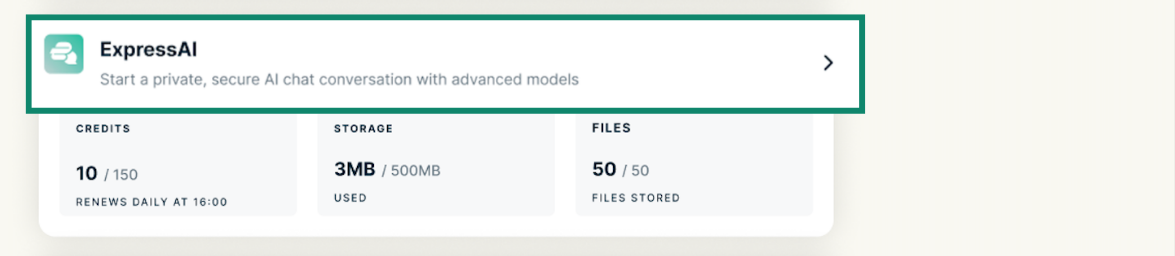
- Select the arrow (>) next to ExpressAI to open the ExpressAI dashboard page.


- From there, you can view your available credits, storage usage, and uploaded file information and access additional ExpressAI resources and tips.


For more information, see how to access ExpressAI.
ExpressMailGuard
ExpressMailGuard is an email relay service that helps protect your inbox, offering email aliases and privacy-focused email forwarding options. It’s available with ExpressVPN Basic, Advanced, and Express Pro subscriptions, with variable features and limits.
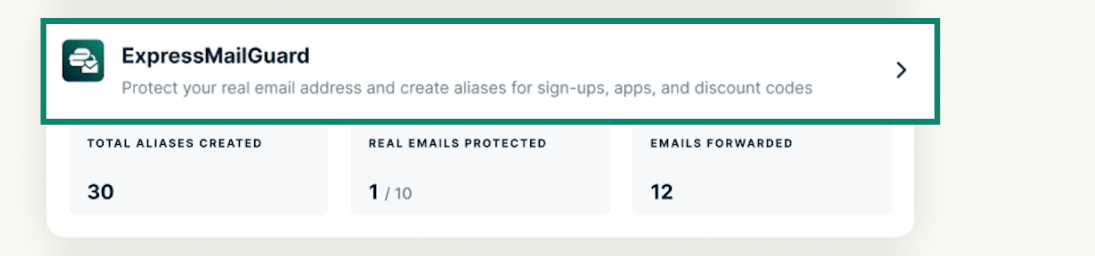
From the ExpressVPN+ dashboard, you can view and manage your ExpressMailGuard activity:
- Select the arrow (>) next to ExpressMailGuard to open the ExpressMailGuard dashboard.


- This dashboard includes key information about your usage, such as service limits, alias and domain details, recipients, and email activity.


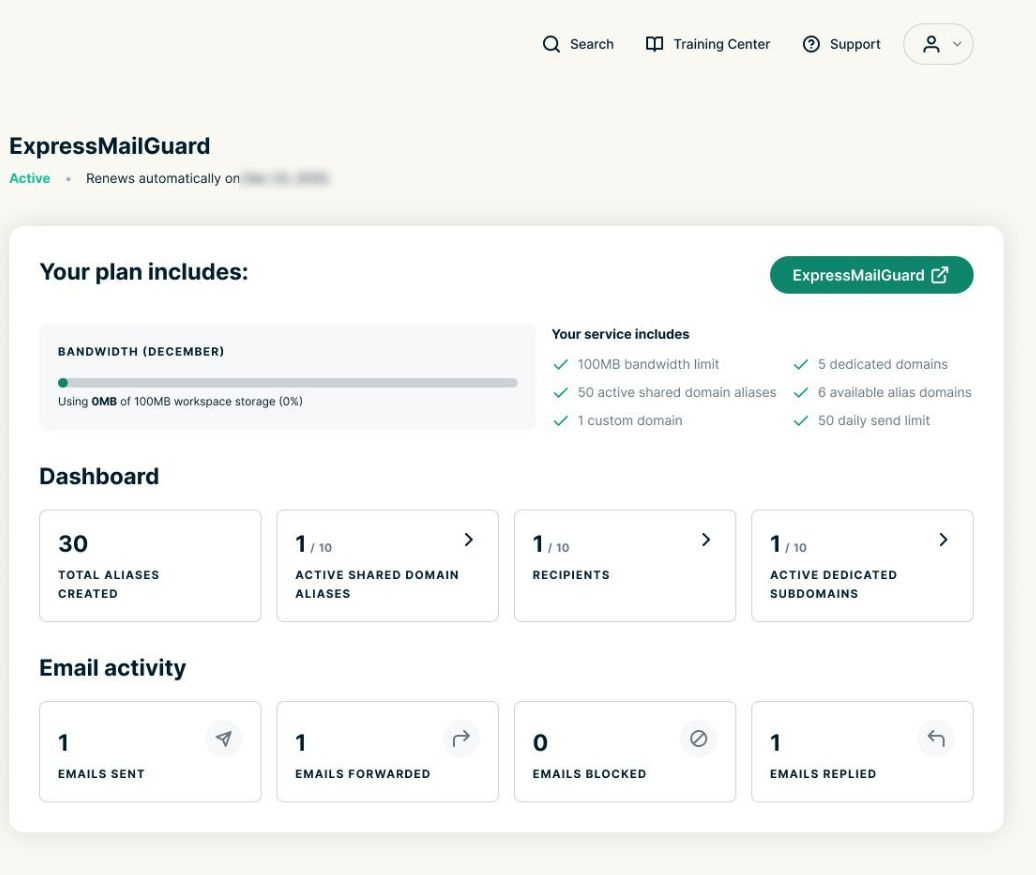
For more information, see the ExpressMailGuard getting started guide.
holiday.com eSIM
holiday.com eSIM provides mobile data access while traveling abroad. From the ExpressVPN+ dashboard, you can set up and manage the eSIM included in your ExpressVPN Advanced or Express Pro subscription or purchase additional eSIMs.
To view your dashboard and manage your eSIMs:
- In the left-hand menu, select the drop-down arrow next to holiday.com eSIM.

- Click eSIM Store to purchase additional eSIMs.


- Open My eSIM to view details about your eSIMs, including duration, location, and data usage.


For more information, see the eSIM FAQs.
Need help? Contact the ExpressVPN Support Team for immediate assistance.
Access the Training Center
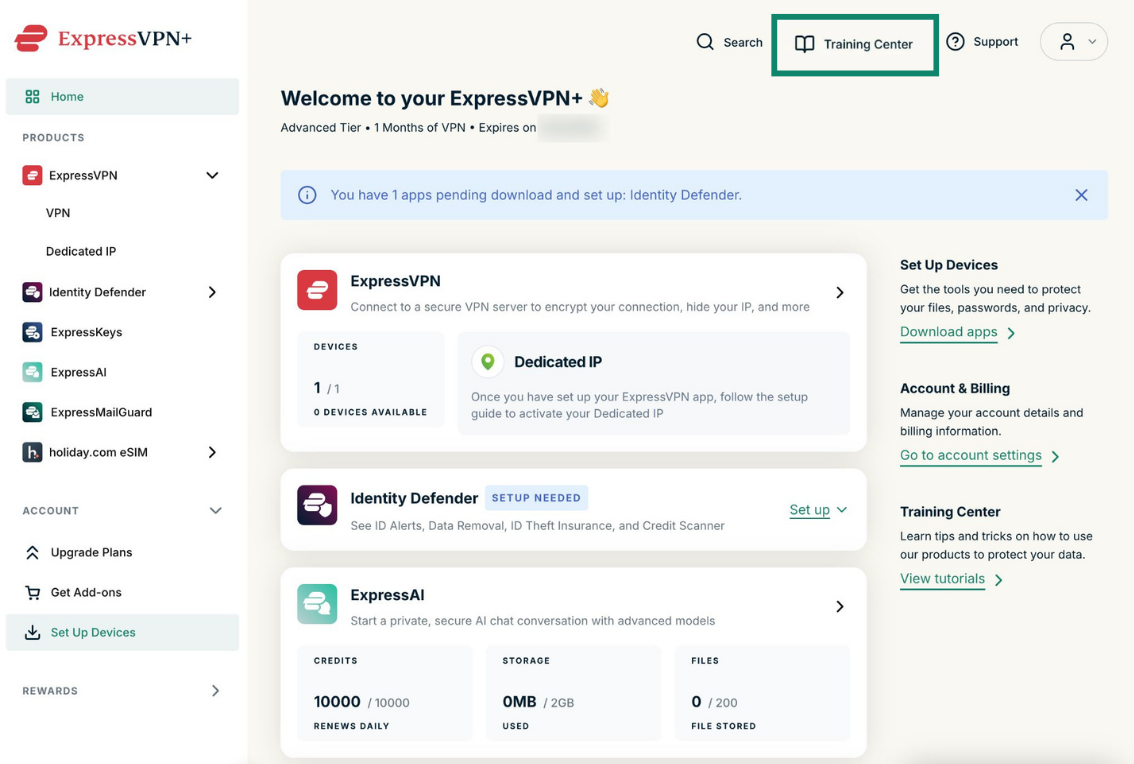
- Log into your ExpressVPN+ dashboard.
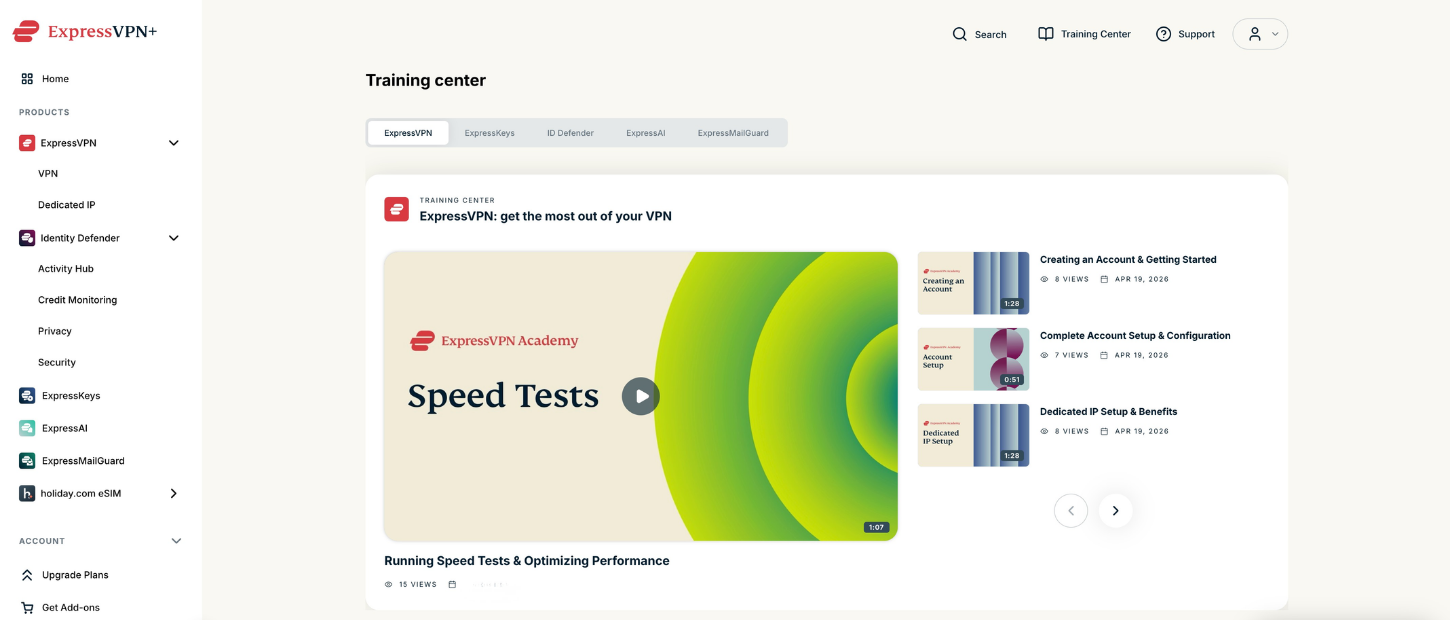
- Select Training Center from the top navigation bar.


- There, you can access onboarding tutorials, setup walkthroughs, product training materials, and support resources for your ExpressVPN products.


Need help? Contact the ExpressVPN Support Team for immediate assistance.
View rewards
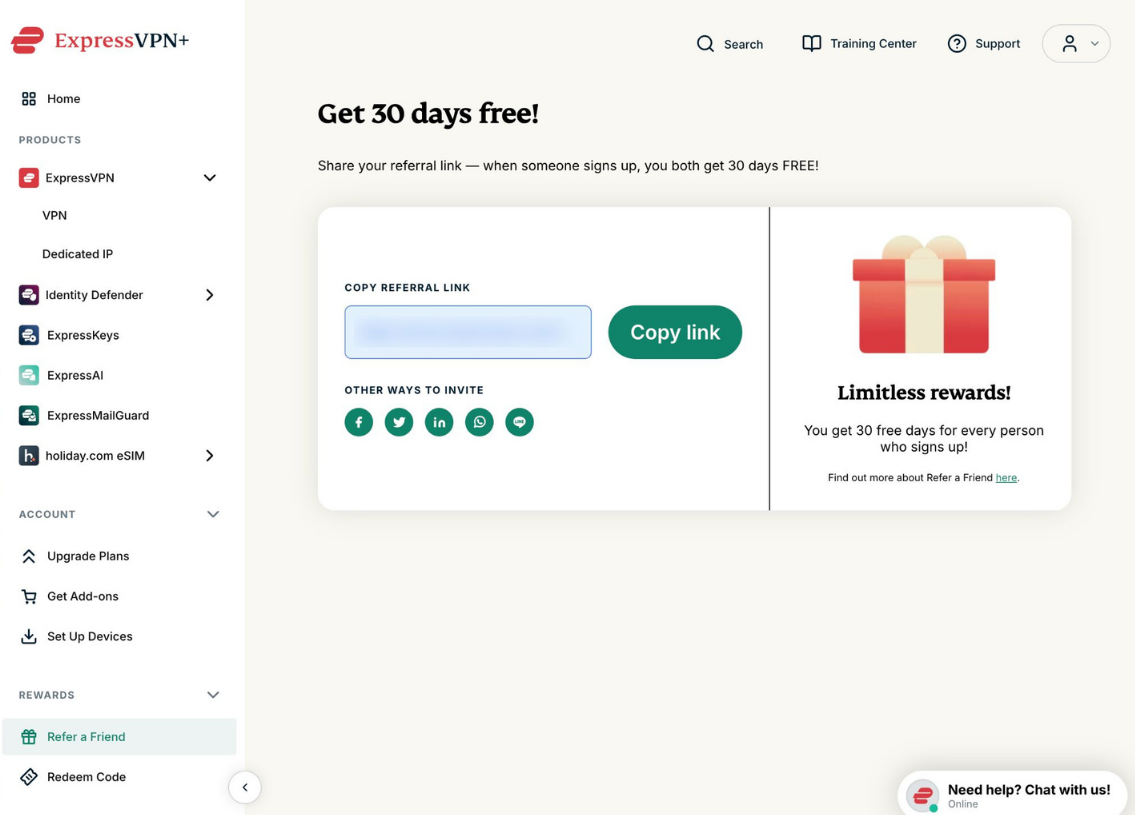
You can access rewards and promotional options from the left sidebar in the ExpressVPN+ dashboard:
- Under Rewards, click the drop-down menu.

- You can open the Refer a Friend page to copy and share your referral link. You can also invite friends by email, view successful referrals, track earned rewards, and view your rewards history.


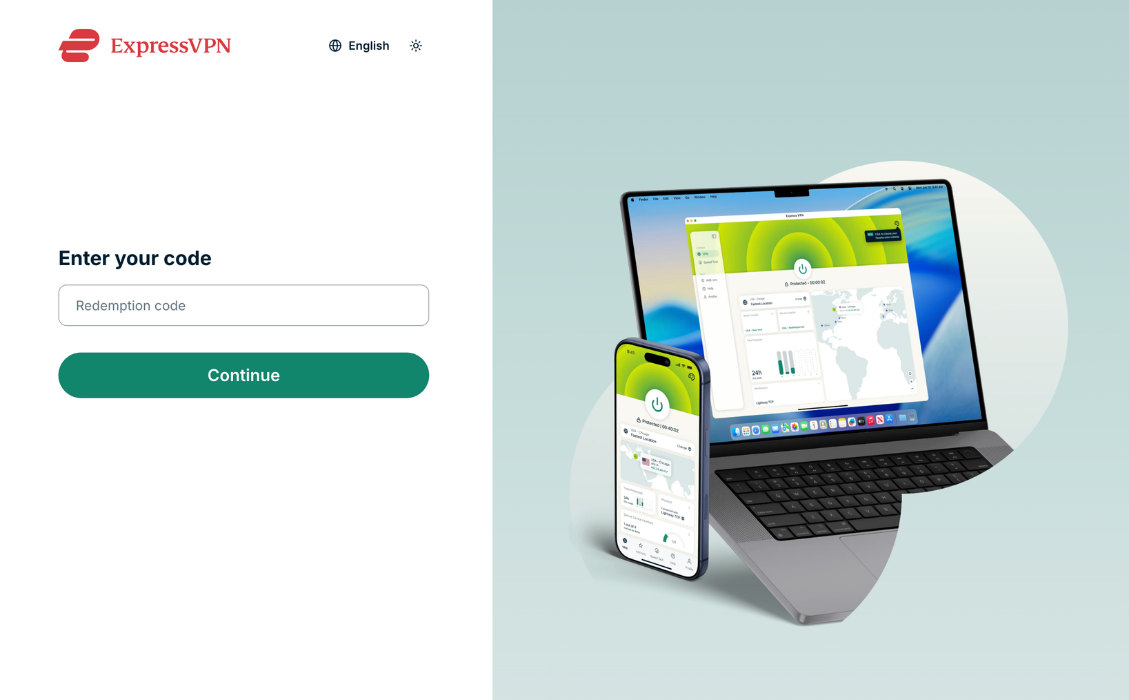
- You can also select Redeem Code to enter eligible promotional or reward codes.


For more information, see the referral guide and gift card FAQs.
Need help? Contact the ExpressVPN Support Team for immediate assistance.