





ExpressVPN 앱 및 구성을 이용하시려면, 먼저 계정을 만들어주세요.
이 가이드는 ExpressVPN 구독 갱신 방법을 안내합니다.
신용카드, PayPal, Apple Pay, Google Pay, Apple 인앱 결제, Google Play 인앱 결제와 같은 특정한 결제 수단으로 구매한 구독은 기본적으로 자동 갱신됩니다.
원하는 섹션으로 이동하세요
신용카드, PayPal, Apple Pay 또는 Google Pay로 결제한 구독
암호화폐로 결제한 구독(BitPay)
Apple 인앱 결제로 구매한 구독
Google Play Store 인앱 결제로 구매한 구독
자동 갱신은 어떻게 이루어지나요?
신용카드, PayPal, Apple Pay 또는 Google Pay로 결제한 구독
신용카드, PayPal, Apple Pay 또는 Google Pay로 결제한 구독은 기본적으로 현재 구독 기간이 종료되면 자동 갱신됩니다. 이전에 자동 갱신을 비활성화한 경우 계정 대시보드에서 다시 활성화할 수 있습니다.
기존 구독 갱신하기
이전에 자동 갱신을 비활성화했으며 구독 만료가 임박한 경우, 다음 절차를 따라 수동으로 구독을 갱신할 수 있습니다.
- 내 구독으로 이동합니다. 메시지가 표시되면 ExpressVPN 계정에 로그인합니다.
기존 구독 갱신하기: Turn on auto-renewal for VPN and any add-ons (VPN 및 모든 애드온에 대한 자동 갱신 켜기)를 선택하고 결제 정보를 입력합니다.
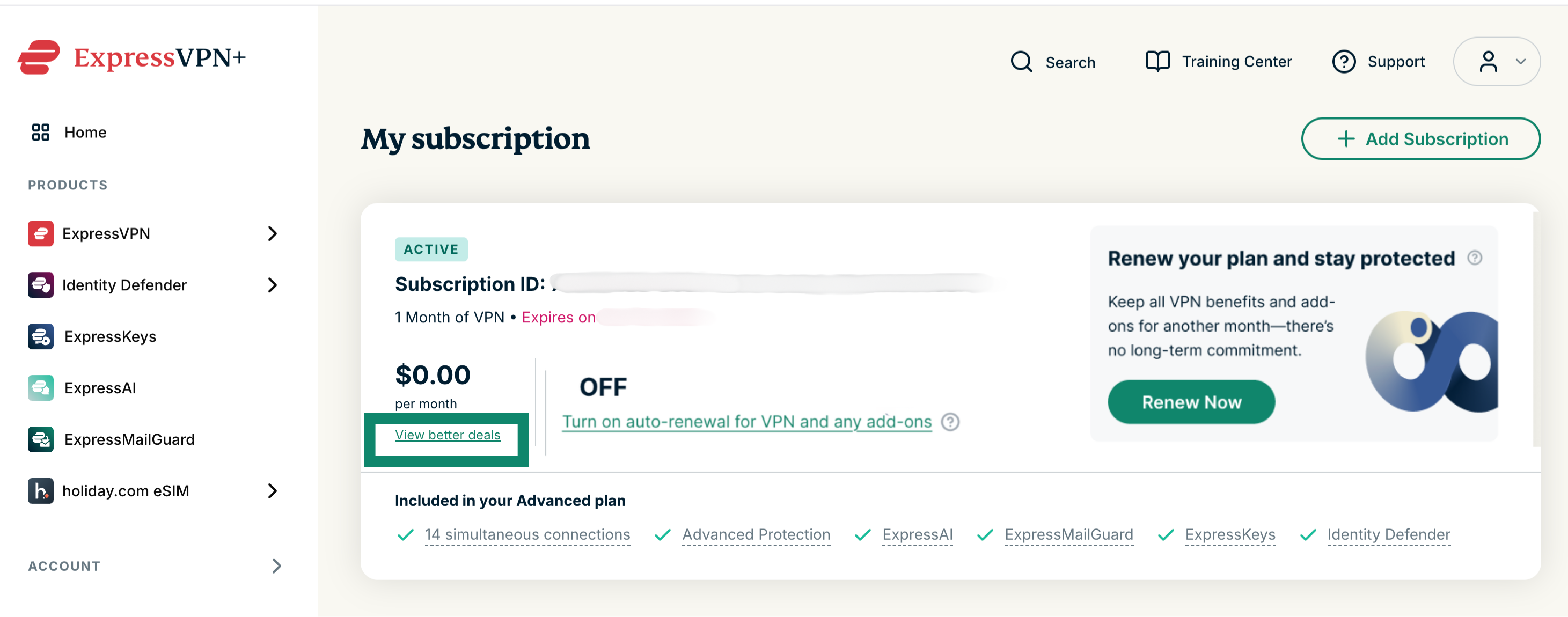
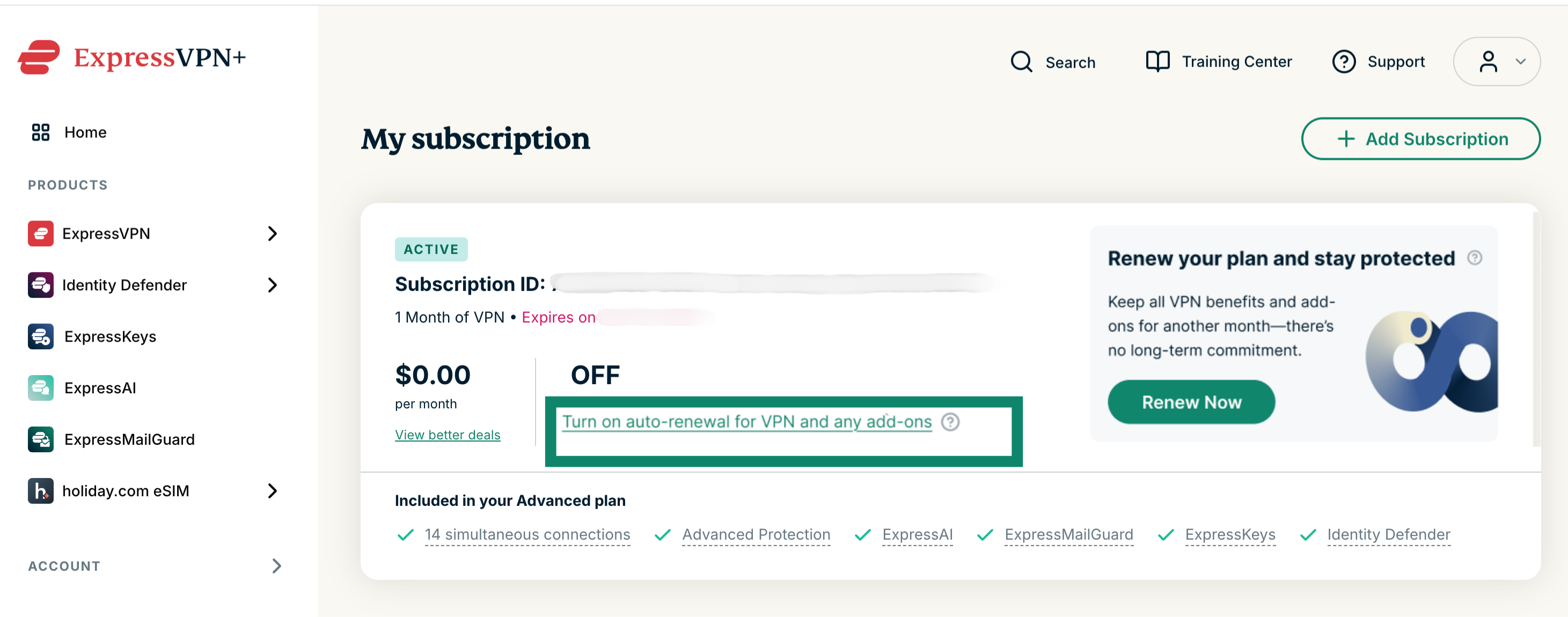 다른 구독으로 변경하기: View better deals (더 나은 혜택 보기)를 선택하고 새 구독을 선택합니다.
 만료된 구독 갱신하기
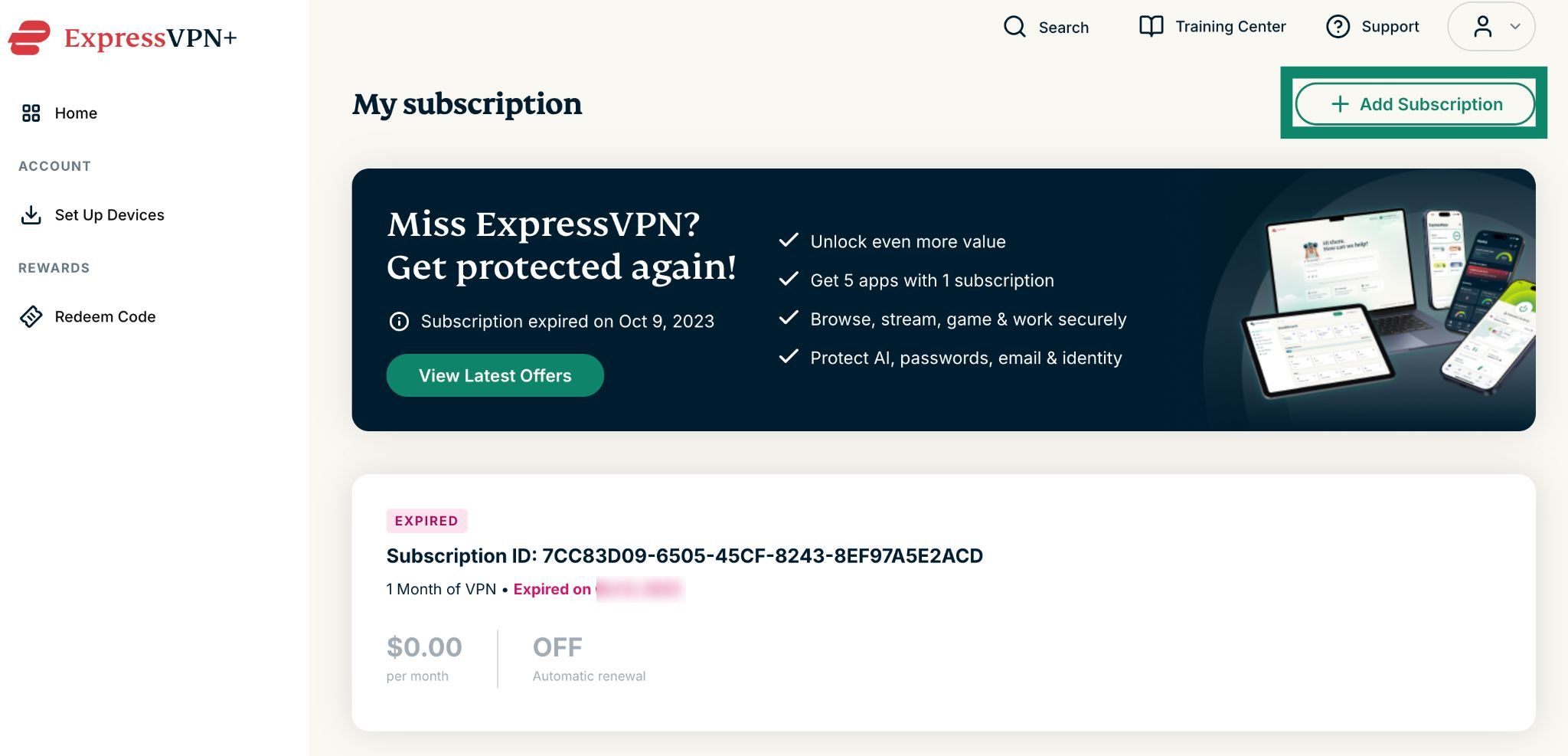
구독이 만료된 경우, 다음 절차를 따라 구독을 갱신할 수 있습니다.
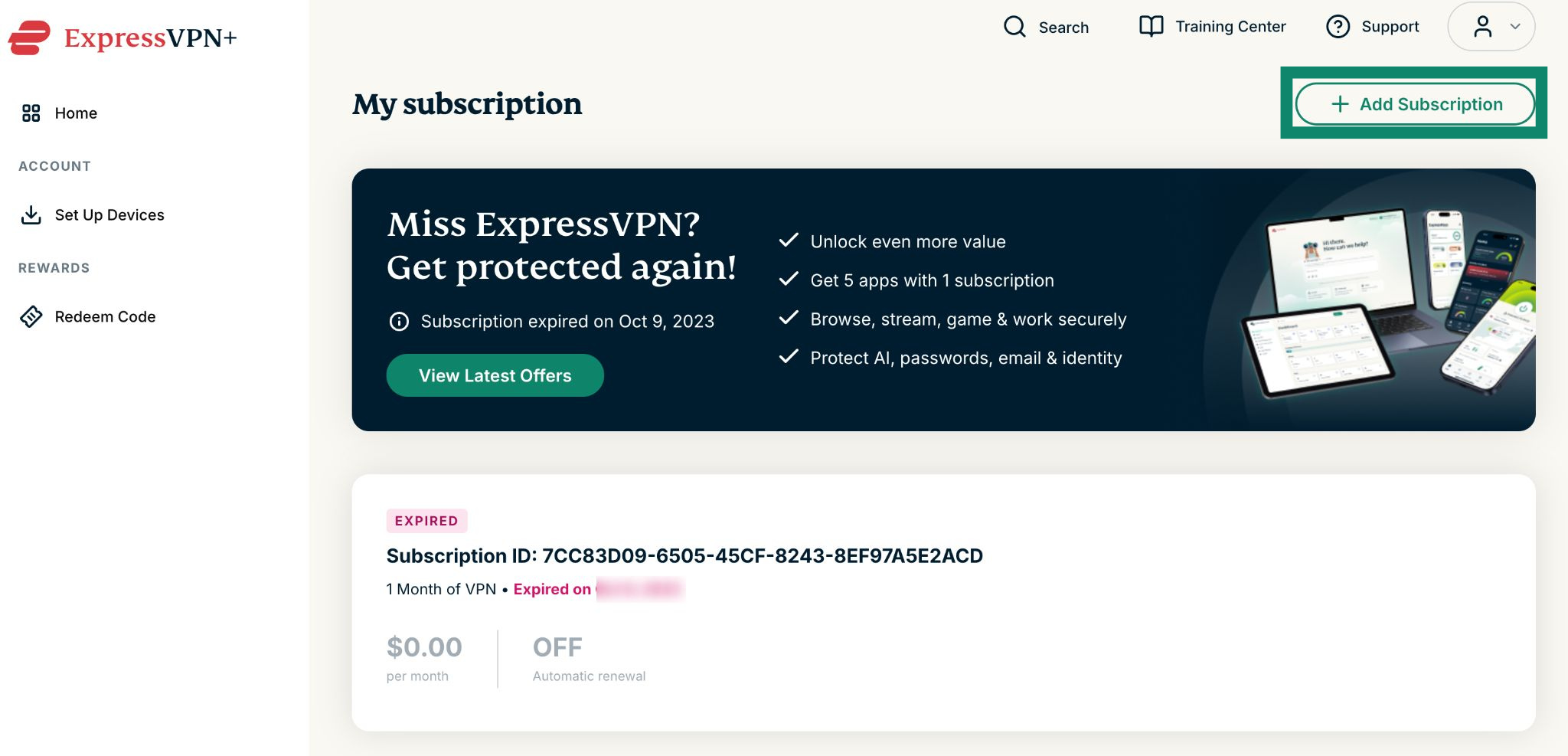
- 내 구독으로 이동합니다. 메시지가 표시되면 ExpressVPN 계정에 로그인합니다.
- Add Subscription (구독 추가)를 클릭합니다.


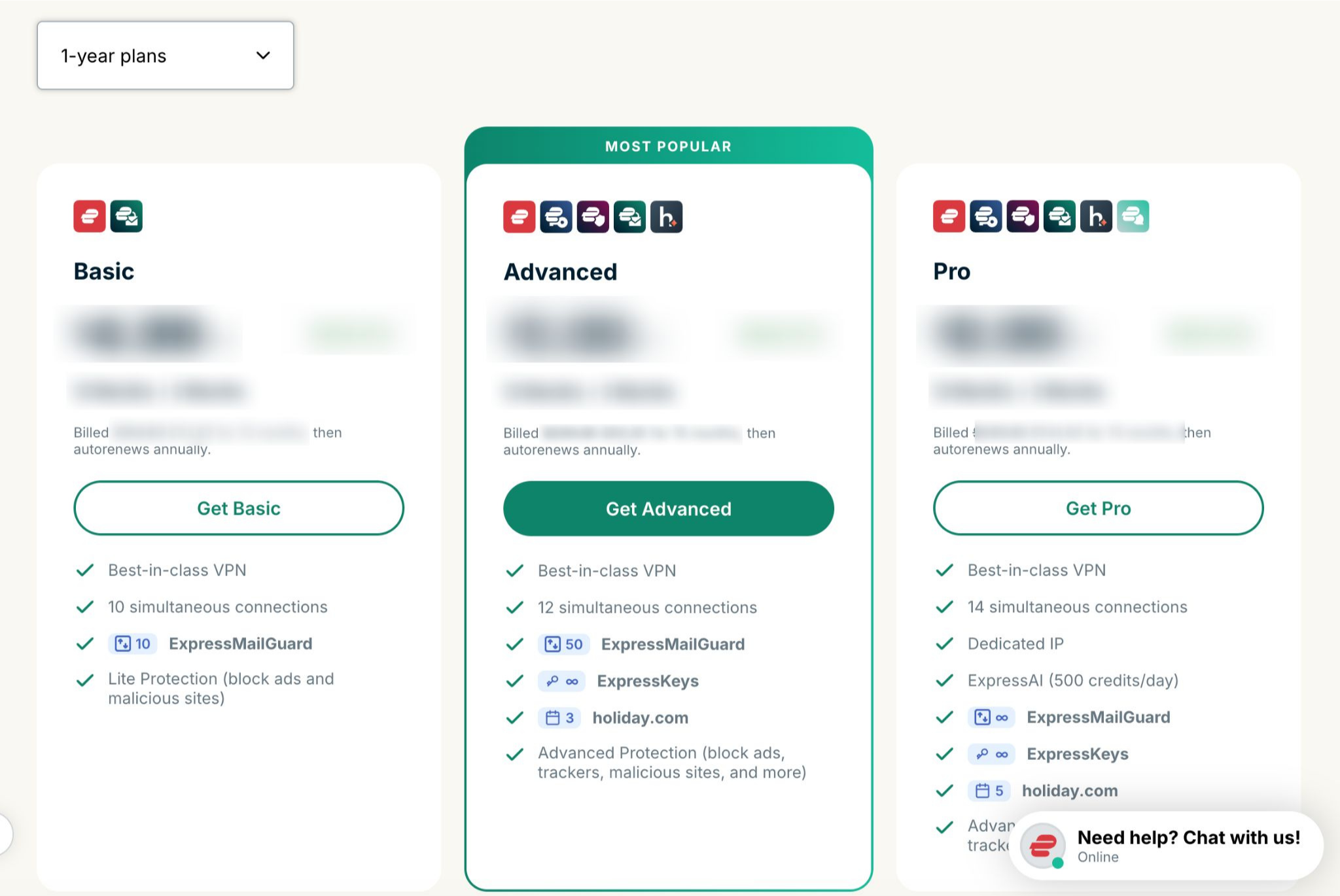
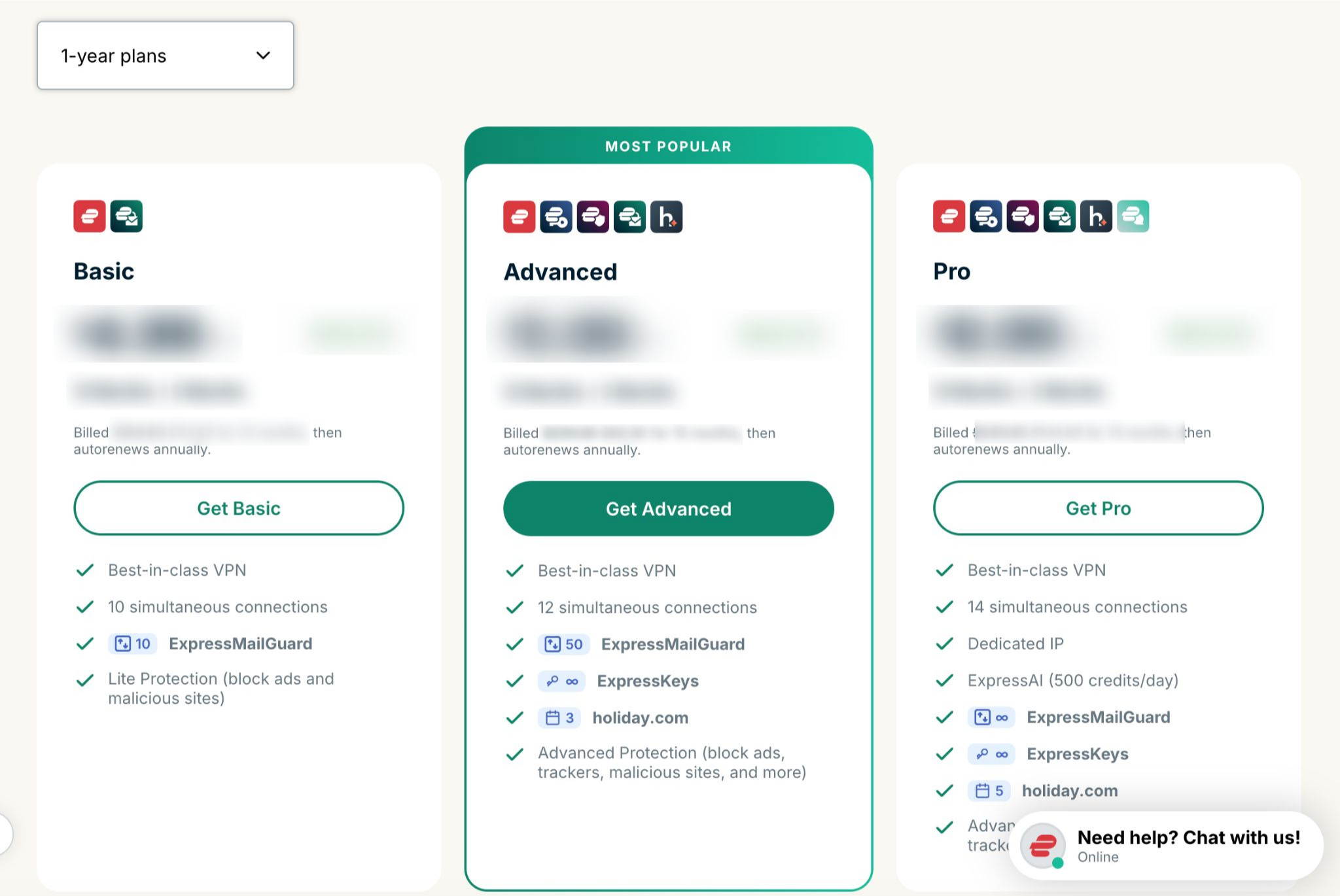
- 원하는 요금제를 선택합니다.


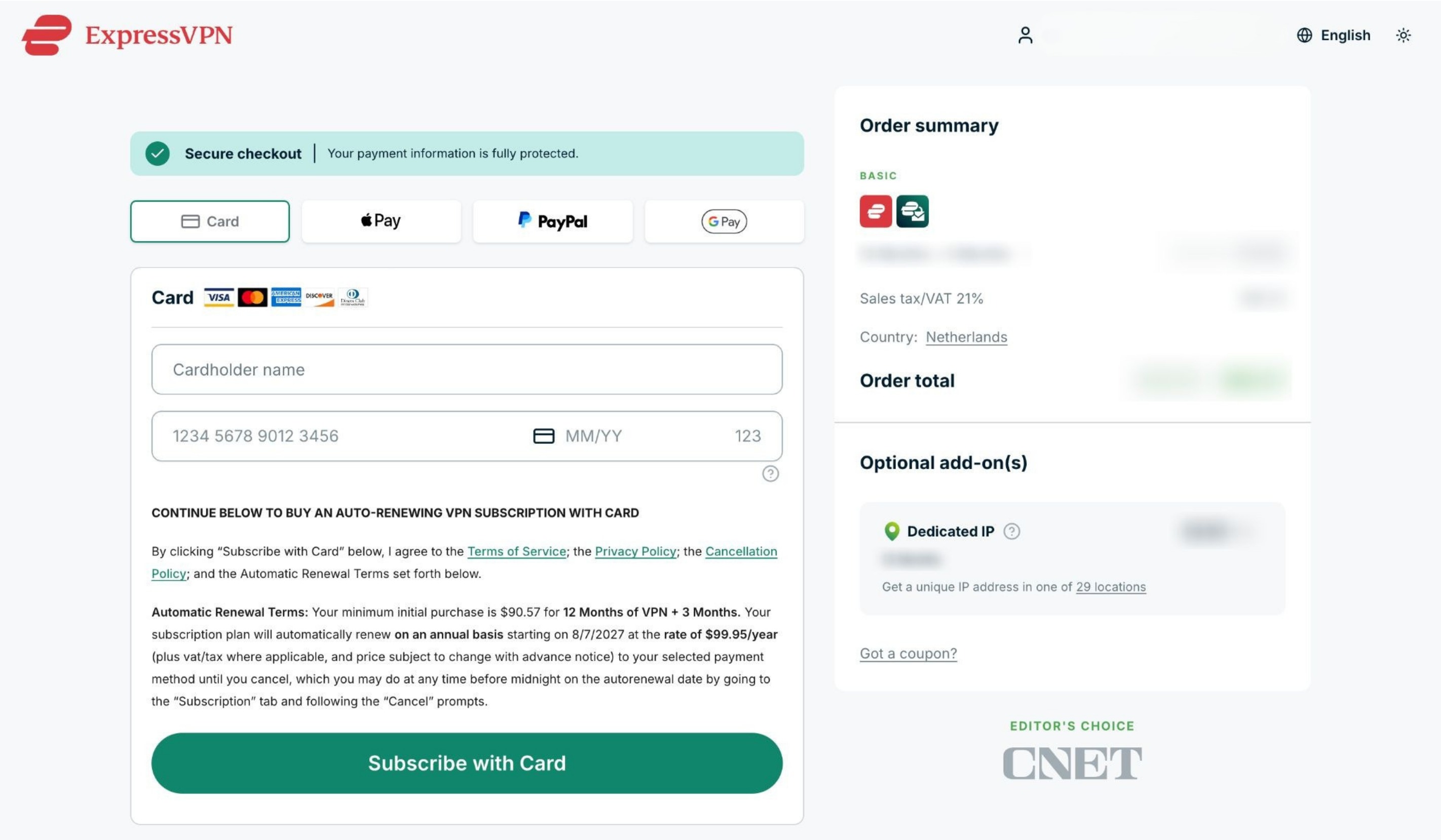
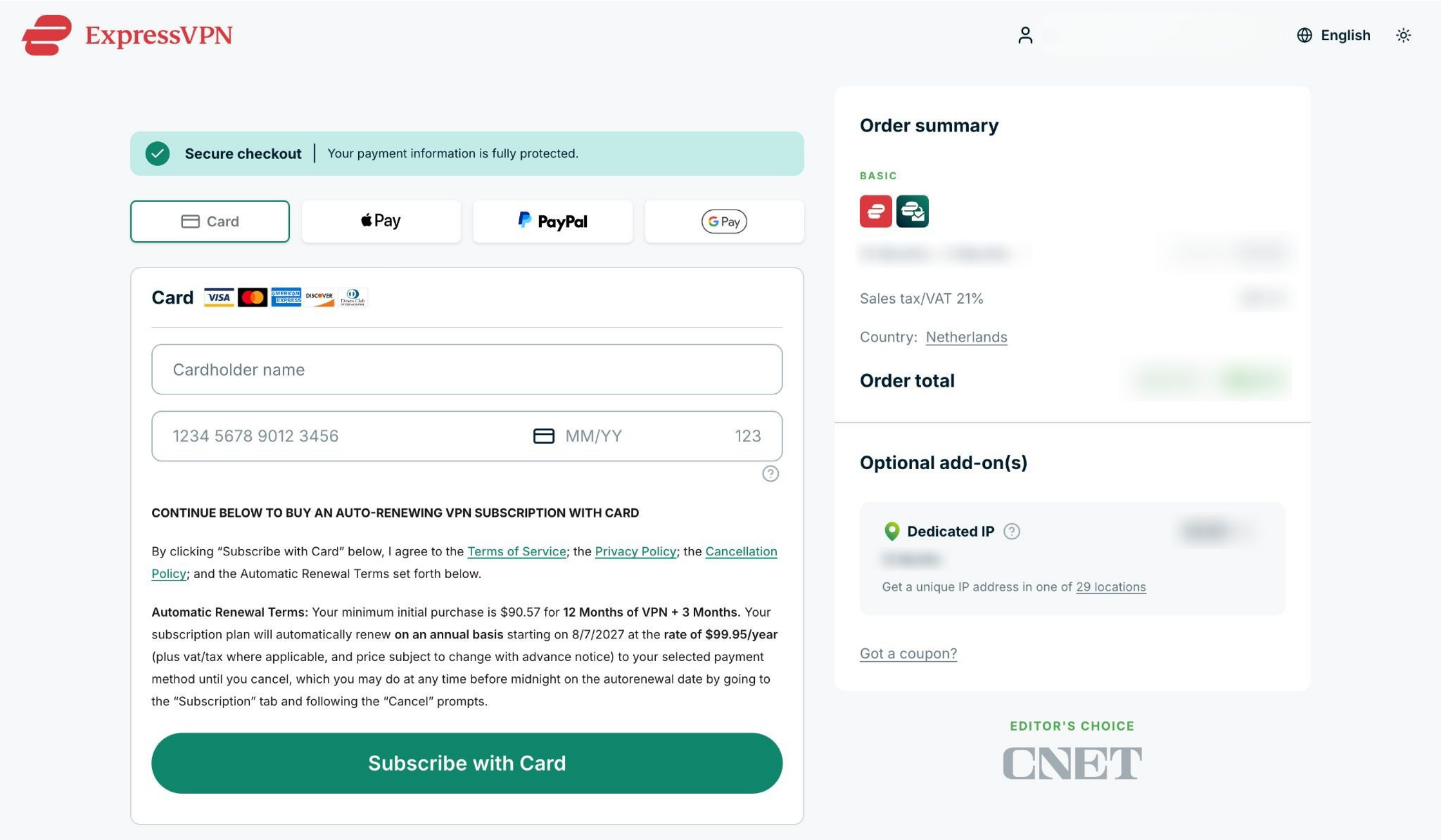
- 결제 수단을 선택하고 결제 정보를 입력한 후 Subscribe with [payment method of your choice] ([선택한 결제 수단]으로 구독)을 클릭합니다.


도움이 필요하신가요? ExpressVPN 지원팀에 문의하고 즉각적인 지원을 받아보세요.
암호화폐로 결제한 구독(BitPay)
ExpressVPN은 더 이상 암호화폐(BitPay 포함) 결제를 지원하지 않습니다.
이에 따라 이전에 암호화폐(BitPay)로 구매한 구독은 자동 갱신되지 않습니다.
기존 구독 갱신하기
이전에 자동 갱신을 비활성화했으며 구독 만료가 임박한 경우, 다음 절차를 따라 수동으로 구독을 갱신할 수 있습니다.
- 내 구독으로 이동합니다. 메시지가 표시되면 ExpressVPN 계정에 로그인합니다.
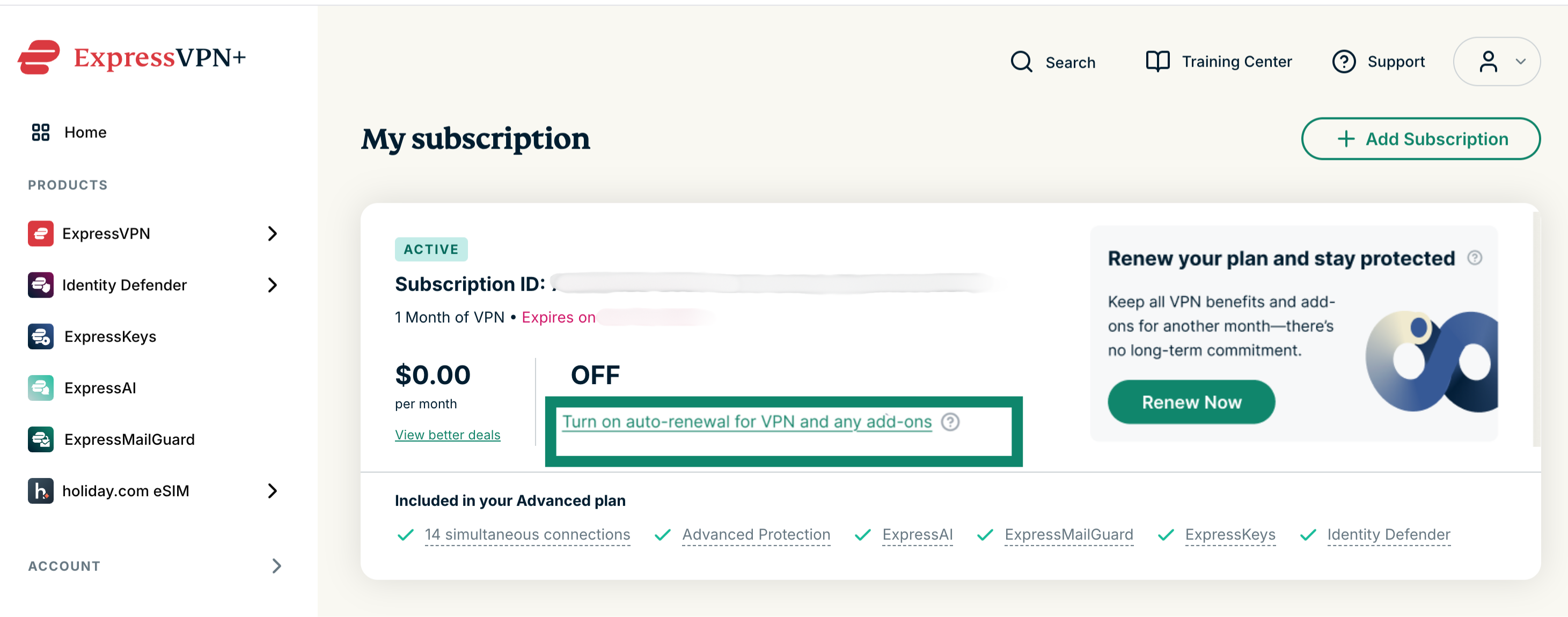
기존 구독 갱신하기: Turn on auto-renewal for VPN and any add-ons (VPN 및 모든 애드온에 대한 자동 갱신 켜기)를 선택하고 새로운 결제 정보를 입력합니다.
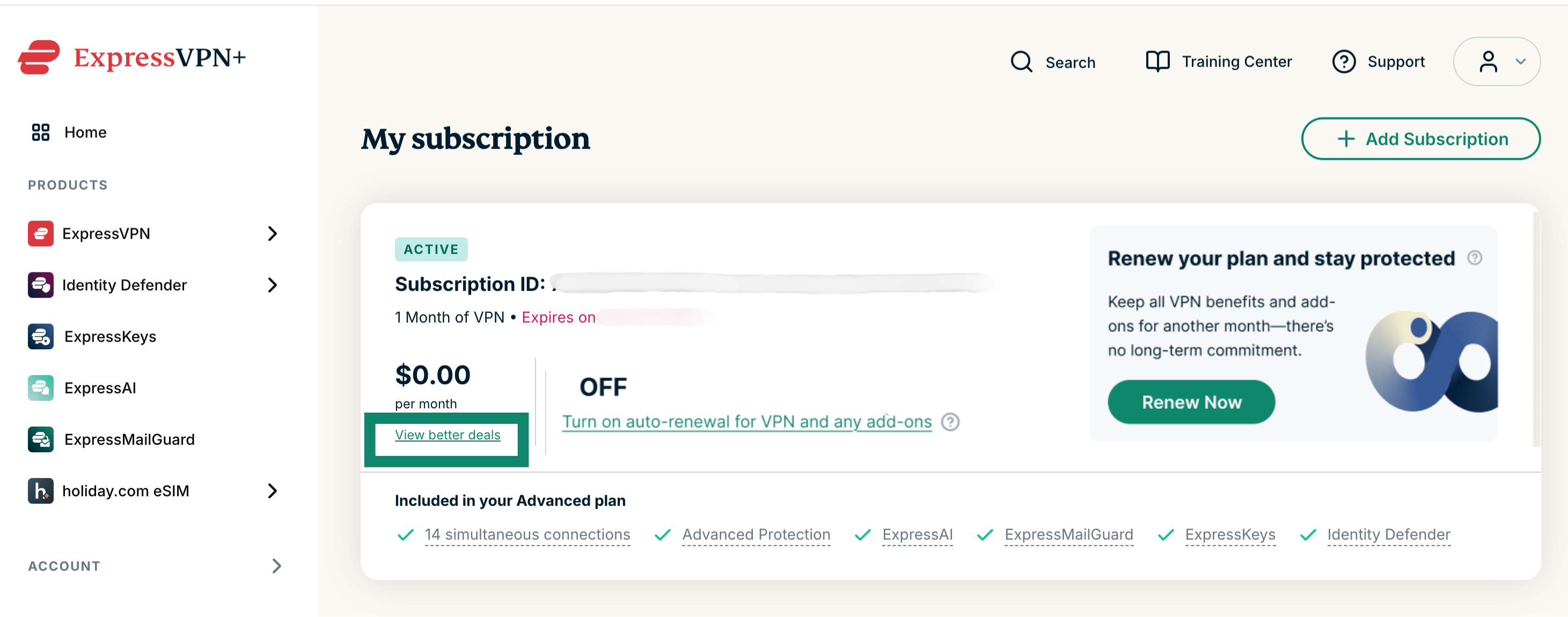
다른 구독으로 변경하기: View better deals (더 나은 혜택 보기)를 선택하고 새 구독과 결제 수단을 선택합니다.
만료된 구독 갱신하기
구독이 만료된 경우, 다음 절차를 따라 구독을 갱신할 수 있습니다.
- 내 구독으로 이동합니다. 메시지가 표시되면 ExpressVPN 계정에 로그인합니다.
- Add Subscription (구독 추가)를 클릭합니다.

- 원하는 요금제를 선택합니다.

- 결제 수단을 선택하고 결제 정보를 입력한 후 Subscribe with [payment method] ([결제 수단]으로 구독)을 클릭합니다.

도움이 필요하신가요? ExpressVPN 지원팀에 문의하고 즉각적인 지원을 받아보세요.
Apple 인앱 결제로 구매한 구독
App Store를 통해 구매한 구독은 현재 구독 기간이 끝난 후 자동으로 갱신됩니다.
구독을 취소했지만 아직 활성화 상태인 경우
다음 절차를 따라 구독을 갱신하세요.
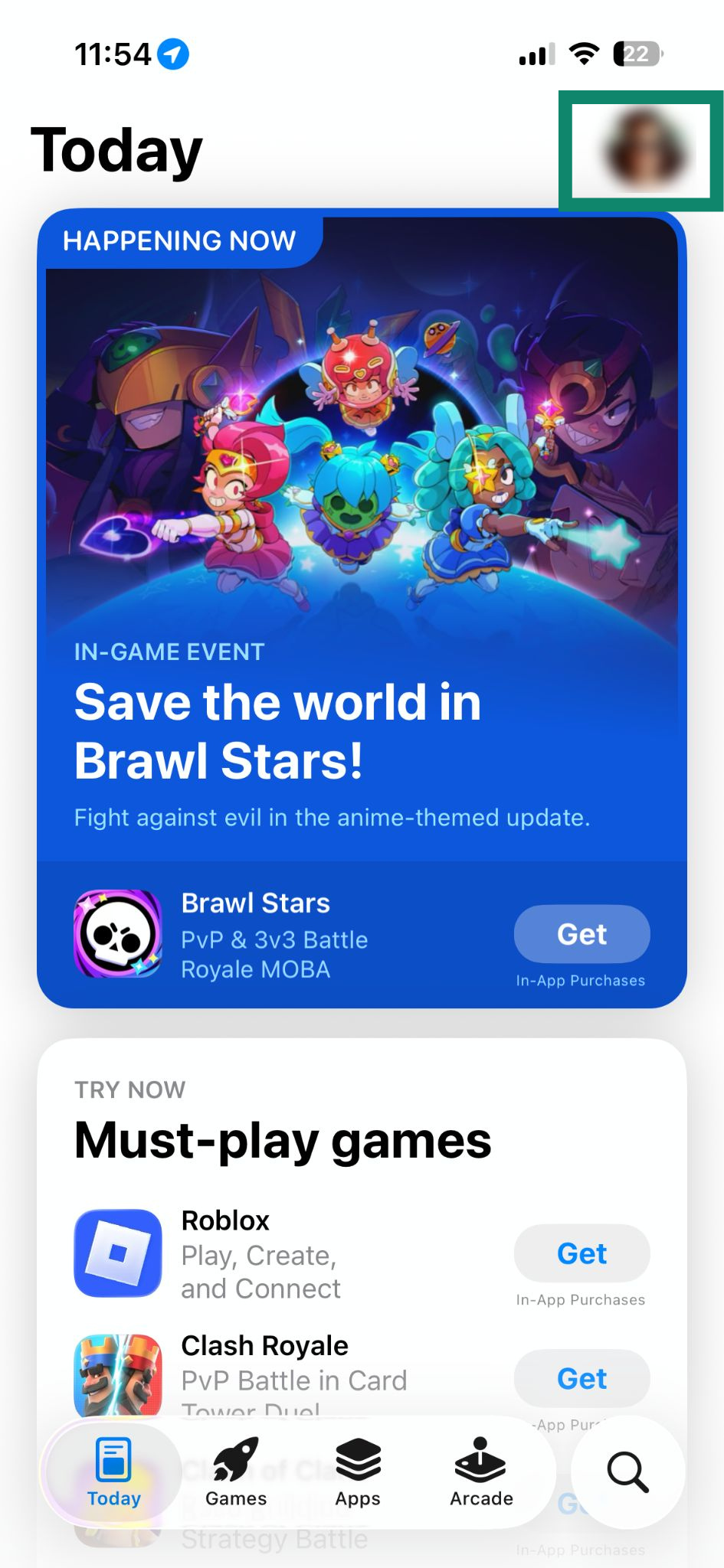
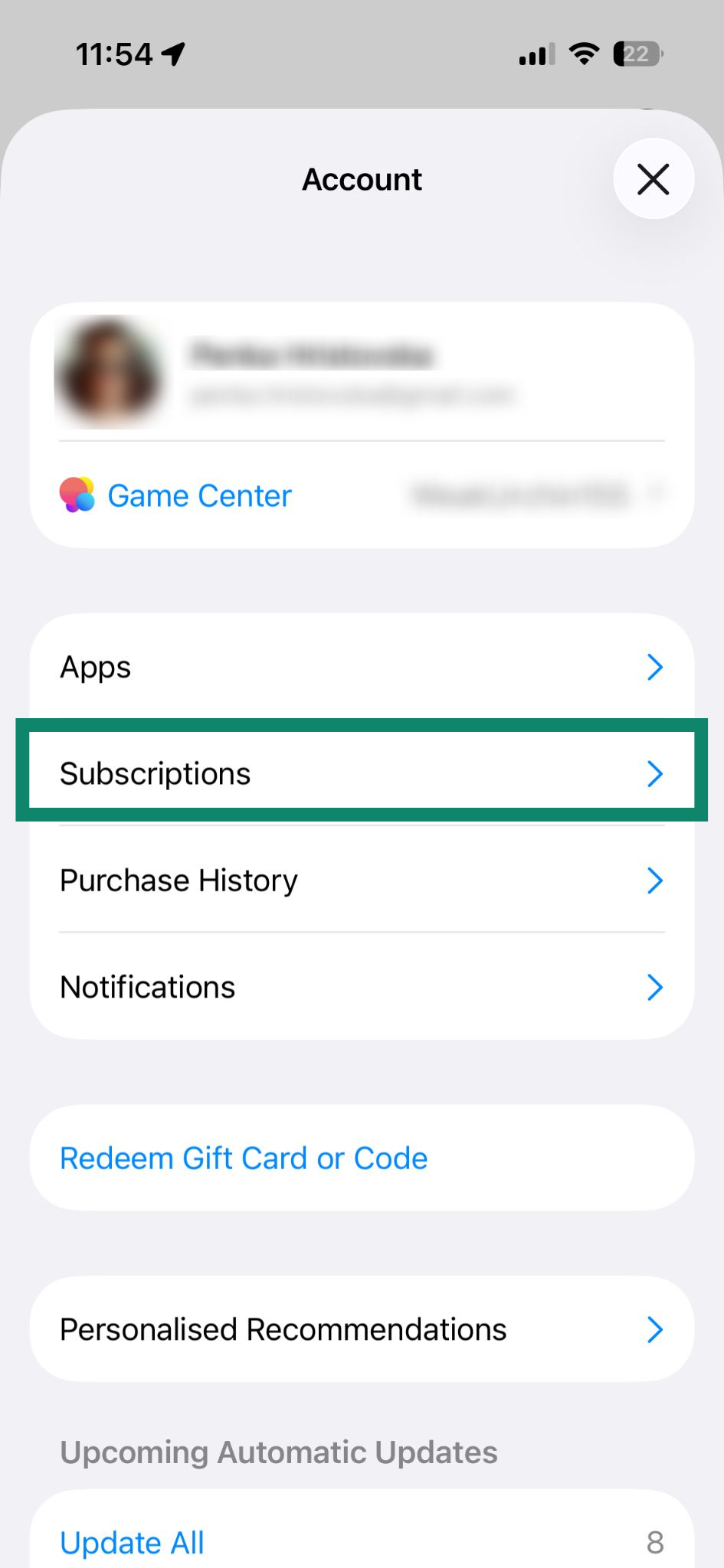
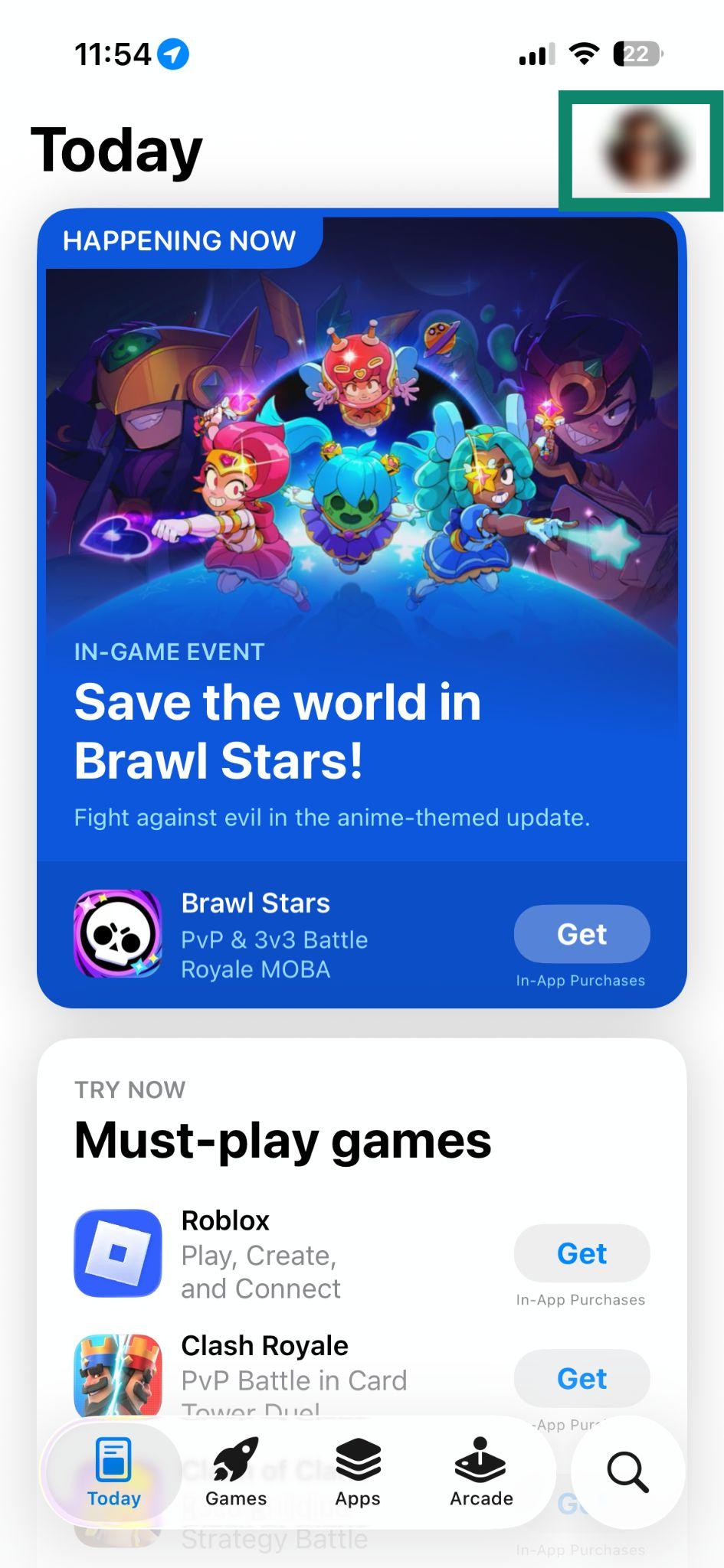
- App Store를 열고 profile icon (프로필 아이콘)을 탭합니다.


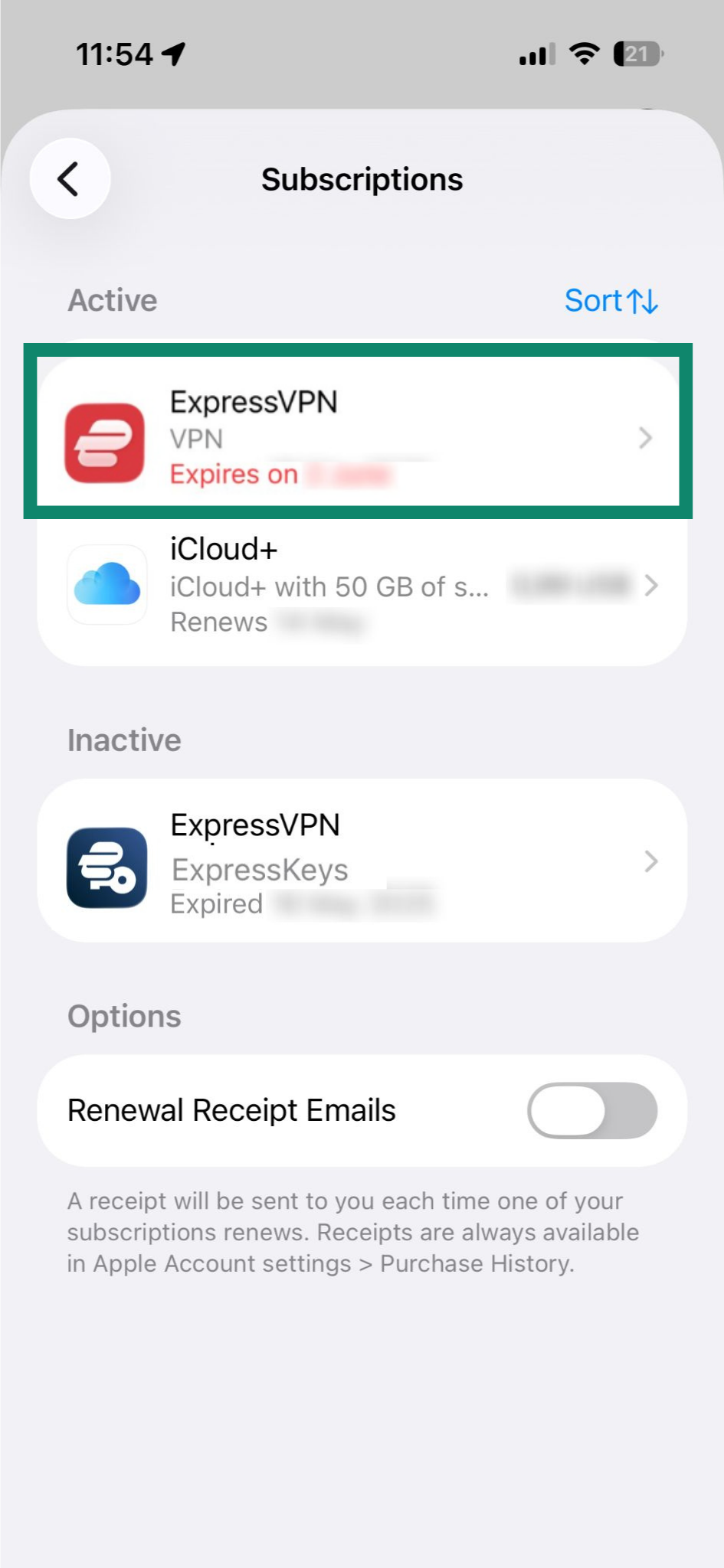
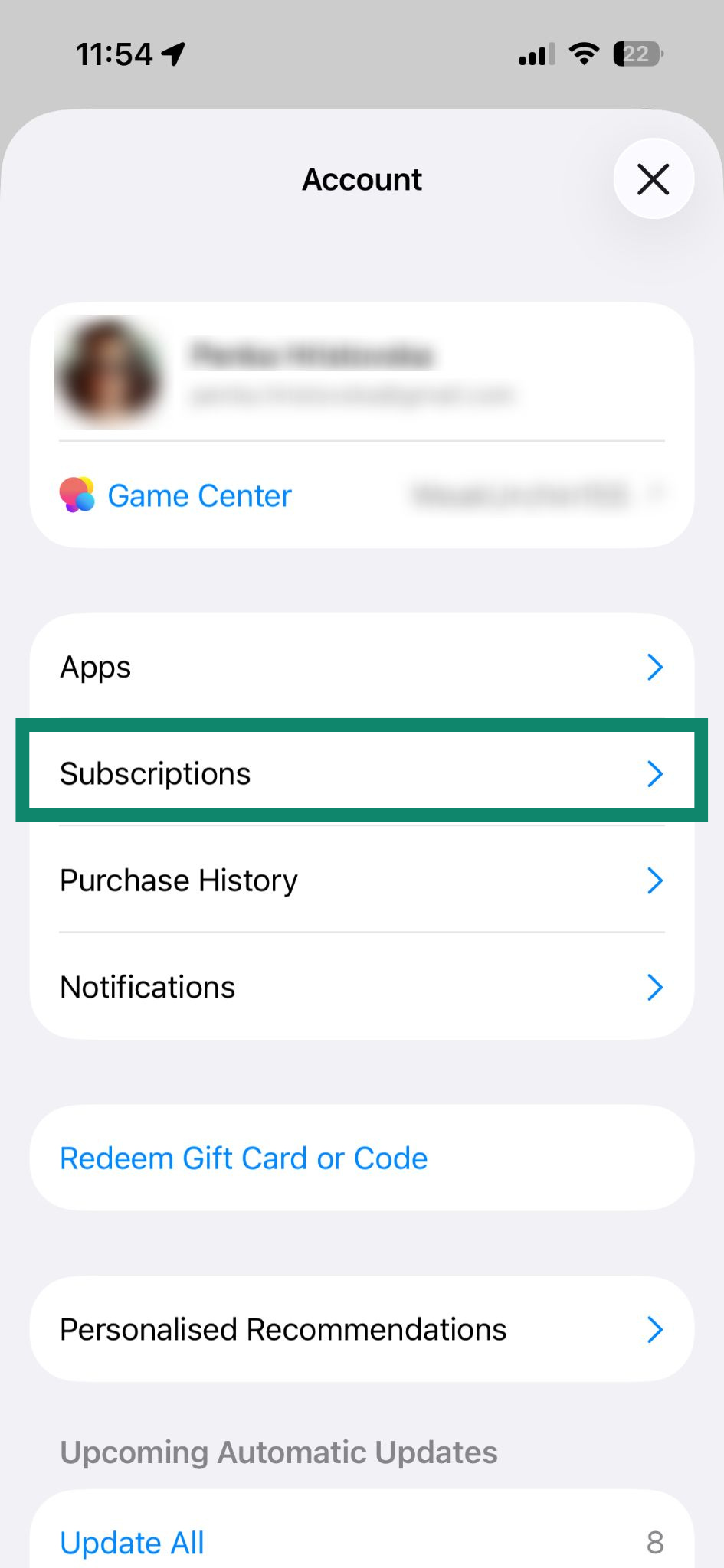
- Subscriptions (구독)을 선택합니다.

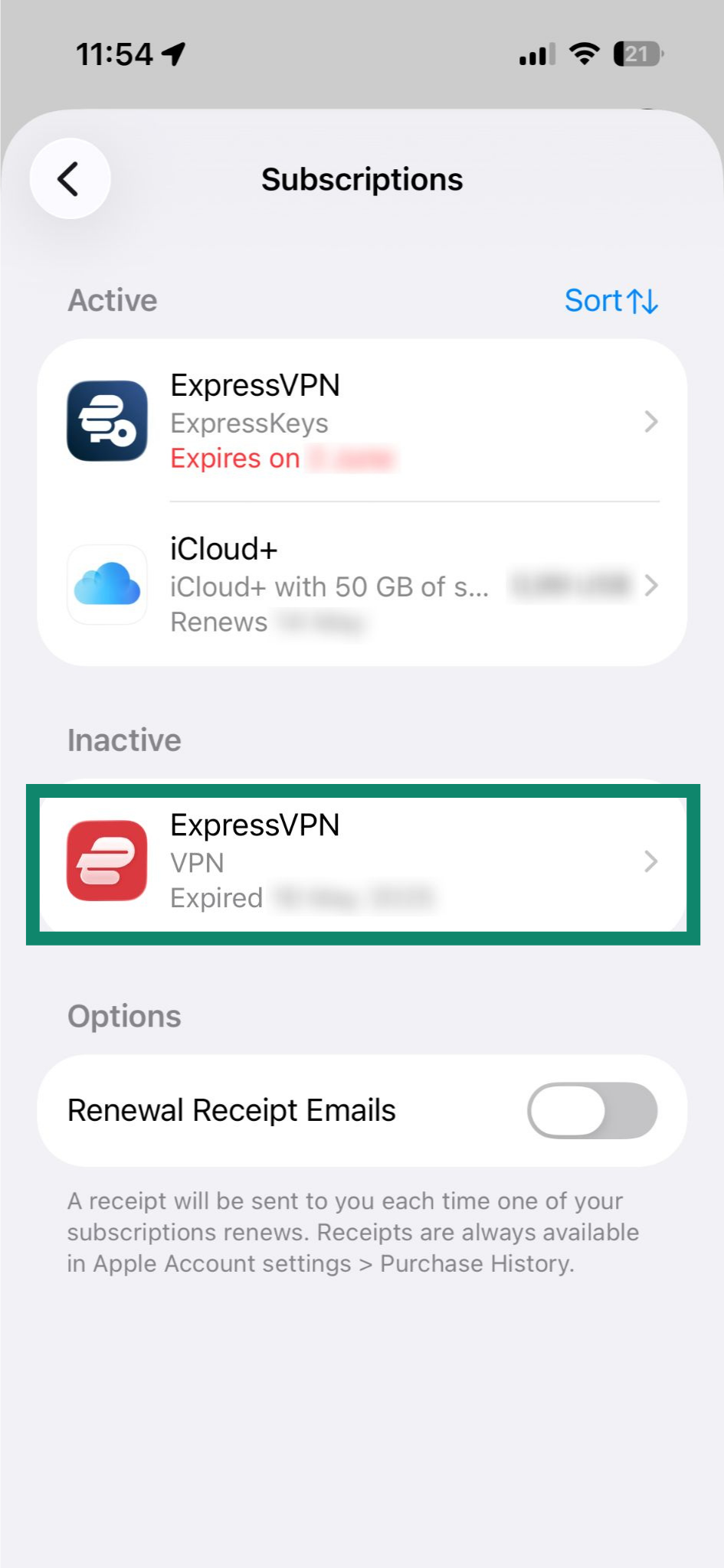
- 활성 섹션 아래의 현재 ExpressVPN 구독을 탭합니다.

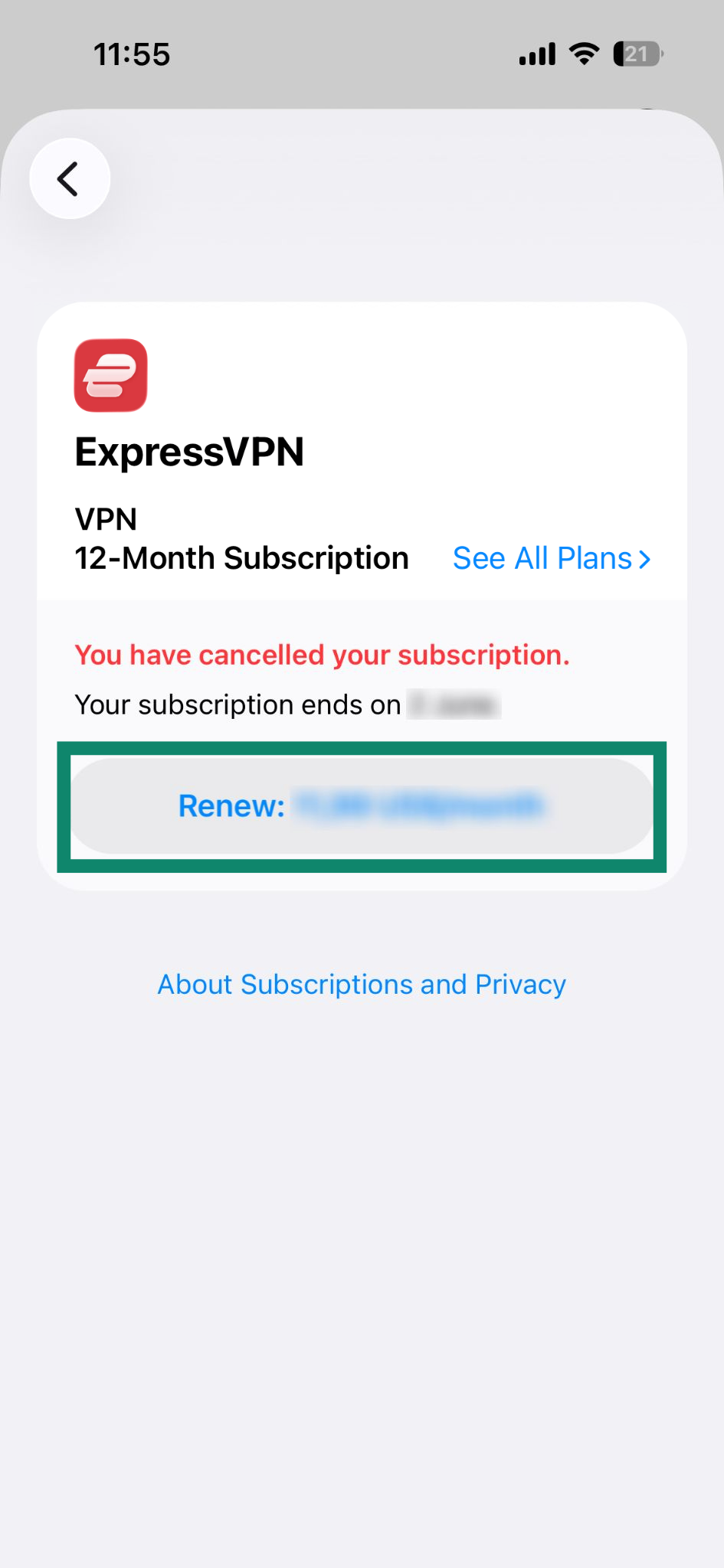
- Renew: [current price of the subscription] (갱신: [현재 구독 가격])을 탭합니다.

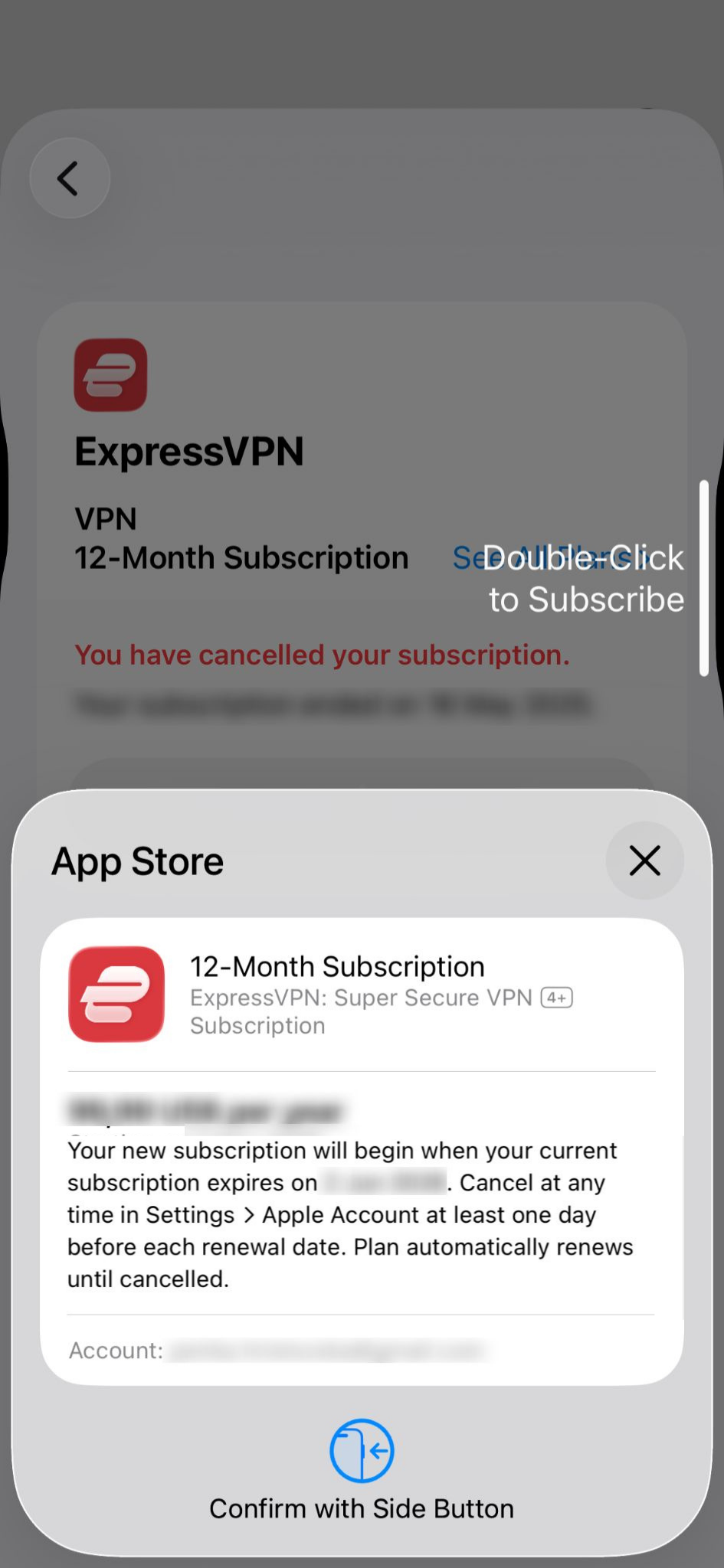
- Face ID 또는 Touch ID로 구매를 확인합니다.

구독이 만료된 경우
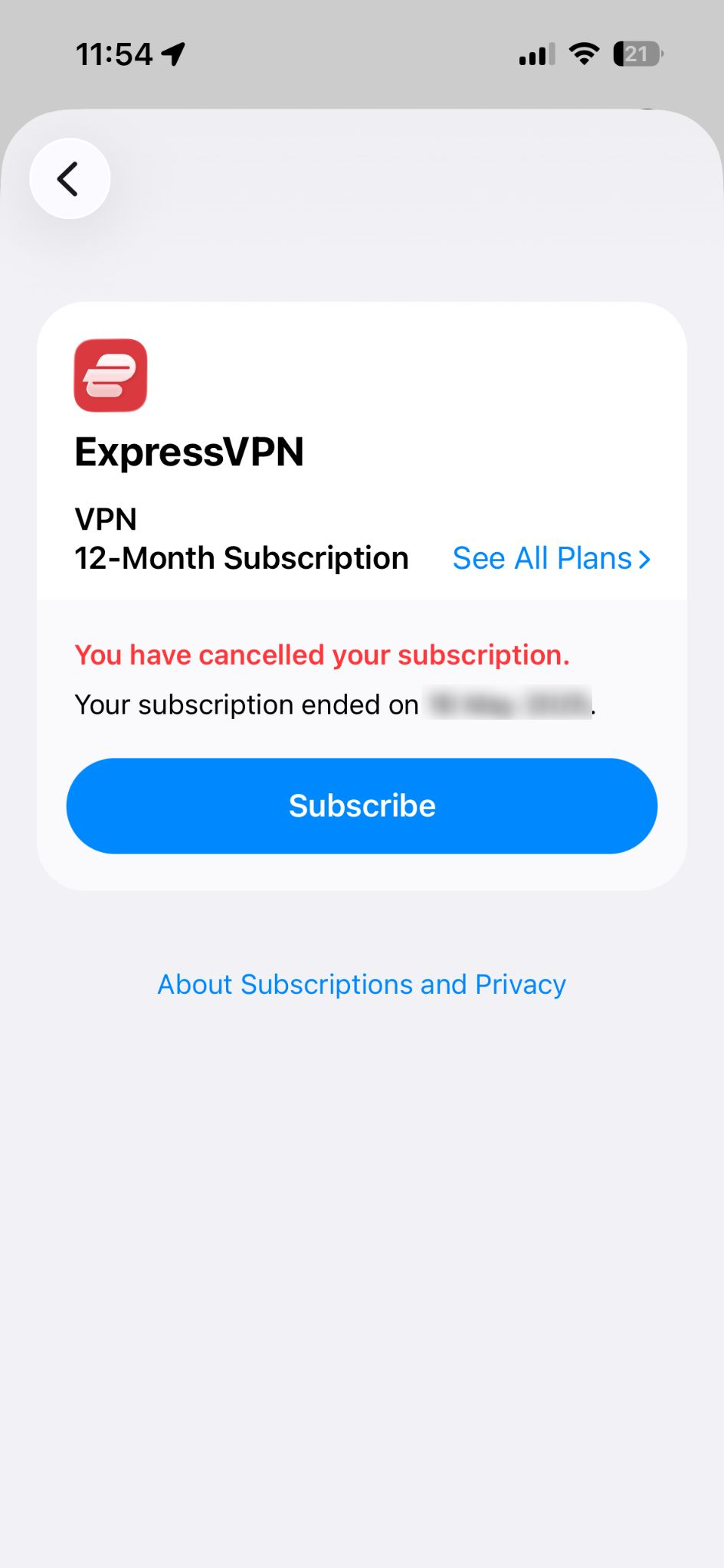
다음 절차를 따라 재구독할 수 있습니다.
- App Store를 열고 profile icon (프로필 아이콘)을 탭합니다.

- Subscriptions (구독)을 선택합니다.

- 비활성 섹션 아래의 ExpressVPN을 탭합니다.

- Subscribe (구독)을 탭합니다.

- Face ID 또는 Touch ID로 구매를 확인합니다.

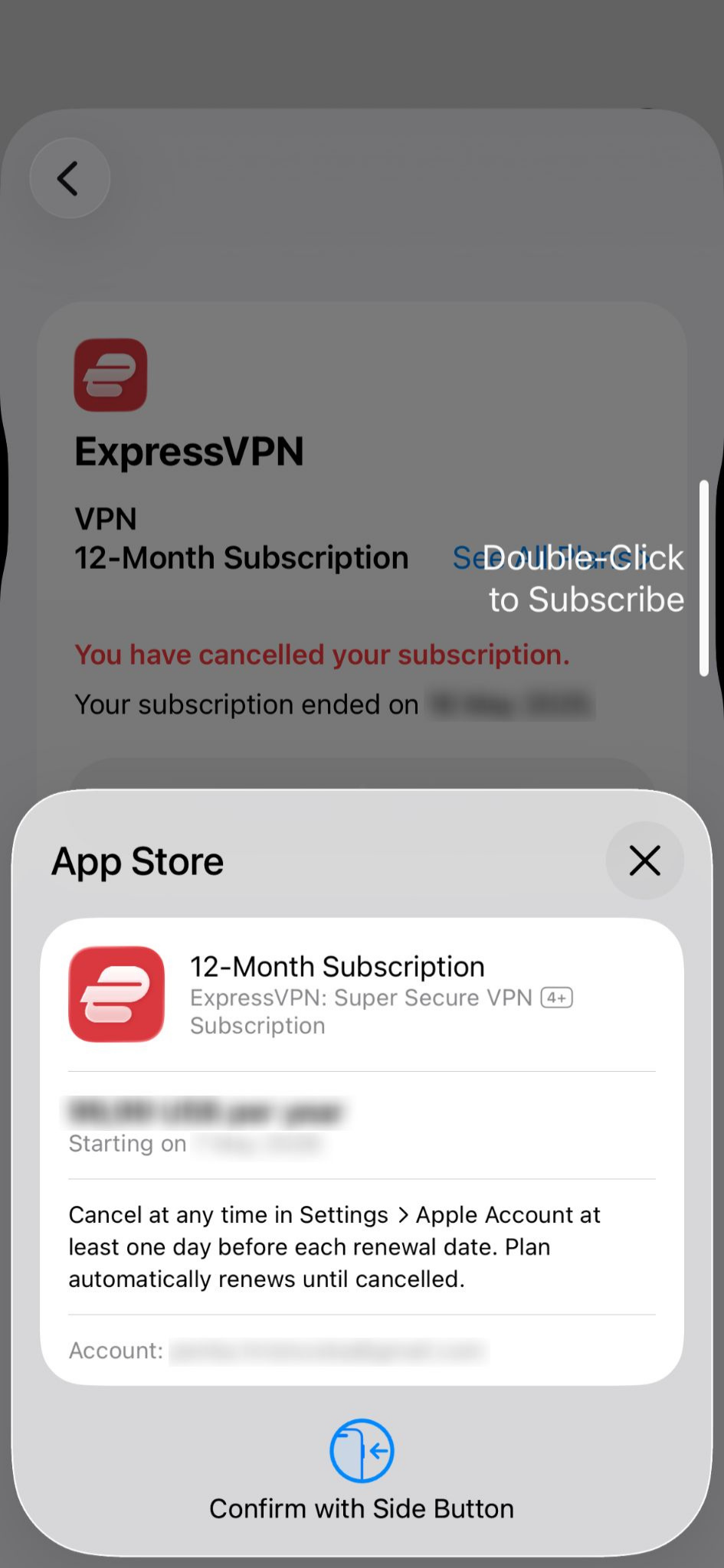
App Store 인앱 결제를 통한 구독에 대해 자세히 알아보세요.
도움이 필요하신가요? ExpressVPN 지원팀에 문의하고 즉각적인 지원을 받아보세요.
Google Play Store 인앱 결제로 구매한 구독
Google Play Store를 통해 구매한 구독은 현재 구독 기간이 끝난 후 자동으로 갱신됩니다. 구독을 취소했거나 만료된 경우, 다음 절차를 따라 구독을 갱신하세요.
- Google Play Store를 열고 profile icon (프로필 아이콘)을 탭합니다.

- Payments & subscriptions (결제 및 구독)을 선택합니다.

- Subscriptions (구독)을 탭합니다.

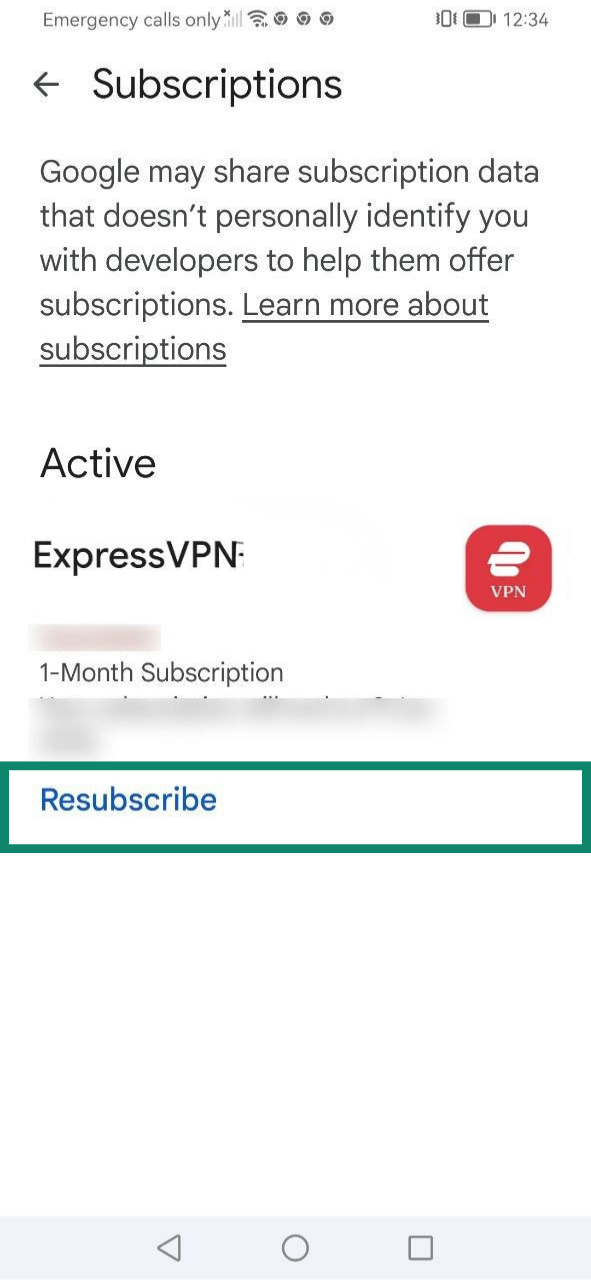
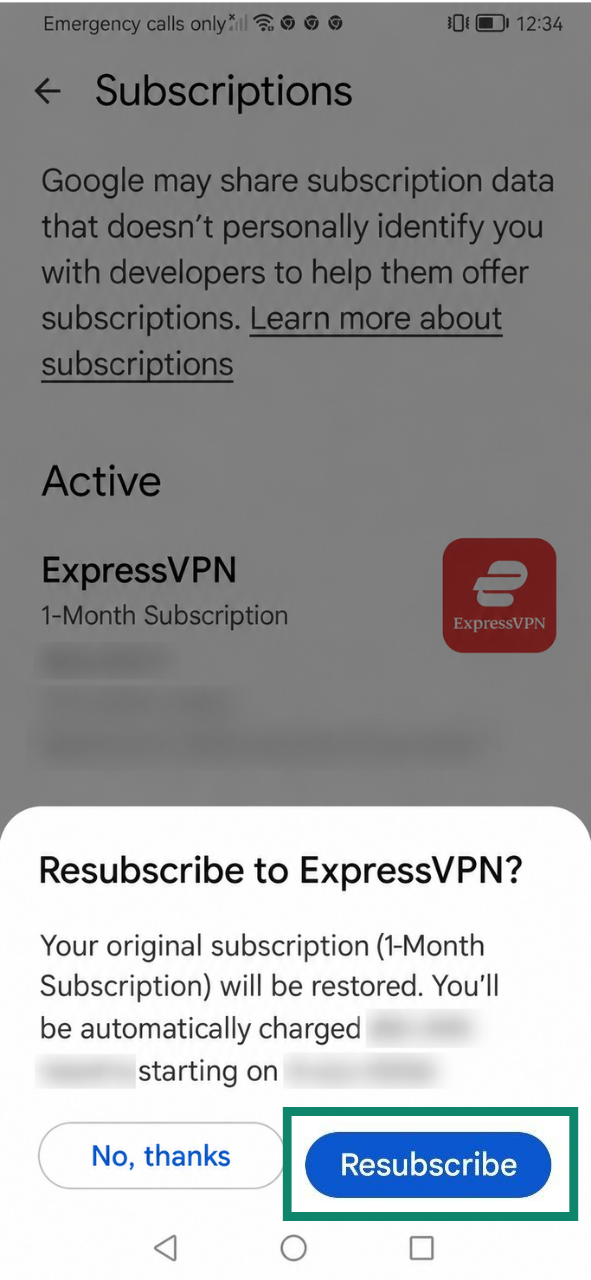
- ExpressVPN 구독 항목 아래에서 Resubscribe (다시 구독)을 선택합니다.

- Resubscribe (다시 구독)을 한 번 더 탭하여 확인합니다.

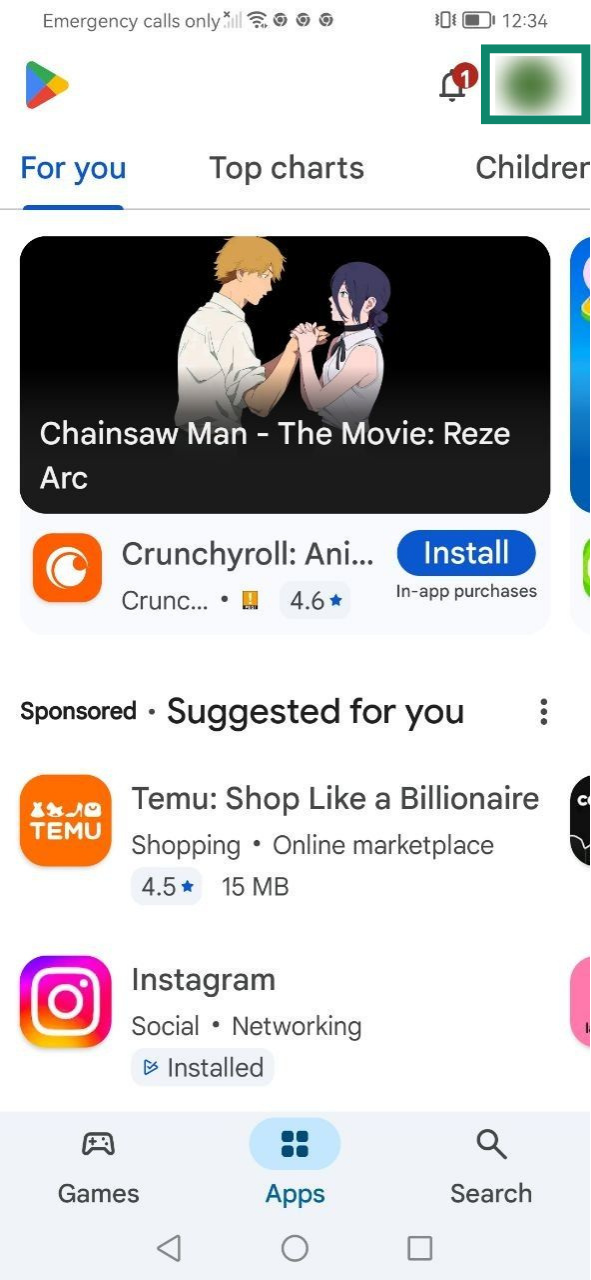
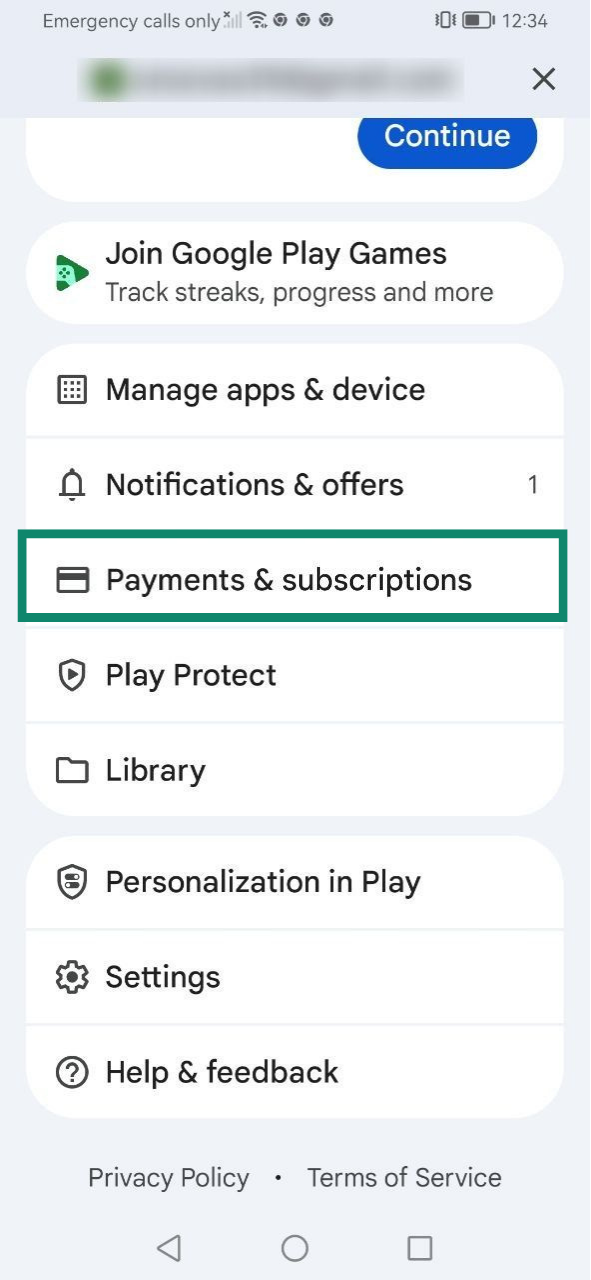
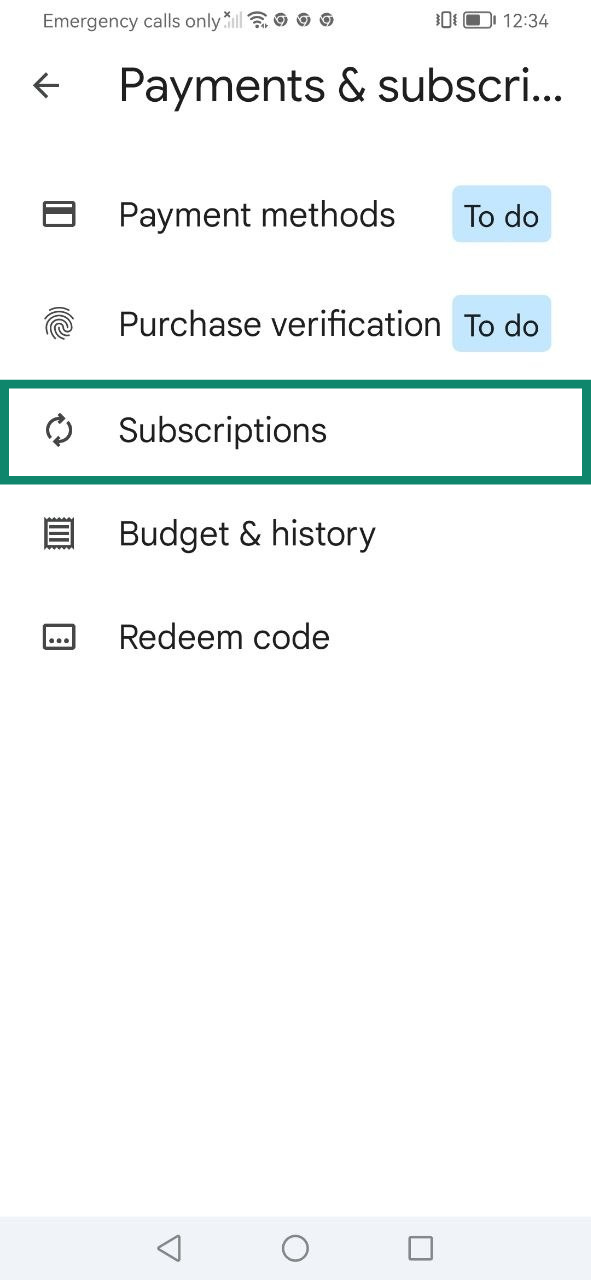
Play Store 인앱 결제를 통한 구독에 대해 자세히 알아보세요.
도움이 필요하신가요? ExpressVPN 지원팀에 문의하고 즉각적인 지원을 받아보세요.
자동 갱신은 어떻게 이루어지나요?
자동 갱신이란 현재 청구 기간이 끝날 때 구독이 자동으로 갱신되는 것을 의미합니다. 신용카드, PayPal, Apple Pay, Google Pay 등 지원되는 결제 수단의 경우 기본적으로 자동 갱신이 활성화되어 있습니다.
현재 구독이 자동 갱신되도록 설정되어 있는 경우, ExpressVPN 구독 취소 가이드에 명시된 절차에 따라 갱신일 자정 전에 구독을 취소하지 않는 한, 구독 만료 시 요금이 다시 청구됩니다.
자동 갱신을 취소하더라도 현재 청구 기간이 끝날 때까지는 ExpressVPN 구독에 연결된 서비스를 계속 이용할 수 있습니다. 그 이후에는 수동으로 갱신 결제를 진행할 때까지 서비스 이용이 일시 중지됩니다.
구독의 자동 갱신 상태 확인하는 방법
자동 갱신 활성화 또는 비활성화 여부 확인하기:
- ExpressVPN+ 대시보드의 내 구독 페이지로 이동합니다. 메시지가 표시되면 계정에 로그인합니다.
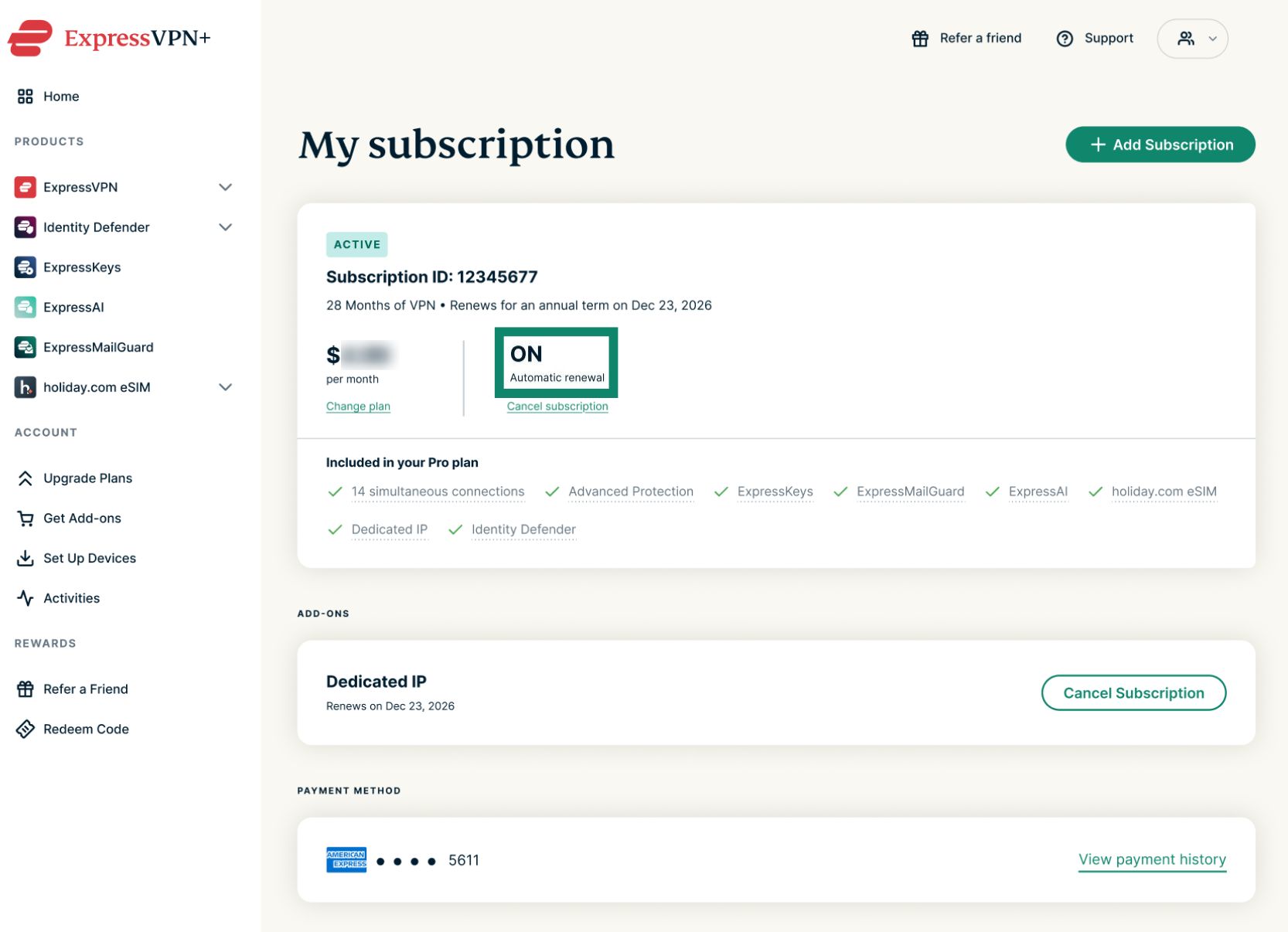
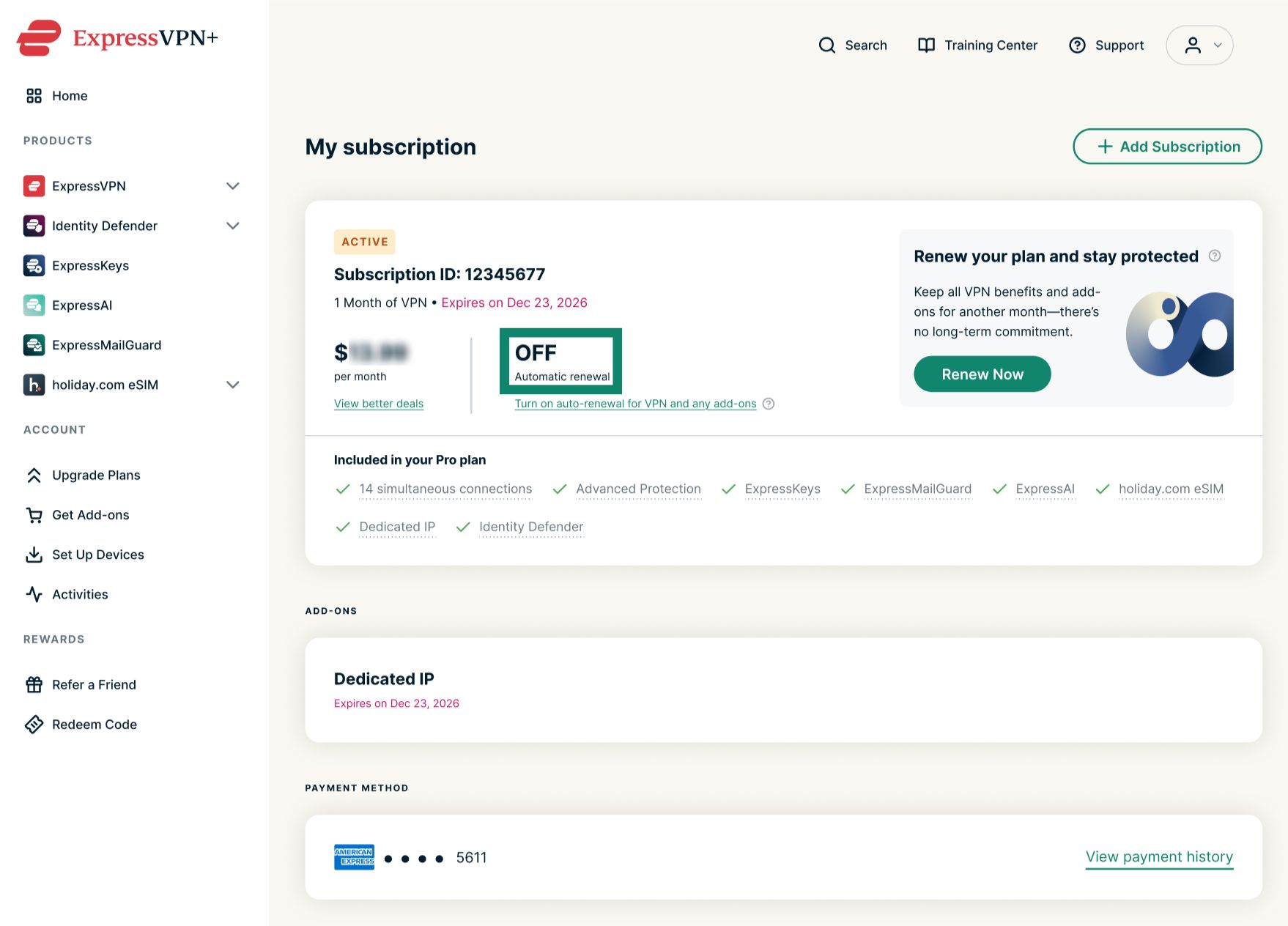
- Automatic renewal (자동 갱신) 상태를 확인합니다.
- ON (켜짐)은 구독 자동 갱신이 활성화되어 있음을 의미합니다.


- OFF (꺼짐)은 구독 자동 갱신이 비활성화되어 있음을 의미합니다.


- ON (켜짐)은 구독 자동 갱신이 활성화되어 있음을 의미합니다.
다가오는 자동 갱신 일정 확인하는 방법
구독에 자동 갱신이 활성화되어 있는 경우 Subscription ID (구독 ID) 아래의 문구를 확인하여 예정된 청구 금액을 볼 수 있습니다.
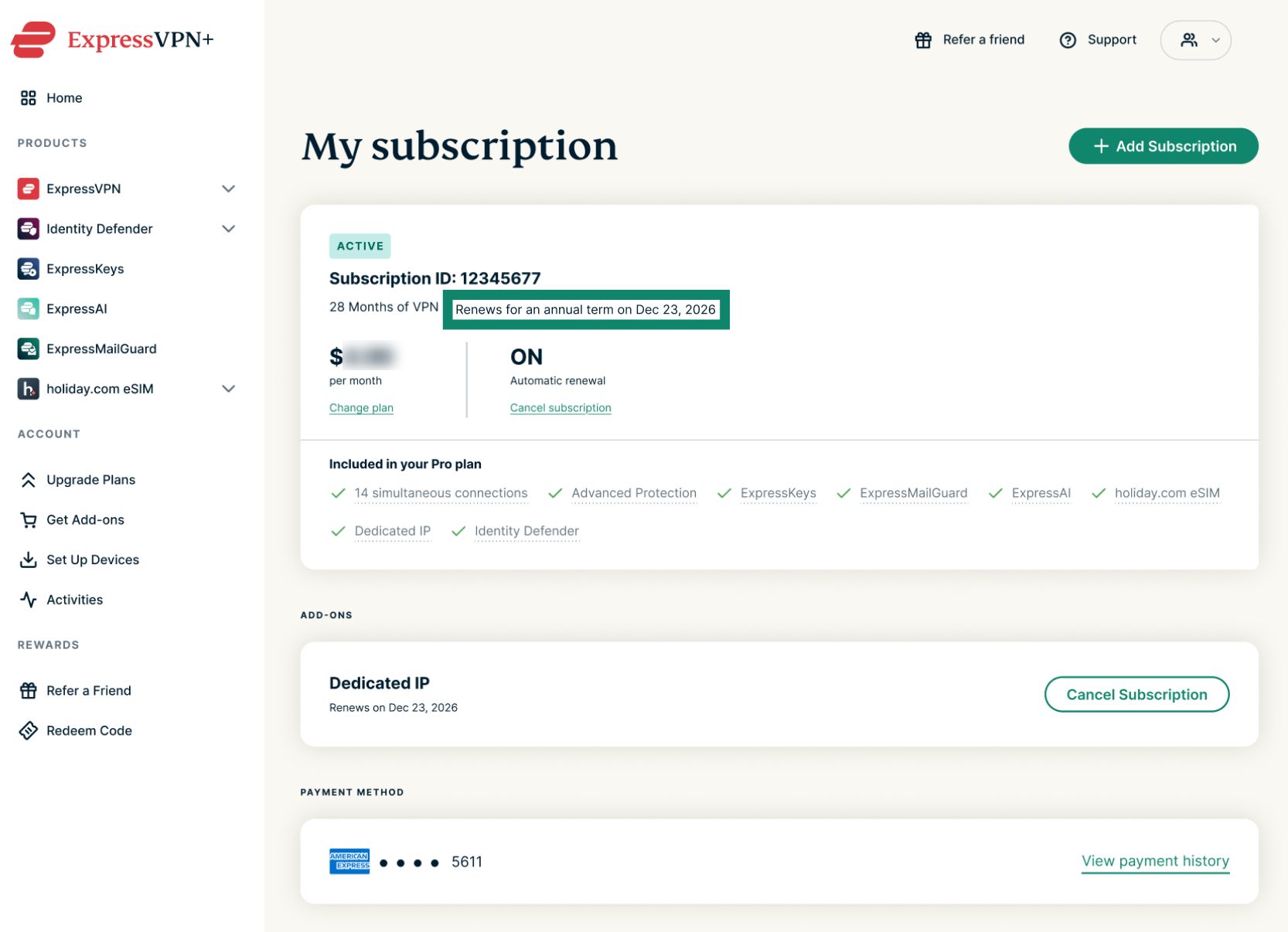
지정된 청구 기간에 결제 수단으로 요금이 자동 청구됩니다. 그 이후에는 취소할 때까지 자동 갱신이 계속됩니다. 월간 요금제는 매월 같은 날짜에 자동 갱신되고, 연간 요금제는 1년에 한 번 같은 날짜에 자동 갱신되며, 2년 혜택은 초기 2년 기간이 끝난 후 매년 자동으로 갱신됩니다.
도움이 필요하신가요? ExpressVPN 지원팀에 문의하고 즉각적인 지원을 받아보세요.