






This guide shows you how to import your logins, credit or debit cards, and secure notes from LastPass into ExpressKeys. You can do so using the ExpressKeys browser extension or the app for macOS.
Once your passwords are imported, you can use ExpressKeys to review your password health, identify weak or reused passwords, and update them to improve your security.
Jump to…
Import your LastPass data on desktop (CSV method)
Import your LastPass data using your iOS device
Import your LastPass data using your Android device
Import your LastPass data on desktop (CSV method)
In the ExpressKeys app for macOS and the ExpressKeys browser extension, you can import your data from LastPass using a CSV file.
1. Export your LastPass data
- Log into your LastPass account.
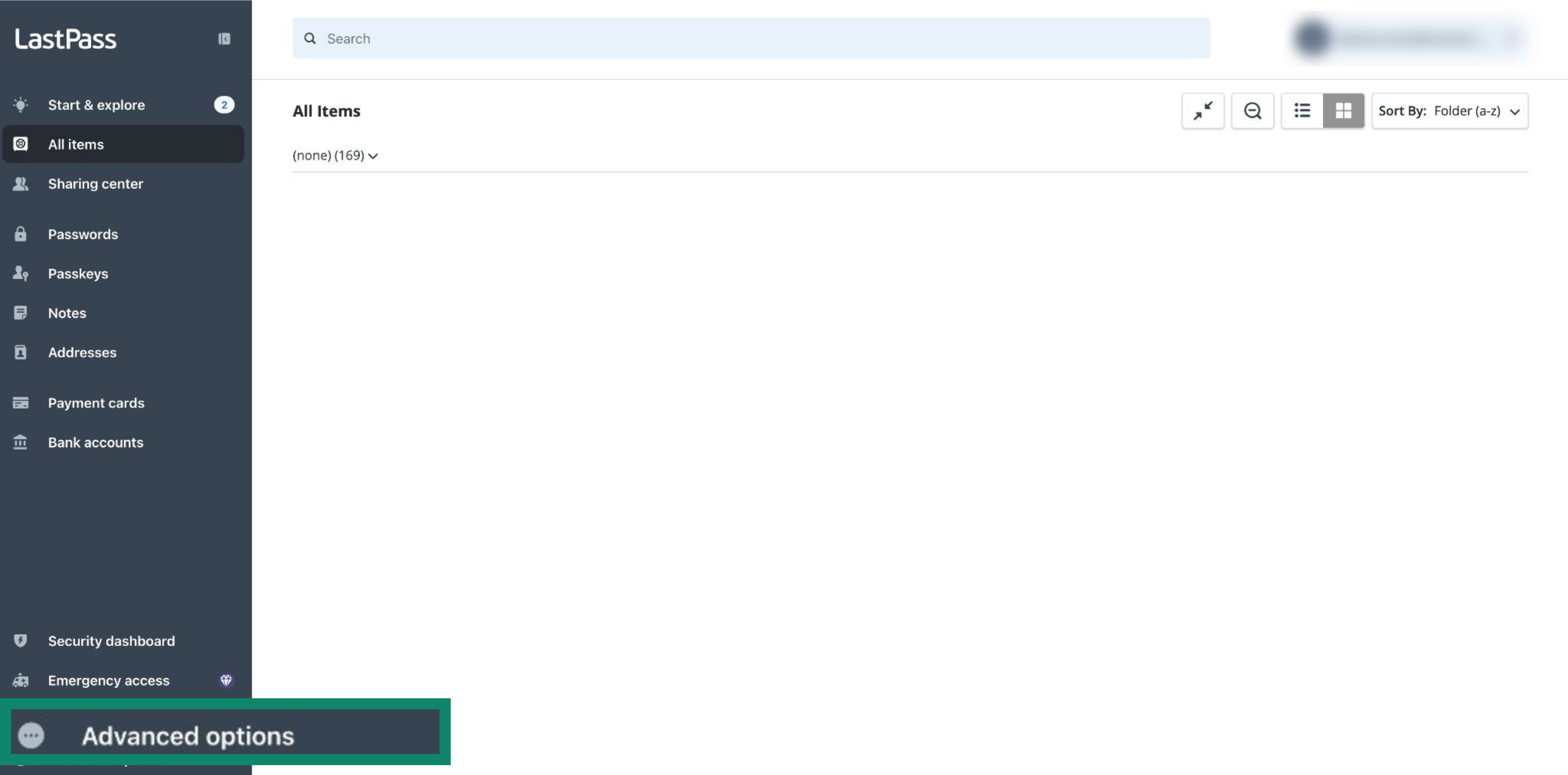
- In the left sidebar, click Advanced options.

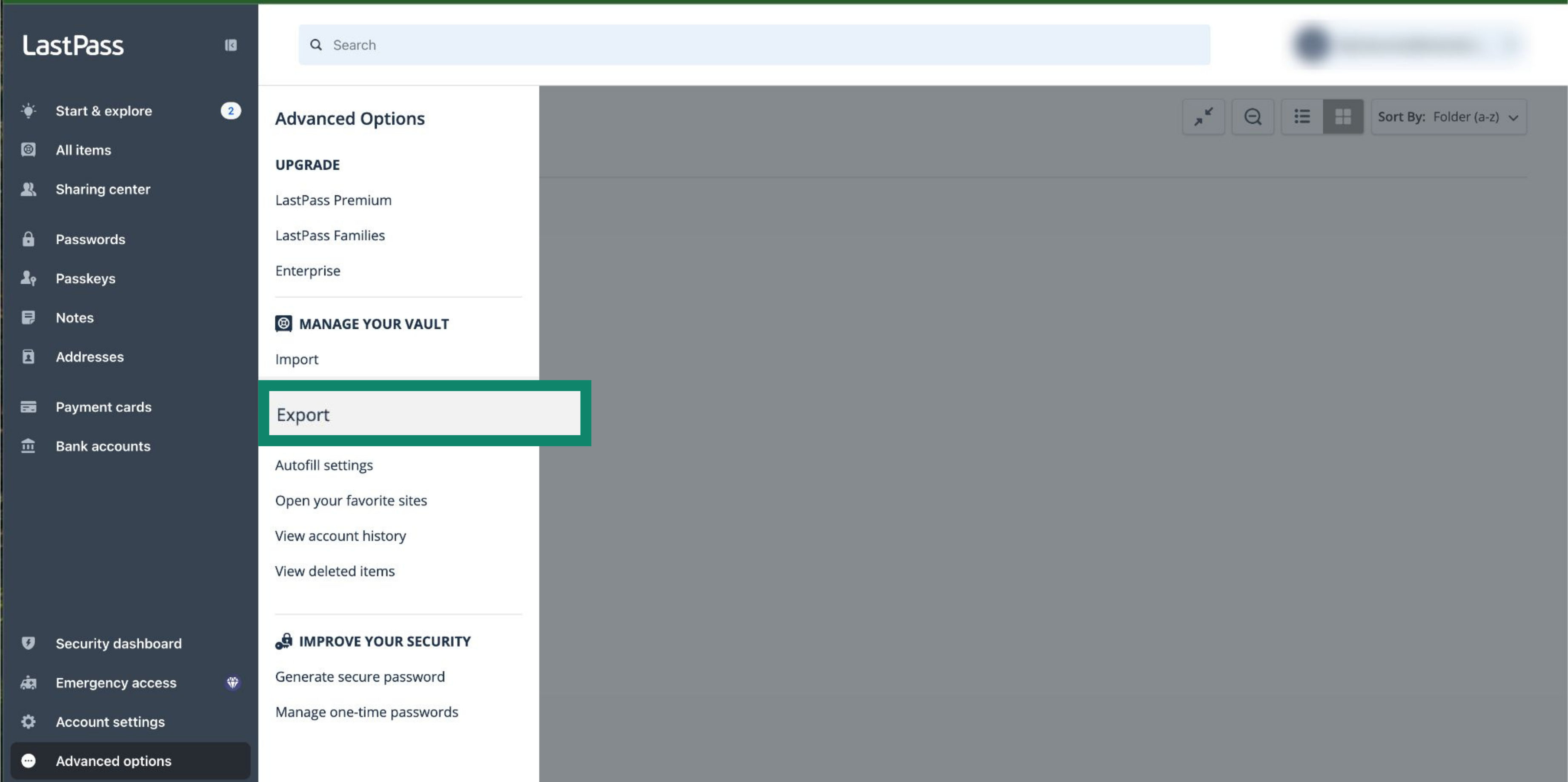
- Select Export.

- Enter your login details.
- A CSV file will be saved to your device automatically.
2. Import your LastPass data into ExpressKeys
Note: This guide is illustrated using the browser extension, but the steps are the same on macOS.
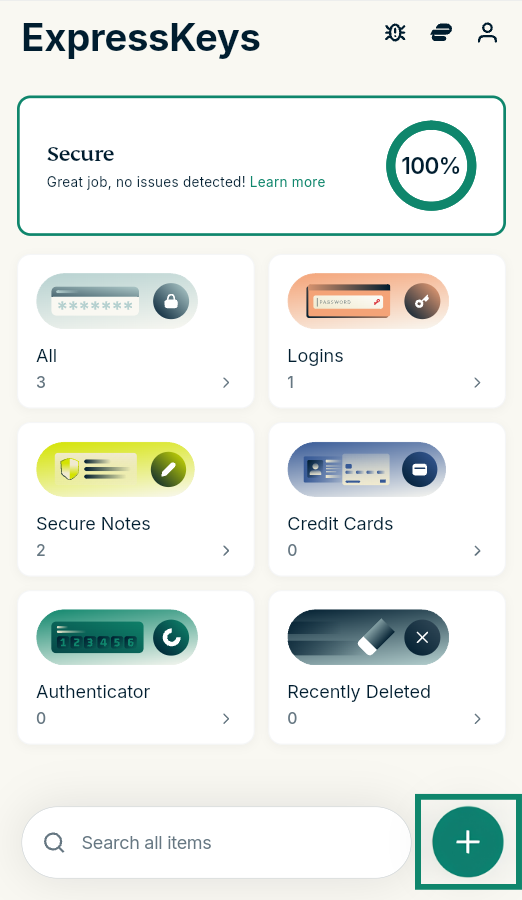
- Open the ExpressKeys app for macOS or the browser extension.
- Click the plus (+) icon.
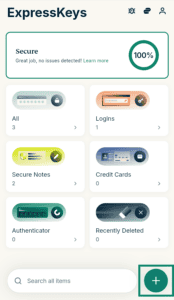

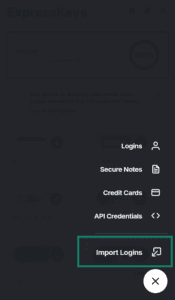
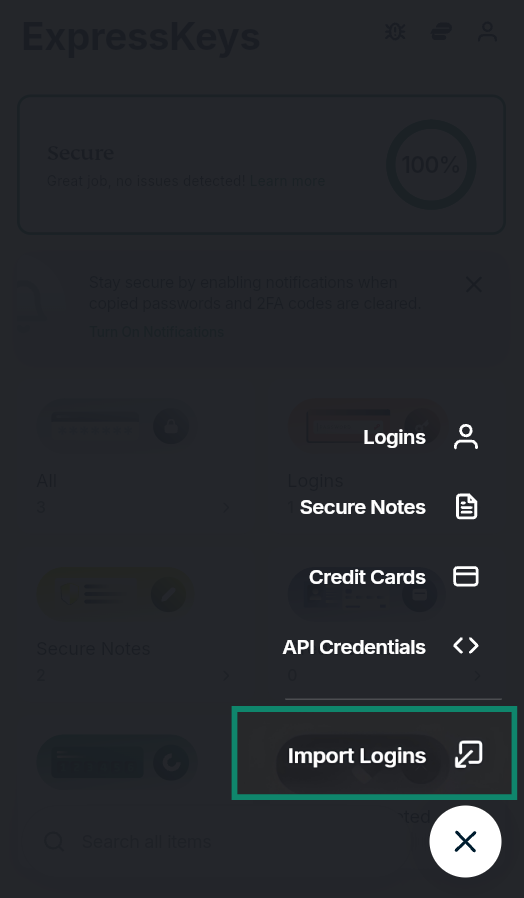
- Select Import Logins.

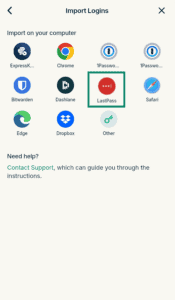
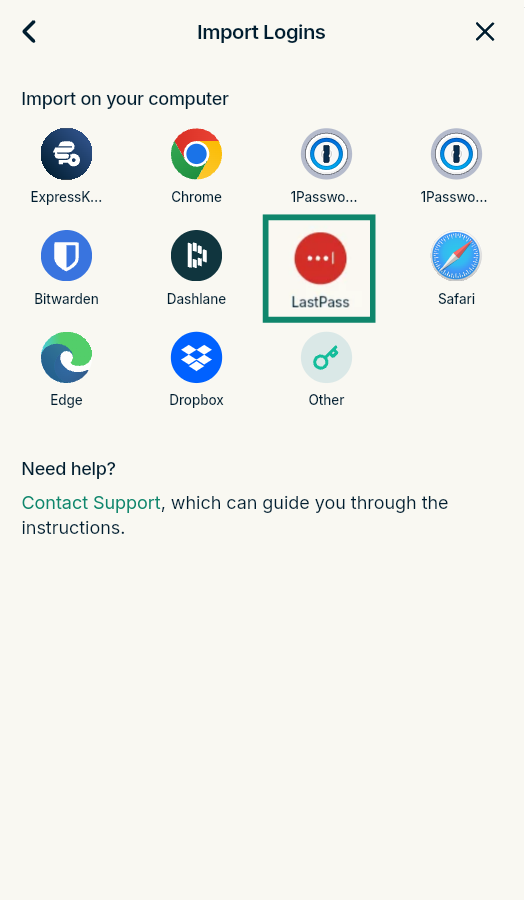
- Select LastPass.
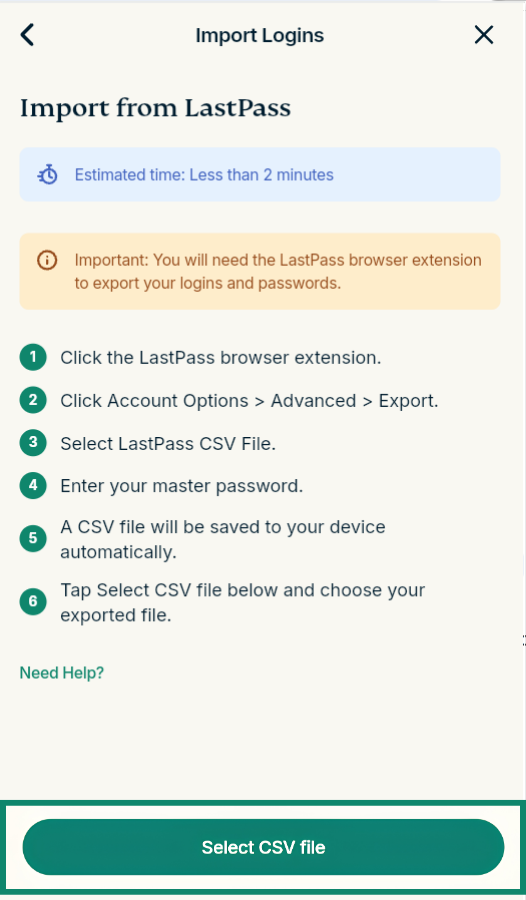
- Click Select CSV file and select the CSV file you exported from LastPass.
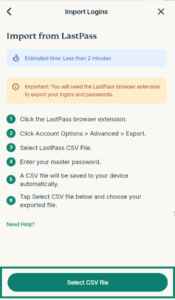

- Wait for the import to finish.
3. Remove the LastPass browser extension
If you’re using the ExpressKeys extension, LastPass will continue to prompt you to fill in your logins for sites or services, interfering with ExpressKeys. To prevent this, remove the LastPass browser extension.
- Open the extensions menu by typing the below text into your search bar:
- Chrome: Enter chrome://extensions/ in the search bar.
- Edge: Enter edge://extensions/ in the search bar.
- Brave: Enter brave://extensions/ in the search bar.
- Opera: Enter opera://extensions/ in the search bar.
- Vivaldi: Enter vivaldi://extensions/ in the search bar.
- Firefox: Enter about:addons in the search bar.


- Find LastPass and:
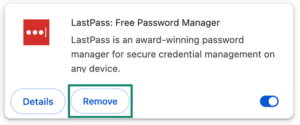
- In a Chromium-based browser: Click Remove > Remove.
- In Firefox: Click the three-dot menu icon, then Remove.


Need help? Contact our Support Team for immediate assistance.
Import your LastPass data using your iOS device
LastPass does not allow exporting data on iOS. Follow the steps above to import your data using your computer.
Need help? Contact our Support Team for immediate assistance.
Import your LastPass data using your Android device
LastPass does not allow exporting data on Android. Follow the steps above to import your data using your computer.
Need help? Contact our Support Team for immediate assistance.