






If you are unable to download the ExpressVPN app from the website, it may be due to network issues, web browser or device-level problems, or interference from other apps.
Jump to…
If you are seeing an error message
If you saw an error message, check below for a quicker fix:
Security software-related errors
If the error message mentions your device’s storage, clear up some space and then redownload the ExpressVPN app.
If the error is caused by a non-firewall or antivirus program installed on your device, temporarily disable the app and then retry the download.
(Mac only) Download preferences errors
This issue may occur on Mac devices. To fix it:
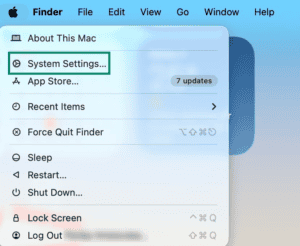
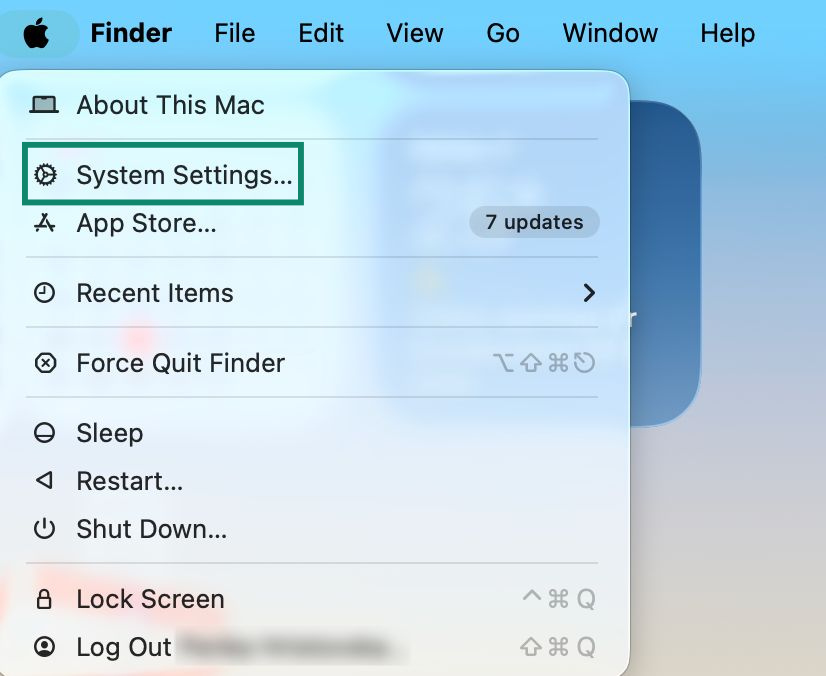
- Open the Apple menu and click System Settings….

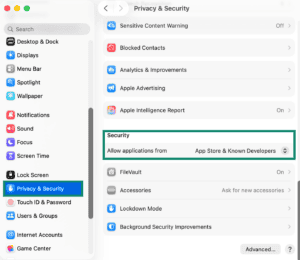
- Head to Privacy & Security > Security > Allow applications from.

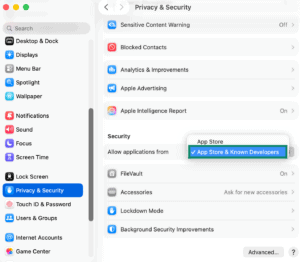
- Select the App Store & Known Developers option.

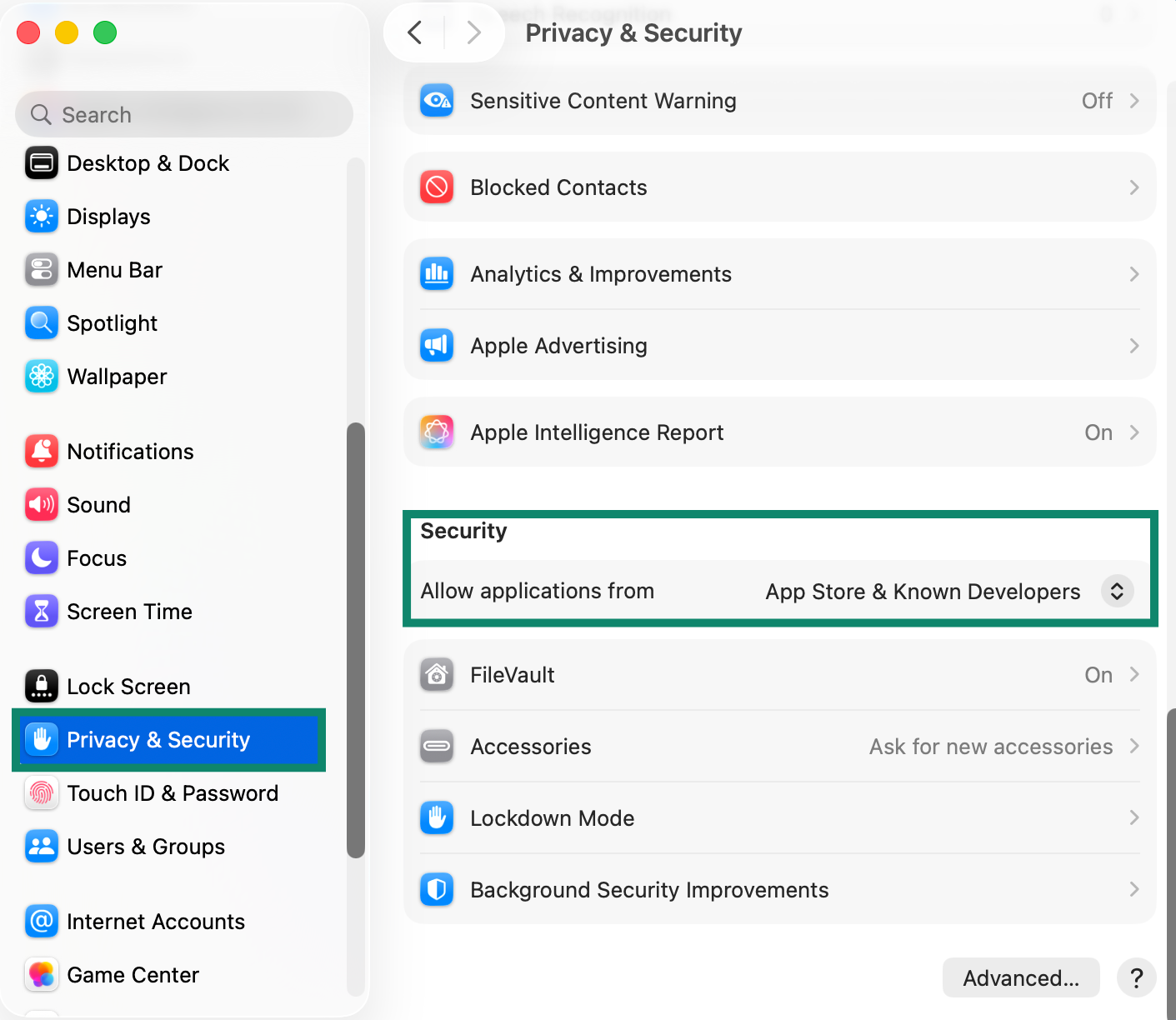
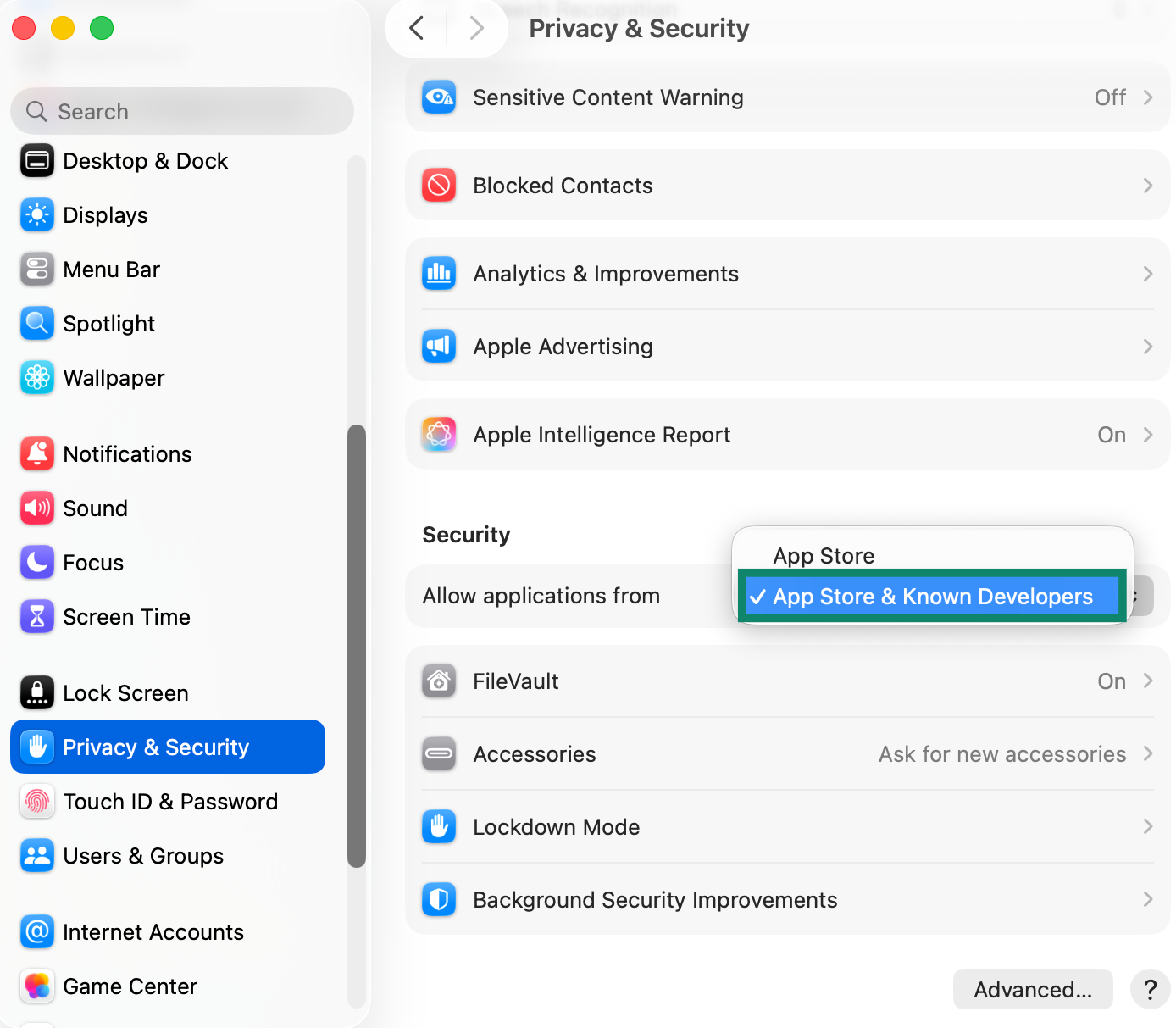
When done, try to download the ExpressVPN app again.
Android/Amazon exclusive errors
On Android and Amazon devices, you may see error messages that mention billing-related issues. To fix this, create a new ExpressVPN account with a matching billing address.
If the error is not related to billing issues, you may need to sideload the ExpressVPN APK app on your device. This involves enabling APK installations on your device, then manually downloading and installing the ExpressVPN APK app. The following guides may be of help:
App Installer Signature errors
If you receive error messages that mention App Installer Signatures, contact the ExpressVPN Support Team for assistance.
Troubleshooting steps
If you see no error message, follow the steps below in order. After each step, check if you are able to download the app.
1. Check if the app is compatible with your device
Make sure the ExpressVPN app you are trying to download matches your device. For example, you should only download the Mac app on a Mac device, not on Windows or Linux computers.
Find out which device versions are compatible with ExpressVPN.
If your device or OS is not compatible with the latest ExpressVPN app, you have a few options:
Manually configure an OpenVPN connection on your device:
- Use the legacy version of the ExpressVPN app for older Windows or Mac devices. To download these, follow the instructions in this guide.
- Use a VPN router setup. A VPN router can protect all devices connected to it, including devices that cannot use a VPN app or be configured manually. ExpressVPN can currently be used with Fortify or Aircove (dedicated VPN routers), ExpressVPN for routers (firmware downloaded to select compatible routers), or a manual router configuration.
2. Try to download the app on a different browser
Check if you are able to download the ExpressVPN app using a different web browser.
Note: If you cannot use a different browser or continue experiencing download issues after switching to another browser, open an incognito (private) window and try downloading the ExpressVPN app that way.
3. Try connecting to a different network
To rule out network-related issues, connect to a different network and try to download the ExpressVPN app from the website. For example, if you are on your home’s Wi-Fi network, switch to mobile data.
Note: If you are on a restricted network, like office, hotel, or school Wi-Fi, you have to switch to an unrestricted network, like mobile data or home Wi-Fi. If you use a different restricted network, the download issues may continue.
4. Whitelist ExpressVPN or temporarily disable your security software
If you have security software, like a firewall or antivirus, it could stop the download or automatically remove the installer after it finishes downloading or when you launch it.
To fix this, whitelist the ExpressVPN download link or app installer in your security software. If that is not an option, disable the antivirus or firewall, download the ExpressVPN app, then turn the security program back on.
5. Try downloading the ExpressVPN app on another device
Download issues can sometimes be related to a device-level problem. If possible, try to download the ExpressVPN app on a different device. Afterwards, transfer the installer to the actual device you want to install and use the ExpressVPN app on.
Need help? Contact the ExpressVPN Support Team for immediate assistance.