




Want fast, HD Kodi streams?
Get ExpressVPN Now
Love ExpressVPN? Want a free month?
Refer a Friend NowThis tutorial will show you how to set up and watch Kodi using ExpressVPN on Android.
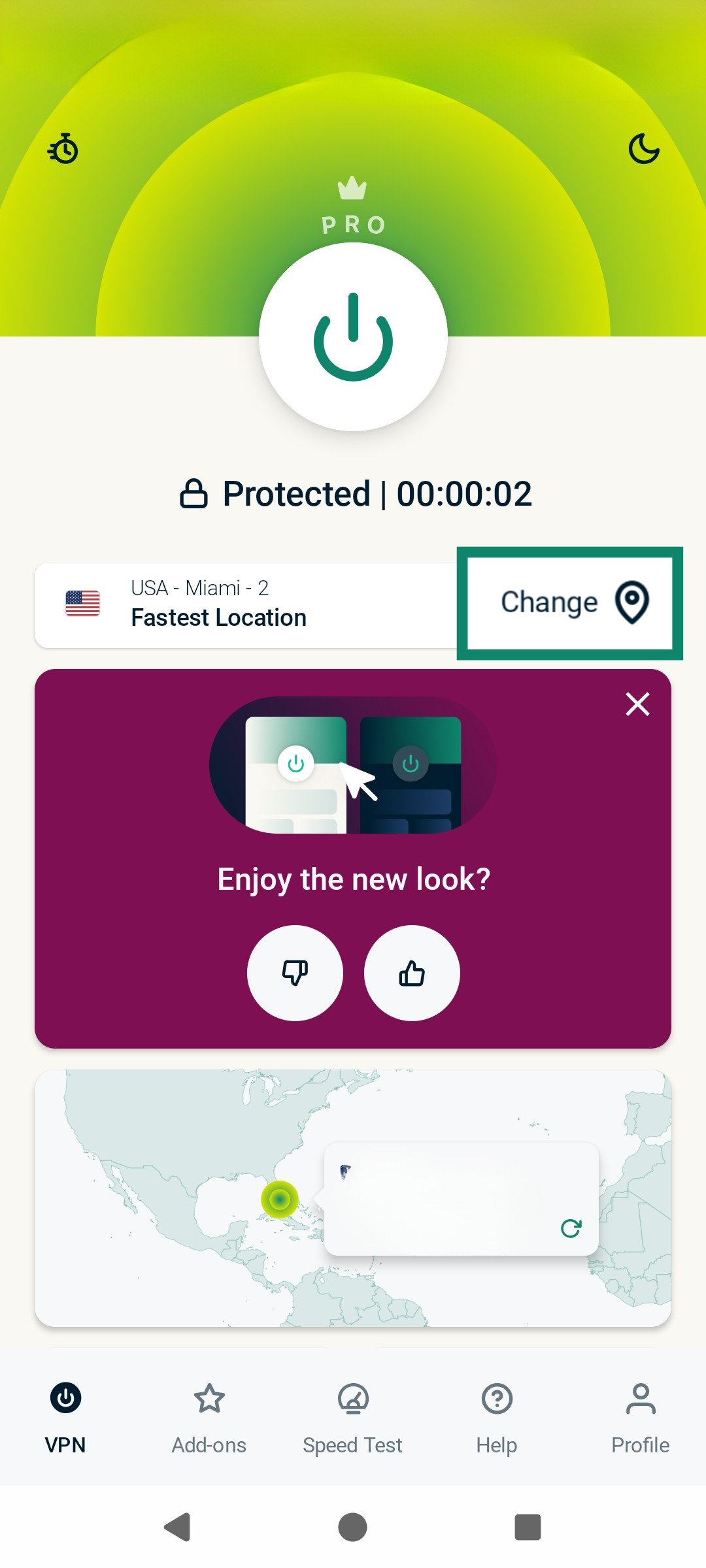
- On your Android device, launch the ExpressVPN app. (See instructions on installing the ExpressVPN app for Android.)
- Tap Change.


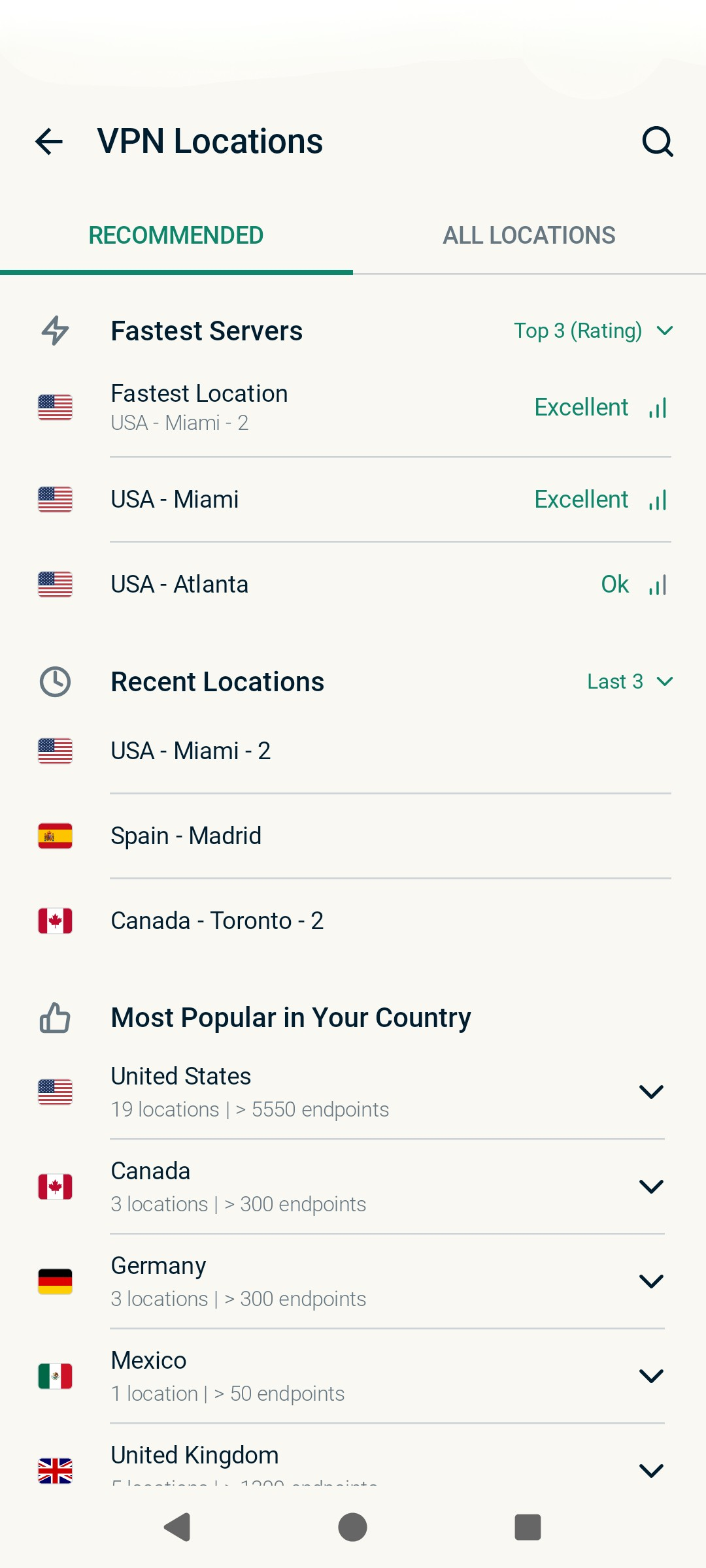
- Select your preferred location.

- Check your location and IP address to confirm the VPN connection is working.
- On your Android device, open and run Kodi like normal. (See instructions on how to install Kodi on Android.)
If you have further questions, please contact the ExpressVPN Support team for immediate assistance.