



This guide will show you how to resolve internet connection issues when running Norton 360 with the ExpressVPN app for Mac.
If you try connecting to the ExpressVPN Mac app while Norton 360 is running, you may:
- be stuck on the “connecting” state and cannot browse the internet
- be on the “connected” state but cannot browse the internet
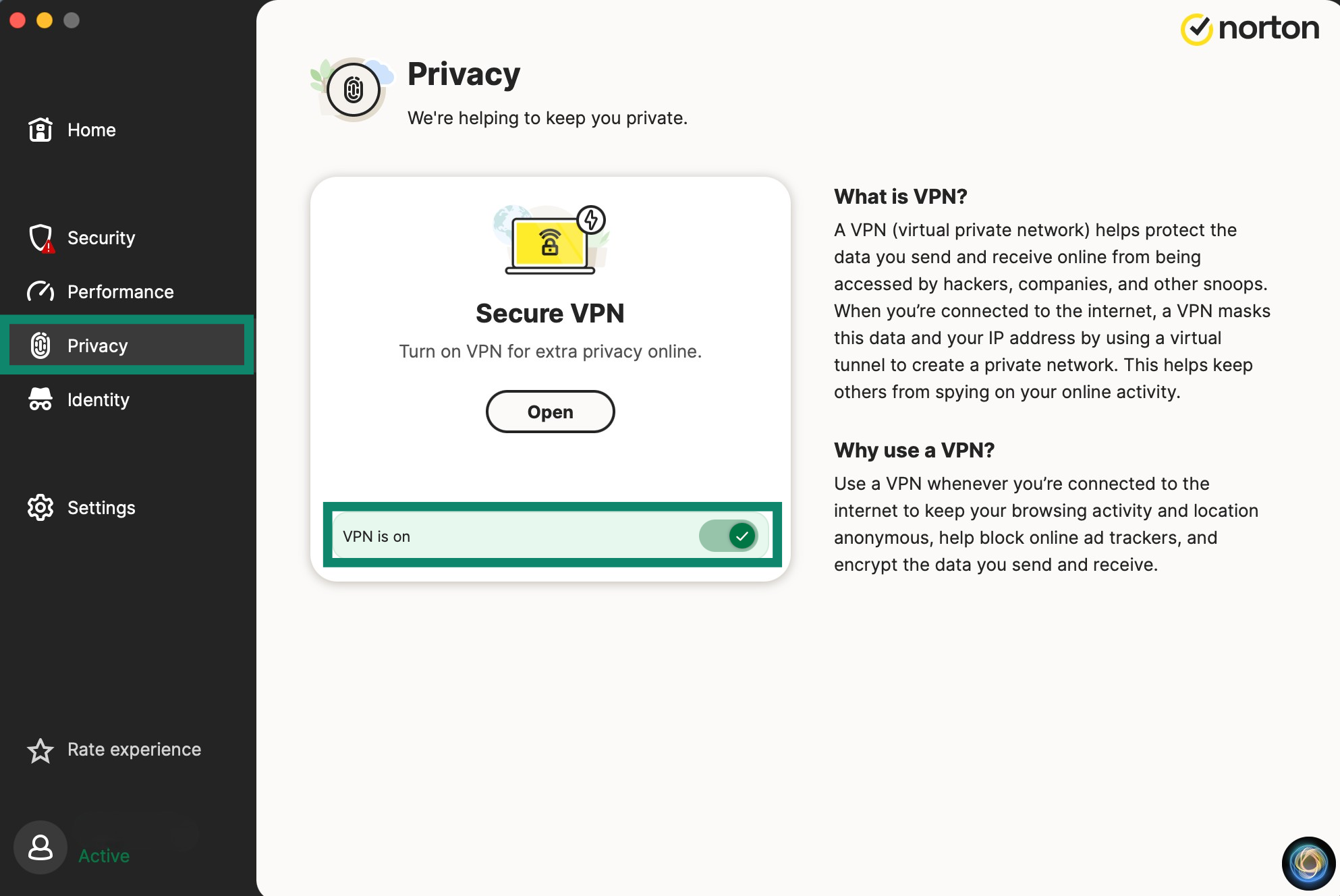
To resolve this issue, you’ll need to turn off Norton’s own VPN, called Secure VPN. Running two VPNs simultaneously causes them to conflict with each other as they both attempt to manage and encrypt your network traffic.
To turn off Secure VPN:
- Tap the Privacy tab in the Norton 360 app.
- Switch the toggle next to VPN is on to off


- Then, reconnect to ExpressVPN.
You should now be able to browse the internet.
Need help? Contact the ExpressVPN Support Team for immediate assistance.