This guide will show you how to restore deleted aliases in ExpressMailGuard.

When you delete an alias in ExpressMailGuard, you have the option to restore it.

Note: You can only restore deleted aliases. Forgotten aliases cannot be restored.

To restore a deleted alias:

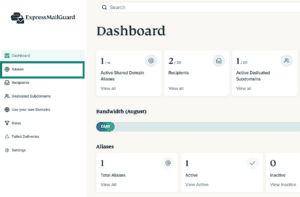
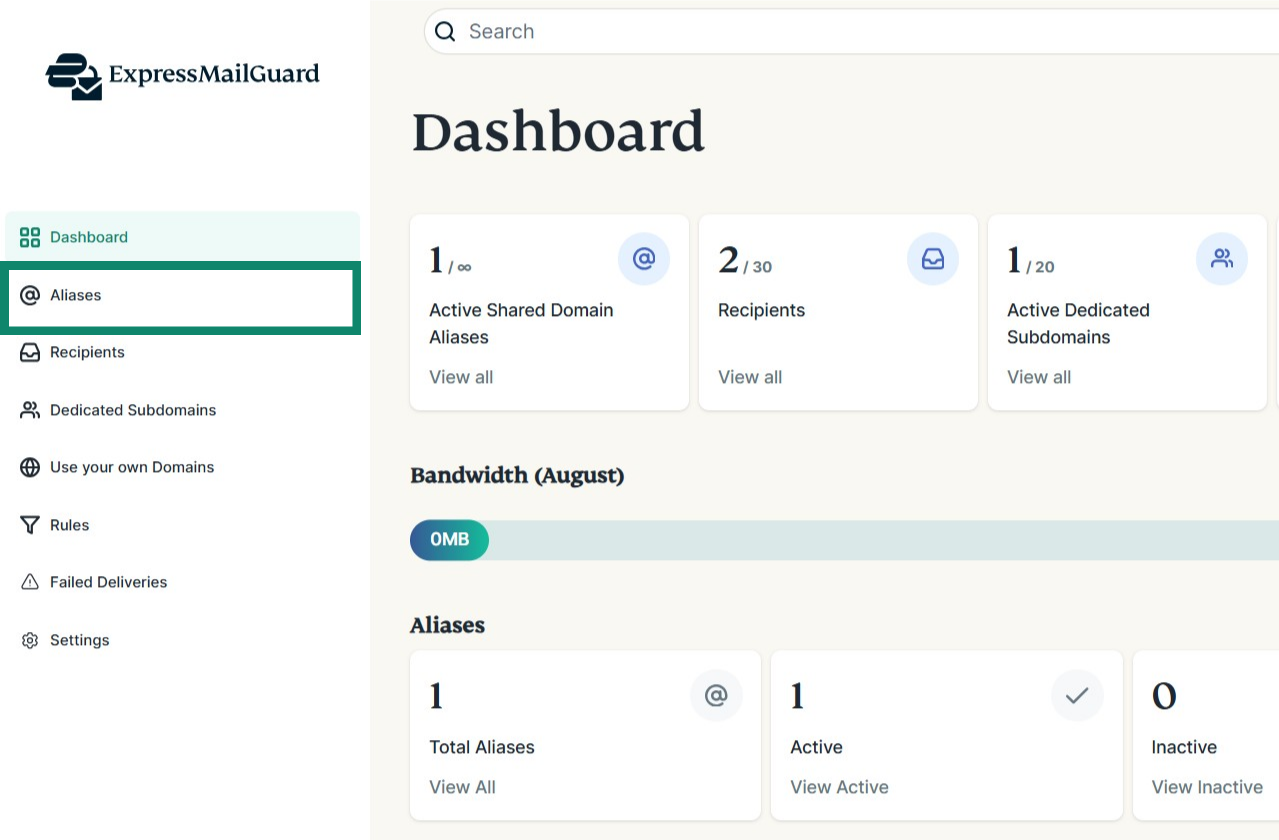
  1. On the ExpressMailGuard dashboard, click Aliases.The MailGuard dashboard, highlighting the Aliases tab.
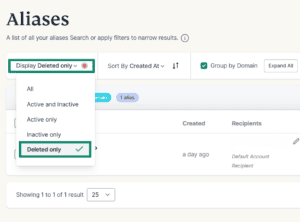
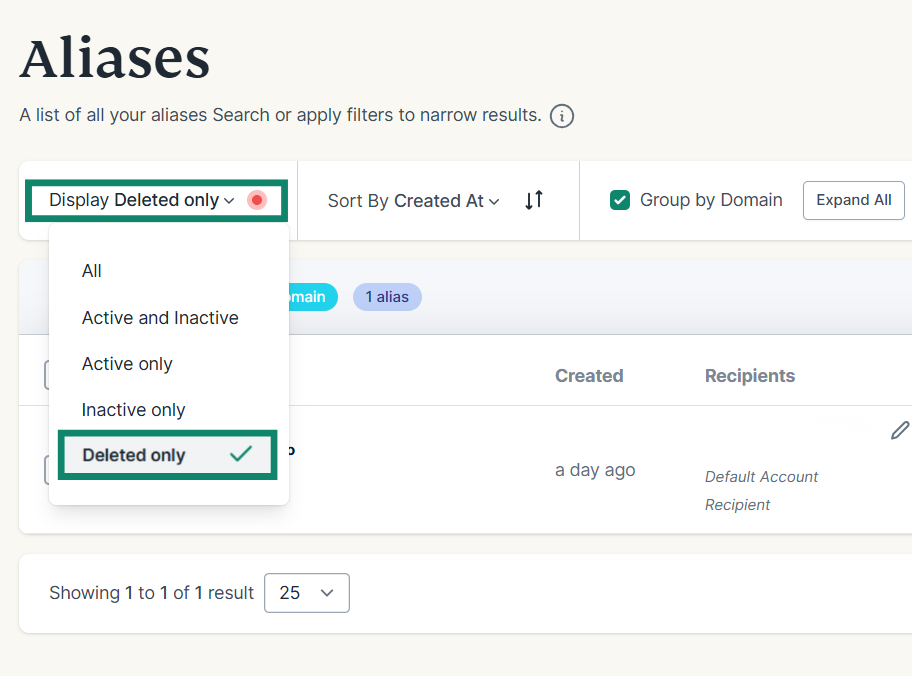
  2. Under Display, make sure to select either All or Deleted only.The Aliases tab, highlighting the Display Deleted Only dropdown menu and the Deleted only option in the menu.
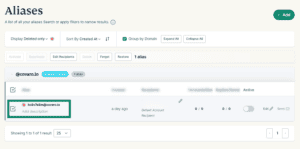
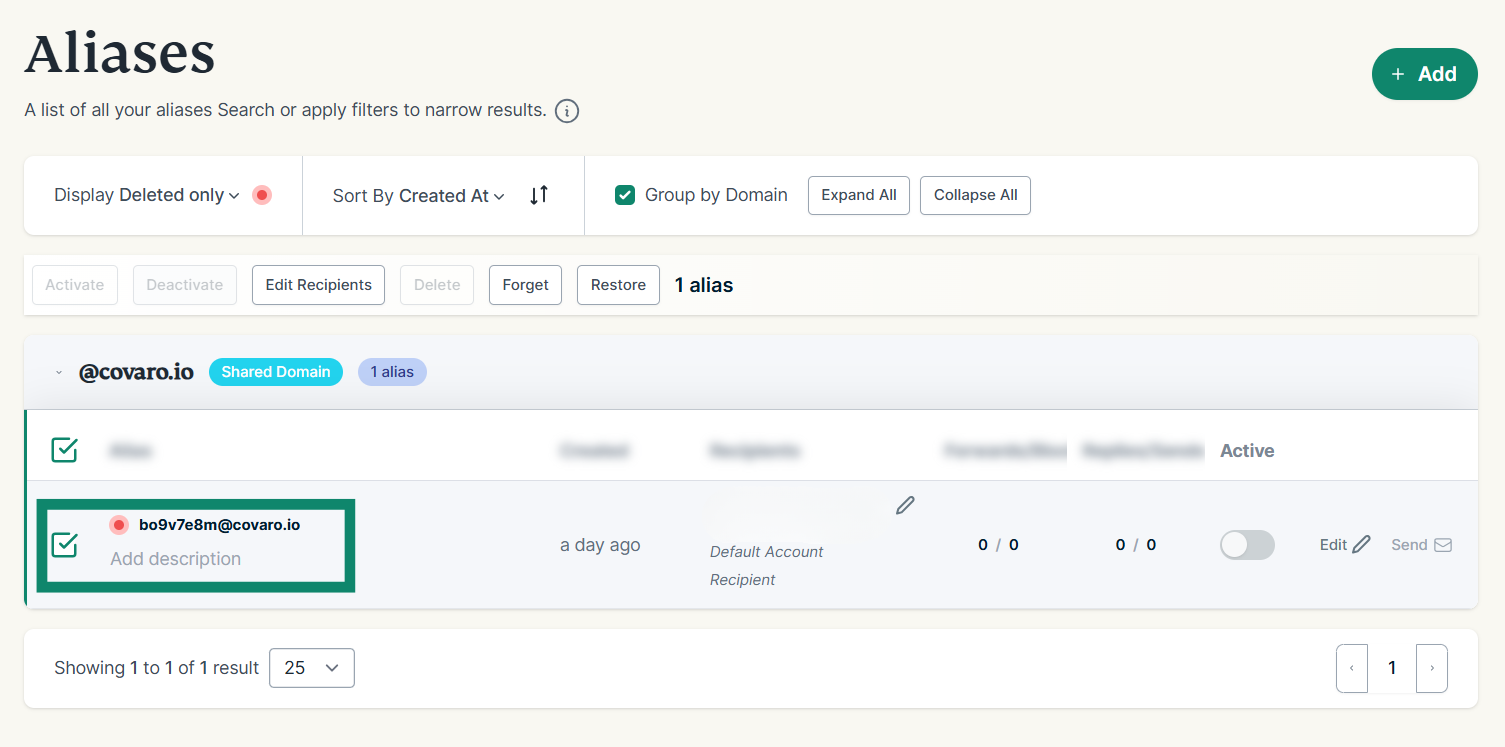
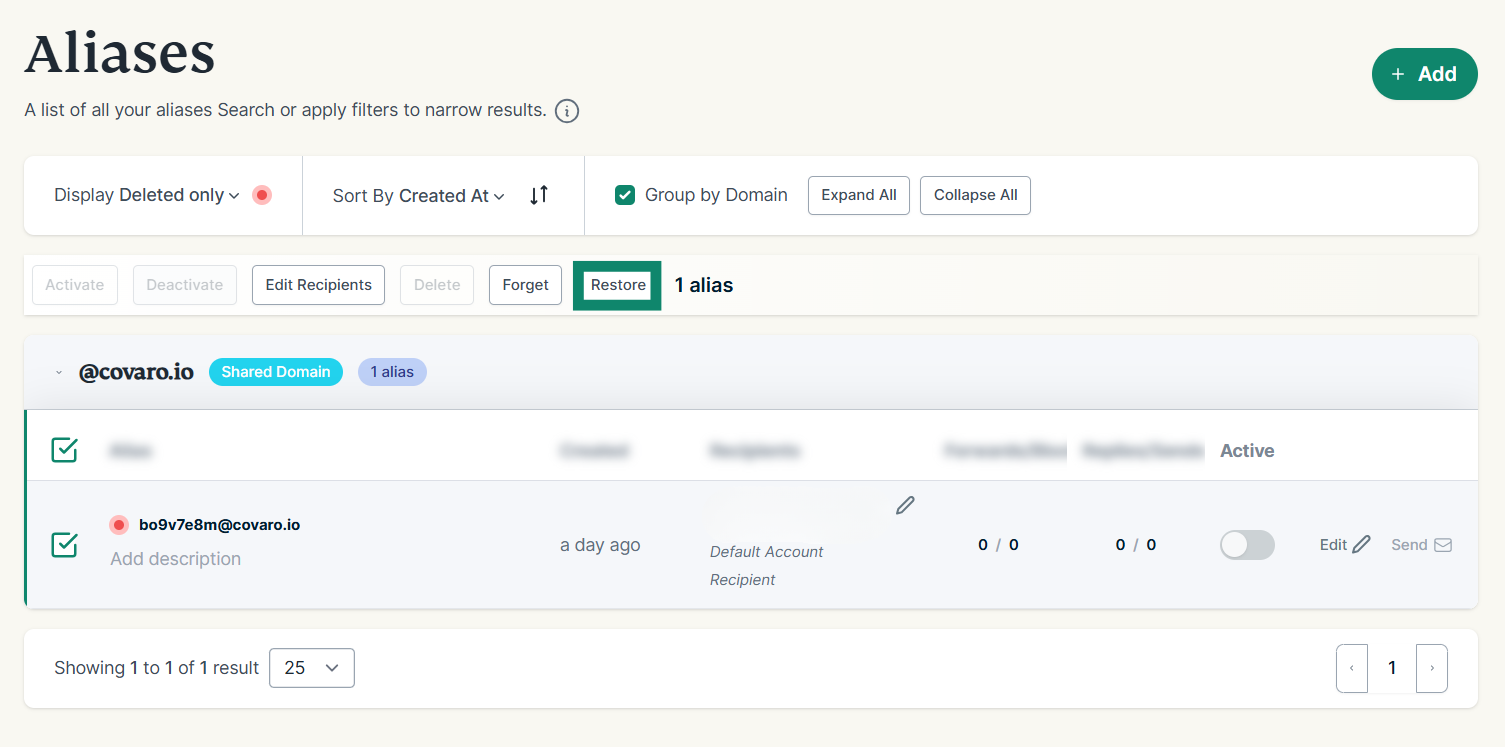
  3. Find the alias you want to restore and click the checkbox.The list of deleted Aliases, highlighting the deleted alias checkbox.
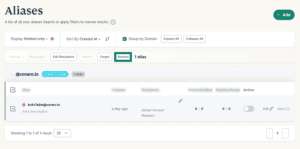
  4. Click Restore. The Aliases tab, directing readers to the Restore option.
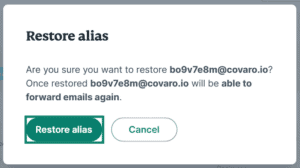
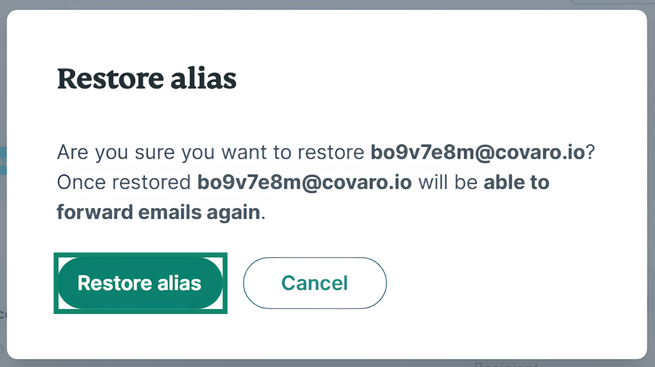
  5. Click Restore alias.The final confirmation pop-up to confirm the alias restoration.

Need help? Contact the ExpressVPN Support Team for immediate assistance.

Back to top

Was this article helpful?

We're sorry to hear that. Let us know how we can improve.

A member of our Support Team will follow up on your issue.