



Note: Identity Defender is currently only available in the U.S.
Identity Defender is included with all ExpressVPN Advanced and Express Pro subscription plans. Included features may vary based on the subscription plan you choose.
Jump to…
Purchase a subscription
Download the Identity Defender app from your app store
Download the Identity Defender apps via ExpressVPN+
Purchase a subscription
If you have yet to buy an ExpressVPN subscription and want to use Identity Defender, you have two options:
- Purchase an Advanced or Express Pro subscription from the ExpressVPN website.
- Purchase an Express Pro subscription within the Identity Defender app.
Need help? Contact the ExpressVPN Support Team for immediate assistance.
Download the Identity Defender app from your app store
Follow the steps for your respective device below:
Android
To get the Identity Defender app on Android:
- Open the Google Play Store.
- Go to Search and type “Identity Defender” into the search bar.
- Tap Identity Defender.
- Tap Install.
iOS
To get the Identity Defender app on iOS:
- Open the App Store.
- Go to Search and type “Identity Defender” into the search bar.
- Find the Identity Defender app and tap Get > Install.
Need help? Contact the ExpressVPN Support Team for immediate assistance.
Download the Identity Defender app from the ExpressVPN+ portal
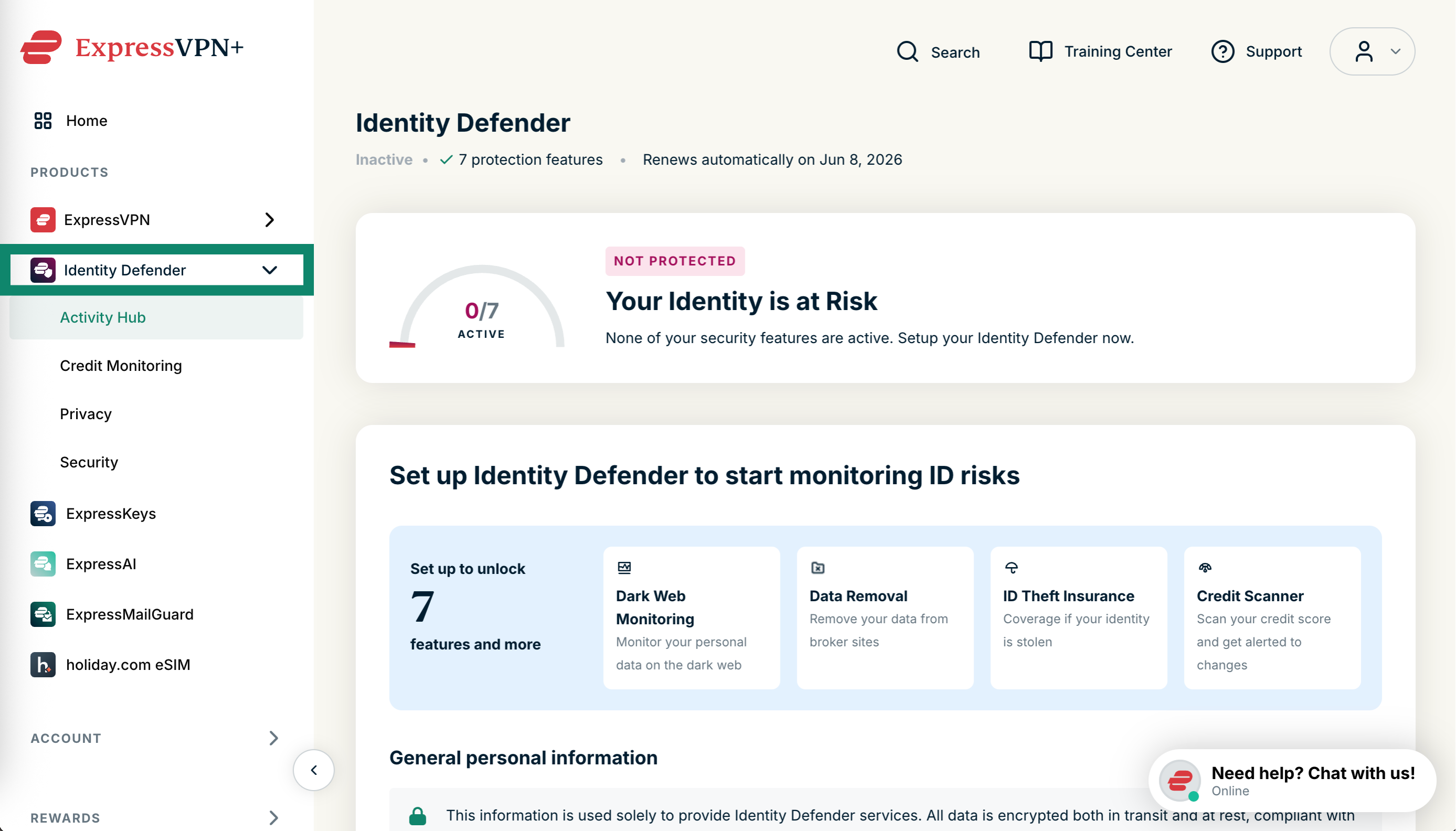
- Log into the ExpressVPN+ portal.
- Select Identity Defender from the left-side menu.


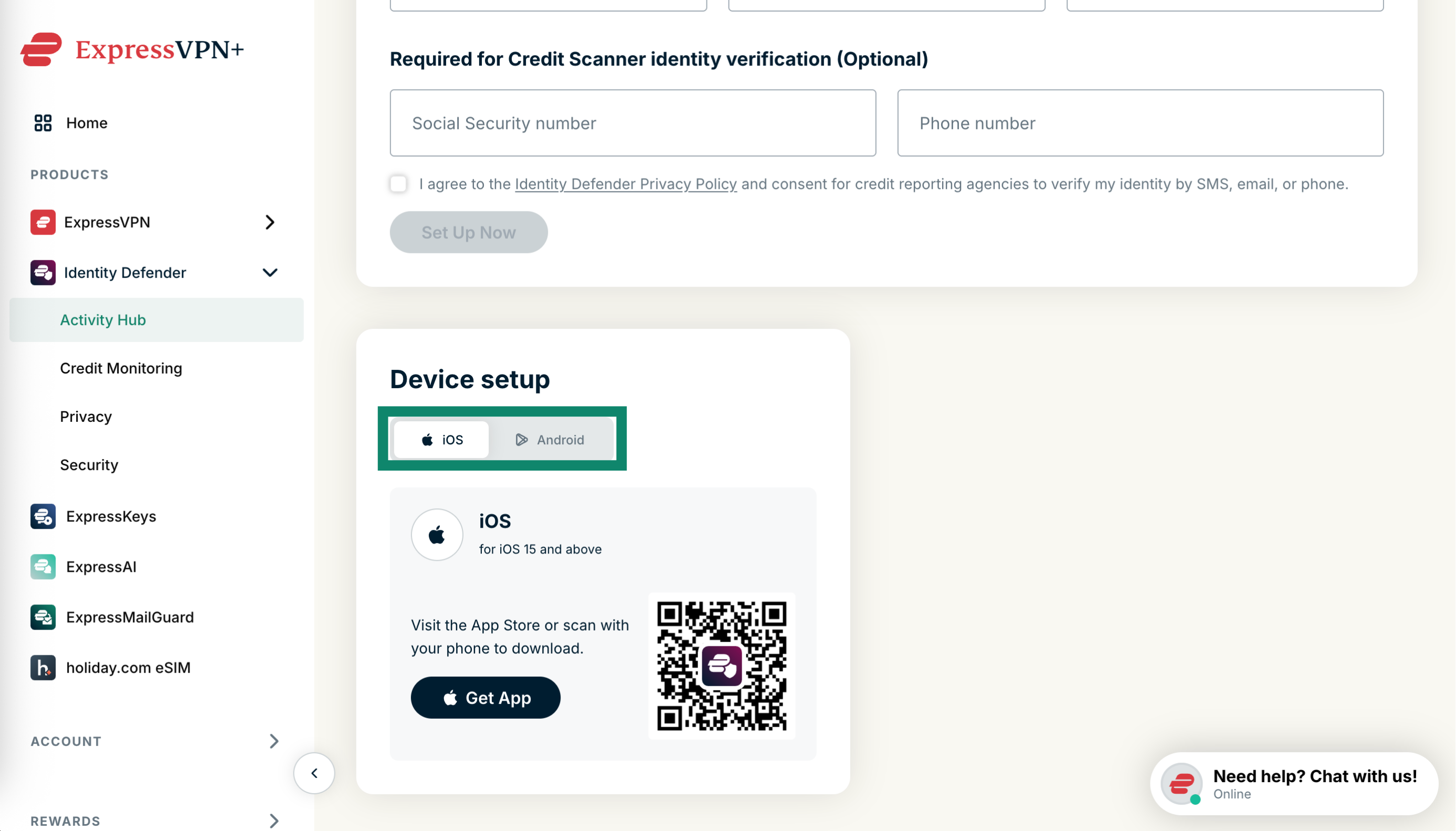
- In Activity Hub, scroll down to Device setup.

- Pick either iOS or Android.
- Open the camera on your device and scan the QR code. This will bring you to the app store to download Identity Defender.
Need help? Contact the ExpressVPN Support Team for immediate assistance.