



When a Dedicated Subdomain is deactivated, any message sent to aliases using the subdomain will be silently discarded. The sender will not be notified of the unsuccessful delivery.
To deactivate a Dedicated Subdomain:
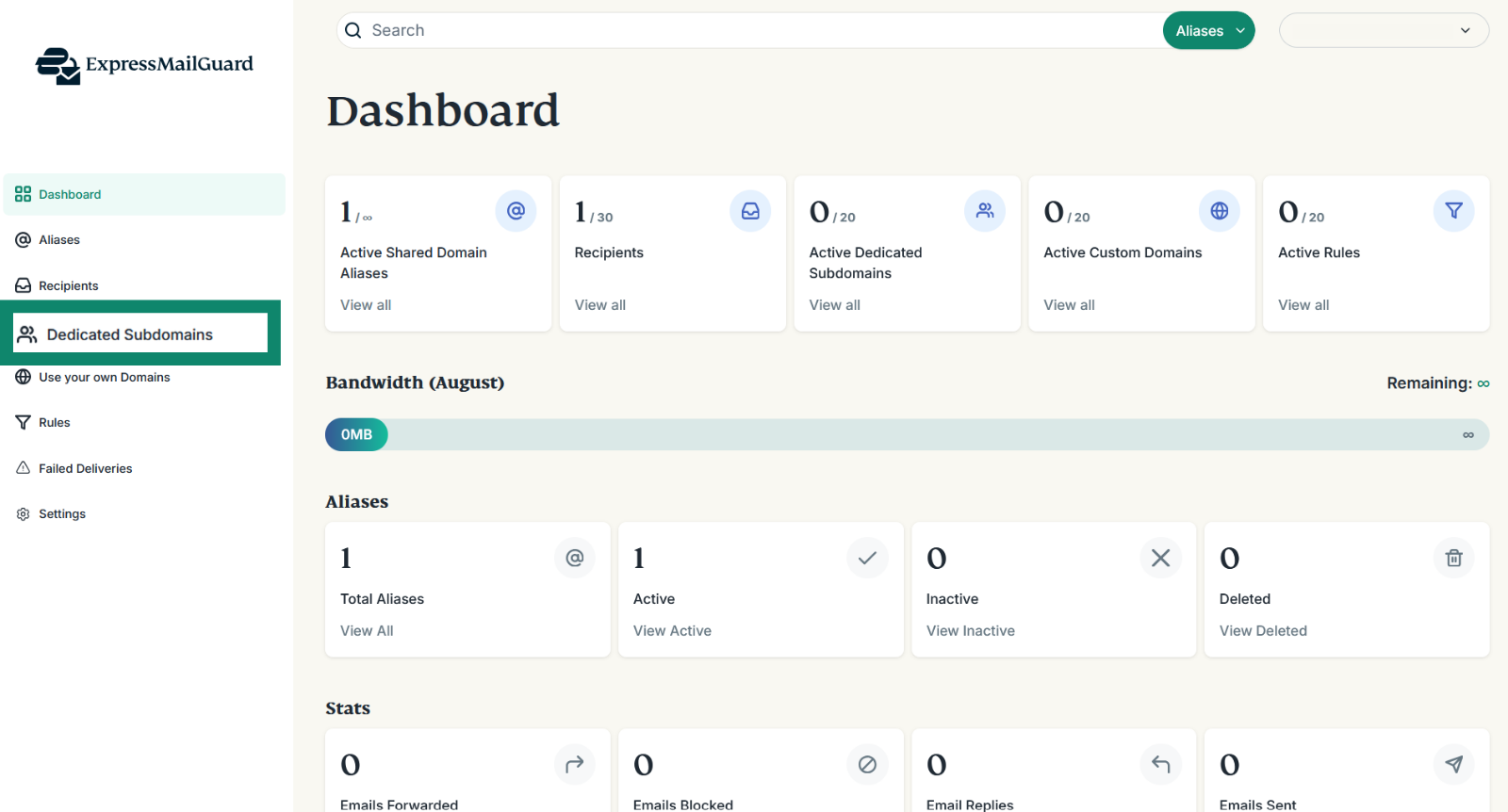
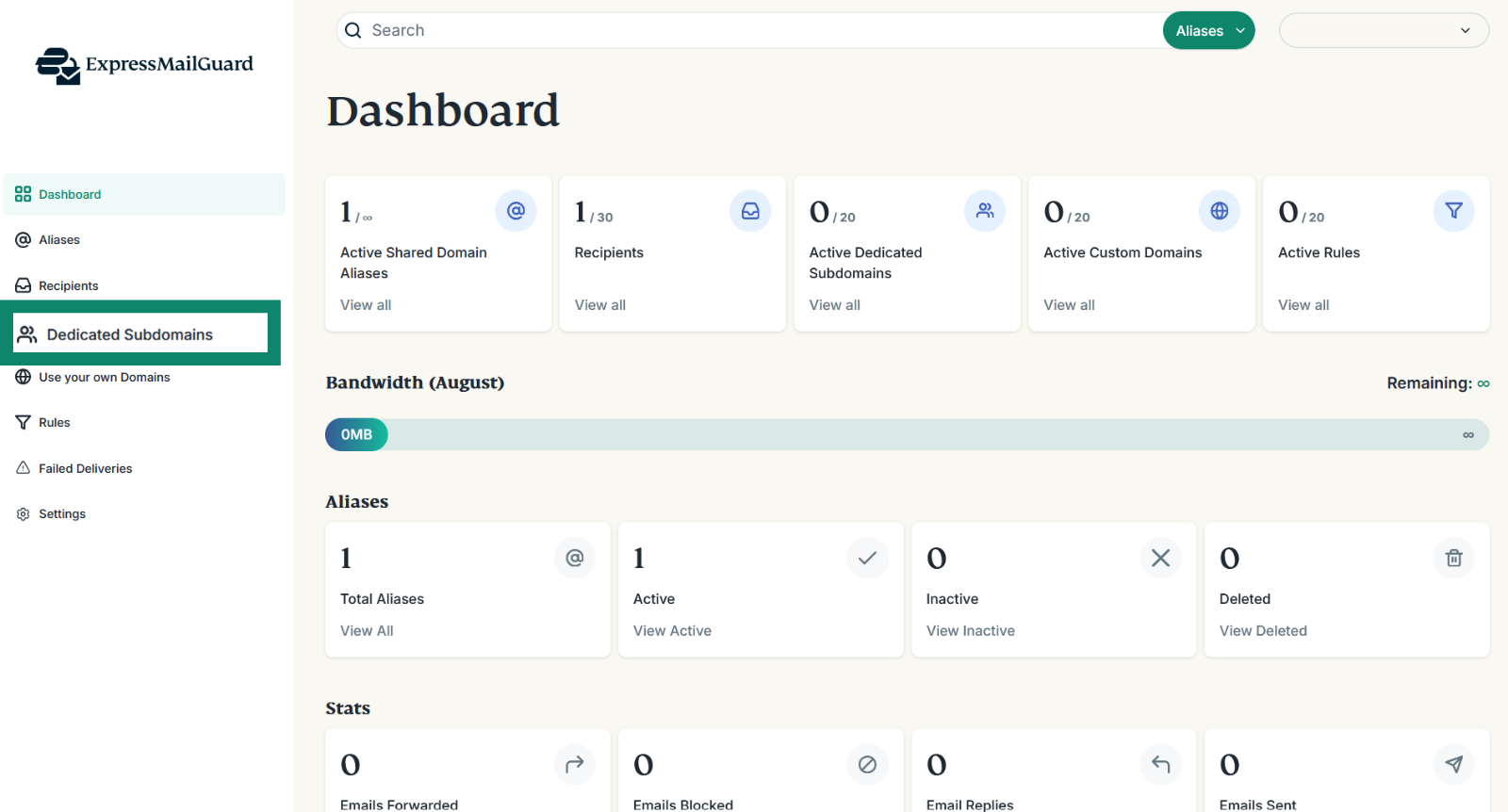
- On the ExpressMailGuard dashboard, click Dedicated Subdomains.

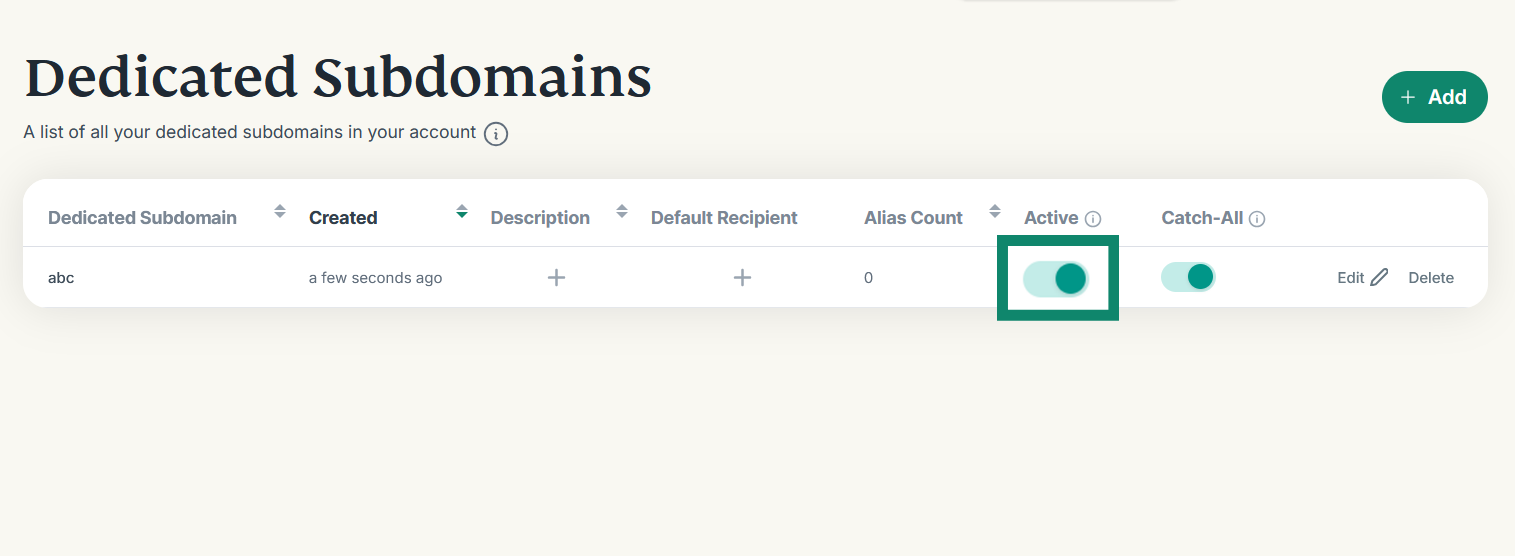
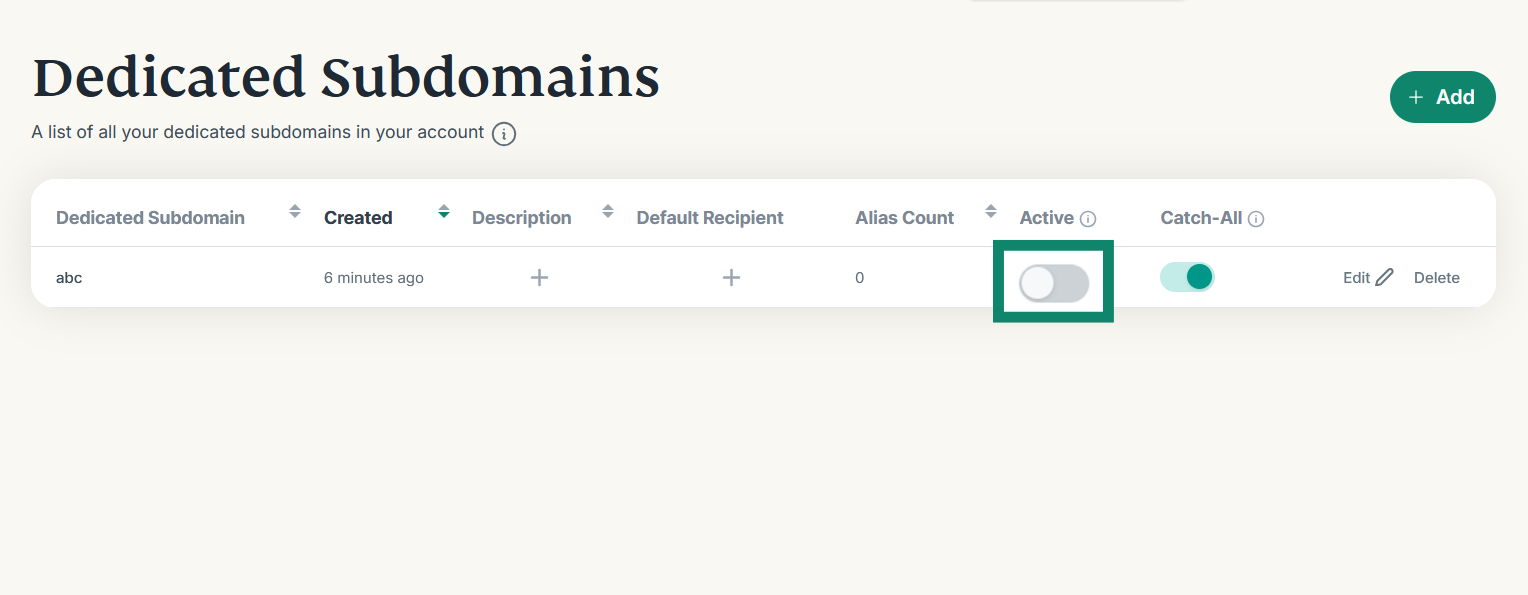
- Find the Dedicated Subdomain you want to deactivate and click the toggle button under the Active column.

To reactivate a Dedicated Subdomain:
- On the ExpressMailGuard dashboard, click Dedicated Subdomains.
- Find the Dedicated Subdomain you want to reactivate and click the toggle button under the Active column.

Need help? Contact the ExpressVPN Support Team for immediate assistance.